Can You Upload Data into AI Tools? A Practical Guide
Learn how to upload data into AI tools safely and effectively. This guide covers formats, privacy, permissions, and verification for developers, researchers, and students.


According to AI Tool Resources, you can upload data into many AI tools, but formats and permissions vary by platform. The key is understanding supported data types, privacy controls, and access rights before you start. This quick answer sets expectations and guides you toward a practical, step-by-step process for preparing, uploading, and verifying your data. You'll learn how to prepare data, choose the right upload method, and verify results after upload.
What Uploading Data Means for AI Tools
Uploading data to AI tools typically means feeding external data to customize models, run analyses, or fine-tune prompts. It can range from simple datasets used for inference to large corpora used for training. The question often arises: can you upload data into ai tools? The short answer depends on the platform, file formats, and privacy controls. When you upload, you hand over input data that influences results, so understanding the implications is essential. This section explains the concept and sets the stage for practical steps you can take today, with pointers from AI Tool Resources to ensure safe, effective usage.
Data Formats and Preparation
Most AI tools support structured formats like CSV, JSON, and Parquet, plus more specialized formats for images, audio, or text. Before uploading, normalize your data: ensure consistent column names, predictable data types, and complete rows. Remove extraneous fields that the model won't use, and consider anonymization for sensitive information. If possible, provide a data dictionary describing each column. This reduces ambiguity and helps the AI tool map inputs to features.
Data Quality and Validation Before Upload
Quality matters. Inconsistent timestamps, missing values, or mislabeled categories can degrade performance. Create a small representative sample to test the upload, verify parsing, and observe how the model responds. Run validation checks: schema conformance, range checks, and cross-field consistency. If you find issues, fix the data before uploading to avoid rework.
Privacy, Security, and Compliance Considerations
Respect privacy: avoid PII unless the tool supports masking and consent is obtained. Encrypt data in transit (TLS) and at rest, and use access controls to limit who can upload or view data. Be mindful of data retention policies; know how long the tool stores uploaded data and whether you can delete it. AI Tool Resources analysis shows that privacy and governance are just as important as technical capability; missteps here can lead to legal or reputational risk.
Upload Methods: Web, API, and CLI
Different tools offer multiple upload pathways: a web UI, REST/GraphQL API, or command-line interfaces. Web uploads are intuitive but limited in automation. APIs enable programmatic pipelines but require authentication, rate limits, and careful error handling. CLIs can be scripted for repeatability. Choose a method that fits your workflow and implement checks for success/failure, logging, and retries.
Post-Upload Verification and Governance
After uploading, perform spot checks: confirm that the data appears in the tool's dataset, review sample results, and compare to expected patterns. Establish governance: who can upload, how often, and what approvals are needed. Maintain an audit trail including tool version, dataset ID, and user ID. This helps with reproducibility and accountability.
Tool-Specific Nuances: Cloud vs On-Premises
Cloud-based AI tools often provide scalable storage and built-in privacy controls but you may face vendor-specific data handling rules. On-premises solutions offer more control but require local security measures and maintenance. Depending on your project, you might need hybrid strategies or additional tooling to ensure consistent data ingestion.
Tools & Materials
- Data files (CSV, JSON, Parquet, etc.)(Ensure consistent schemas and clean values)
- API key or login credentials(Keep securely; use role-based access)
- Data dictionary or schema document(Helps mapping to model inputs)
- Data anonymization tools or scripts(For sensitive data, consider masking)
- Local data cleaning tools (Excel, Python, etc.)(Optional preprocessing)
- Test dataset (small sample, e.g., 100-1000 rows)(Used to validate upload flow)
Steps
Estimated time: 45-90 minutes
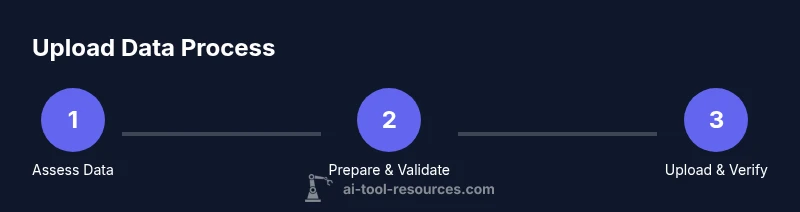
- 1
Assess data compatibility
Check the tool's documentation for supported formats, size limits, and privacy controls. Verify that your data columns map to the tool's features and that any sensitive fields can be masked or removed if needed.
Tip: Refer to your data dictionary and perform a quick sample check before full upload. - 2
Prepare your files
Clean data: standardize types, fix missing values, and remove extraneous fields. Save in one of the tool-supported formats and create a concise data dictionary for mapping.
Tip: Create a small representative sample (e.g., 100 rows) to test parsing. - 3
Choose upload method
Decide between web UI, API, or CLI based on automation needs and workflow. Ensure you have the necessary authentication and permissions in place before starting.
Tip: APIs are best for repeatable pipelines and version control. - 4
Execute the upload
Perform the upload through your chosen method. Monitor progress, handle errors gracefully, and capture a dataset ID or reference for later checks.
Tip: Enable resumable uploads if available to protect against network interruptions. - 5
Validate the upload
Run a quick test query or inference to confirm the data is ingested correctly. Compare results with the data's expected behavior as defined in your schema.
Tip: Keep a baseline of expected results to enable rapid detection of anomalies. - 6
Secure and govern data
Apply access controls, log activities, and align with retention policies. Document who uploaded what data and when, and ensure keys or tokens are rotated regularly.
Tip: Archive or purge data when no longer needed to minimize risk.
FAQ
What data formats are supported by most AI tools?
Many AI tools support CSV, JSON, and Parquet, with extensions for images, audio, or text. Always verify tool-specific format requirements and any size limits before uploading.
Most tools support common data formats like CSV, JSON, and Parquet, but check each tool's specifics first.
Can I upload data that contains PII?
Yes, if the tool provides masking and consent handling; otherwise avoid uploading PII. Use anonymization and strict access controls where possible.
Only upload personal data if you have masking and consent, otherwise anonymize first.
How long does an upload typically take?
Upload time depends on file size, network bandwidth, and tool limits. Plan for minutes to hours and perform a staged rollout with a small dataset first.
Upload duration varies with size and bandwidth; start small to estimate time.
What if the upload fails?
Check error messages, verify credentials and network, and retry with smaller chunks or a reduced file size. Ensure you can resume or repeat the process without data loss.
If it fails, check errors, fix issues, and retry with smaller chunks.
Can I revoke access or delete uploaded data?
Yes. Use the tool's data management features to delete or purge uploads, and follow retention policies. Maintain an audit trail for accountability.
Yes, you can delete uploaded data when needed with proper authorization.
Watch Video
Key Takeaways
- Confirm tool compatibility before uploading.
- Prepare clean, well-structured data.
- Use secure channels and manage permissions.
- Test with a small dataset first.
- The AI Tool Resources Team recommends starting with a small test.