How to Use PassGAN AI Tool: A Developer's Guide
A developer-friendly, step-by-step guide to using PassGAN for password-analysis tasks, covering setup, secure experimentation, data handling, evaluation, and ethics for researchers and students.


Goal: Learn how to use PassGAN AI tool to conduct responsible password-analysis experiments. You will set up a secure, isolated environment, install Python and PyTorch, and clone the PassGAN repository. This quick guide highlights the core steps, safety checks, and validation criteria you should follow before running any experiments.
Why practitioners use PassGAN for password research
In modern security research, PassGAN helps model password distributions and stress-test authentication schemes. For developers, researchers, and students, a careful, responsible approach is essential. According to AI Tool Resources, understanding how to use passgan ai tool starts with clear objectives, a controlled environment, and well-defined safety boundaries. The goal is not to break protections but to reveal weaknesses and guide defenses. You will learn how to use passgan ai tool by focusing on reproducibility, logging, and rigorous evaluation rather than ad-hoc experimentation. The model learns from data to produce password-like samples, enabling analysis of entropy, guessability, and policy compliance. Before you begin, define your scope: which password policies are in scope, what datasets you may lawfully access, and how you will report results to avoid misuse. Regulatory and ethical considerations matter, especially when handling user data or real-world credentials. In this guide, we address practical steps, common challenges, and best practices so you can conduct experiments responsibly while meeting scholarly standards. The knowledge here is designed for a technical audience—developers, researchers, and students who want to expand their toolkit with AI-assisted security research. We cover environment setup, data handling, model training, evaluation, and documentation to ensure results are reproducible and trustworthy.
This section sets the stage for a disciplined, reproducible workflow that aligns with professional standards and legal requirements. If you’re asking how to use passgan ai tool in practice, you’ll see how to map research questions to concrete experiments and how to document every step for peer review.
Prerequisites and safety considerations
Before starting PassGAN experiments, outline the prerequisites and safety guardrails. Ensure you have explicit permission to study any dataset, and operate only in isolated, legal environments such as local containers or offline VMs. Using real user data without consent is illegal and unethical, so avoid it at all costs. You should consult your institution's ethics board or supervisor if you are unsure about the legality. The safety plan should include access controls, audit trails, and data minimization. Use synthetic or publicly released datasets when possible to avoid risking sensitive information. Keep your experiments contained within your lab network and avoid sharing leaked data or results that could facilitate wrongdoing. This section also emphasizes reproducibility: document software versions, hardware specs, and configuration options so others can verify results without re-running sensitive experiments. Finally, maintain clear logging and version control for all scripts and datasets to support audits and replication. When you consider how to use passgan ai tool, ethics and legality should steer every decision, from data sourcing to result reporting.
Installation and environment setup
To begin, install Python 3.8+ and PyTorch from official sources, with CUDA support if you plan to utilize a GPU. Create an isolated virtual environment (venv or conda), then clone the PassGAN repository and install dependencies via requirements.txt. Verify your GPU drivers and CUDA toolkit compatibility, then run a small smoke test to ensure the framework loads. If you don’t have a GPU, configure CPU-only mode and expect longer runtimes. For reproducibility, consider containerizing the environment with Docker or using a reproducible conda environment. This section walks you through environment checks, dependency resolution, and common configuration pitfalls. When you later execute how to use passgan ai tool, you’ll appreciate having a clean, documented setup that others can replicate.
Running PassGAN: basic workflow
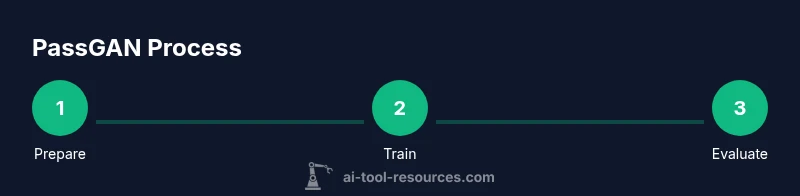
With the environment ready, follow a disciplined workflow: prepare your dataset, train a model, generate samples, and evaluate results. Start with a small, synthetic dataset to validate the pipeline before scaling up. Use a fixed random seed for reproducibility and log every experiment parameter. Run training for a few epochs to verify loss behavior, then incrementally increase iterations. After training, generate samples and compare distributions against your validation set to assess realism and novelty. For ethical reasons, document the exact data sources and ensure all outputs are stored securely and access-controlled. The workflow should include versioned scripts, clear parameter exports, and automated sanity checks to catch anomalies early. This practical approach aligns with how to use passgan ai tool effectively in research settings.
Extending PassGAN: customization and experiments
PassGAN is extensible; you can adjust model architecture, training objectives, or data preprocessing to explore different password-generation patterns. Try swapping the generator or discriminator architectures, vary learning rates, or experiment with alternative loss functions. You can also plug in additional evaluation metrics such as sample diversity measures or cross-entropy statistics. When experimenting, maintain rigorous documentation, cite sources, and share legitimate results with your team. Always reassess safety implications whenever you modify the training pipeline. This section invites iterative experimentation while maintaining a strong ethical framework. Understanding how to use passgan ai tool includes recognizing the boundaries between exploratory work and actionable misuse.
Common pitfalls and debugging tips
Debugging PassGAN runs often involves data mismatch, incorrect shapes, or diverging loss. Start by confirming data preprocessing matches model expectations, and verify input shapes and normalization. If training loss plateaus, check learning rate schedules and gradient clipping. Ensure your dataset contains no duplicates that could bias results, and inspect GPU memory usage to prevent out-of-memory errors. Enable verbose logging and unit tests for core functions, and validate with a small, deterministic run before scaling up. When troubleshooting, record exact error messages and version differences so you can reproduce fixes later.
Measuring impact: evaluation and ethics
Evaluation should combine quantitative metrics—entropy, cross-entropy, and distribution similarity—with qualitative assessment of sample novelty and policy compliance. Document how you interpret results and what thresholds indicate acceptable risk. Consider ethical implications: transparency, responsible disclosure, and potential misuses. Share insights with your research community and seek feedback from peers. The ultimate goal is to advance defense strategies and awareness, not to enable wrongdoing; always align your work with established ethical guidelines and organizational policies. When you reflect on how to use passgan ai tool, keep the user protection and societal impact at the forefront of reporting and dissemination.
Tools & Materials
- Python 3.8+(Install from python.org; ensure path is set)
- PyTorch with CUDA support(GPU recommended for training; CPU-only works but slow)
- CUDA toolkit and drivers(Match version with PyTorch build)
- Git(Clone and manage the PassGAN repo)
- PassGAN repository(Official source code to clone and run)
- Virtual environment manager (venv/conda)(Isolate dependencies per project)
- Synthetic or public datasets(Safe data for experiments; avoid real user data)
- Containerization tool (Docker/Podman)(Optional for reproducible environments)
Steps
Estimated time: 6-12 hours
- 1
Prepare the environment
Create an isolated workspace, verify Python and CUDA compatibility, and set a fixed seed for reproducibility. Confirm you have permission to use the data you’ll work with.
Tip: Document all environment variables and versions at the start. - 2
Install dependencies
Install PyTorch and other dependencies from the official sources. Use a requirements.txt file if provided by the PassGAN repo and ensure CUDA bindings are correctly configured.
Tip: Test a small sample run to verify the installation succeeds. - 3
Clone the PassGAN repo
Clone the repository to your local machine or container and check out a stable branch. Review the README for setup nuances.
Tip: Keep your clone directory clean; document the commit used for reproducibility. - 4
Prepare the dataset
Generate or obtain a synthetic dataset aligned with your research scope. Ensure it’s legally compliant and appropriately labeled.
Tip: Use a deterministic subset for initial experiments. - 5
Configure training settings
Adjust model and training parameters (learning rate, batch size, epochs) and set any policy constraints.
Tip: Record all parameter choices in a config file. - 6
Train the model
Run the training loop with monitoring for loss convergence and memory usage. Validate intermediate results regularly.
Tip: Use a small early-stop criterion to avoid wasted time on poor configurations. - 7
Generate samples and evaluate
Produce samples from the trained model and compare them to the validation set using defined metrics. Inspect diversity and realism.
Tip: Automate routine checks and store outputs securely with access controls. - 8
Document and report results
Create a concise report detailing methods, seeds, versions, and ethical considerations. Share findings with your team for peer review.
Tip: Include a limitations section to frame future work.
FAQ
Is PassGAN legal to use?
PassGAN should only be used with explicit permission and in authorized settings. Always adhere to institutional policies and applicable laws.
Only use PassGAN with proper permission and in authorized environments.
What hardware do I need?
A CUDA-enabled GPU is strongly recommended for training; CPU-only runs are possible but slower.
A GPU is recommended, but you can run on CPU if needed.
How long does training take?
Training time depends on dataset size and hardware; expect hours for small experiments and longer for full-scale runs.
It varies from hours to days depending on your setup.
Where can I find safe datasets?
Use public, synthetic, or academically released datasets to avoid exposing real user data.
Use public or synthetic datasets for safety and compliance.
How should I report results?
Document methods, seeds, software versions, and data sources; present limitations and ethical considerations clearly.
Be transparent about methods, data, and ethics.
Watch Video
Key Takeaways
- Define scope and ethics before starting.
- Use a reproducible environment for all experiments.
- Document data sources, versions, and parameters.
- Evaluate results with clear, responsible reporting.