When AI Tools Be Used Effectively in the Classroom
A practical guide for educators on when and how to use AI tools in classrooms, with steps to implement, safety notes, and measurable outcomes.


By clearly defining goals, piloting AI tools with privacy safeguards, and integrating them into existing lessons, educators can raise engagement and personalize learning without compromising equity. This guide shows practical steps to choose, test, and scale AI in classrooms, while maintaining strong pedagogy and data governance. Learn how to start with small pilots and measure impact.
Why AI Tools in Education: Defining Effective Use
The educational landscape is shifting as AI tools become more accessible. in this context, when can ai tools be used effectively in the classroom becomes a practical planning question. The answer starts with purpose: AI should amplify teachers’ strategies, not replace them. According to AI Tool Resources, effectiveness comes from aligning tools with learning goals, maintaining ethical boundaries, and ensuring students retain agency in the learning process. In practice, this means choosing tools that adapt to individual pace, provide timely feedback, and support teachers in planning rather than doing the work for students. The most successful deployments begin with a clear curriculum mapping that identifies where AI can remove rote tasks, offer personalized practice, or unlock higher-order thinking. It also requires explicit rules about data handling, student privacy, and accessibility so every learner can benefit. By focusing on outcomes and continuity with existing pedagogy, schools can leverage AI as a helpful co-instructor rather than a detached automation.
What Can AI Do in the Classroom? Core Capabilities
AI tools can assist with personalization, language support, feedback, and content generation. They can adjust difficulty, provide real-time hints, and translate materials. However, effective use requires human oversight. The most important capabilities include: adaptive practice that matches student pace; formative feedback that guides revisions; drafting and scaffolding support; data-driven insights for teachers; and accessibility features for diverse learners. These capabilities enable teachers to tailor practice, accelerate feedback loops, and support multilingual learners without sacrificing instructional control.
Top Scenarios Where AI Adds Value
AI shines in several classroom moments:
- Personalizing practice to student pace and readiness
- Providing real-time feedback on writing and math work
- Supporting language translation and accessibility needs
- Generating prompts, outlines, or guided notes for complex topics
- Assisting with data-informed planning and progress monitoring Practical examples include adaptive quizzes that adjust after each attempt and writing supports that suggest structure without writing the entire essay for the student. When used thoughtfully, AI can reduce routine tasks, freeing teachers to focus on higher-order instruction.
Designing a Responsible AI-Enhanced Lesson
A responsible AI-enhanced lesson starts with alignment to standards and clear learning outcomes. Teachers should map where AI adds value (practice, feedback, scaffolding) and where it should not (creative ideas without guidance, high-stakes decision making). Establish privacy boundaries, consent where required, and a plan for data governance. Build lesson flows that weave AI activities with direct instruction, peer collaboration, and reflective discussion. Schedule time for students to critique AI outputs and for teachers to calibrate tool settings. Finally, design rubrics that evaluate both learning gains and responsible tool use, ensuring students understand how AI contributes to mastery rather than merely completing tasks. This approach keeps pedagogy central while leveraging AI for targeted support.
Tool Selection Criteria for Schools
When choosing AI tools, schools should prioritize privacy controls, data ownership, and secure data handling. Look for tools with transparent data policies, clear retention periods, and easy opt-out options. Check interoperability with your LMS and classroom hardware, vendor reliability, and ongoing teacher support. Consider cost in both upfront licenses and long-term maintenance. Favor tools that provide teacher dashboards, student-friendly privacy controls, and evidence of learning outcomes. Finally, pilot tools with a small cohort to gather feedback before district-wide deployment.
Classroom Workflow: Integrating AI Without Disruption
Integrate AI by embedding it into existing lesson plans rather than replacing them. Start with a short, clearly defined activity and a debrief discussion to connect AI outputs to learning goals. Use AI to support tasks such as practice, feedback, and scaffolding, while teachers lead instruction and curate results. Schedule routines for check-ins, data review, and adjustments to tooling. Leverage asynchronous tools for independent practice and synchronous sessions for guided exploration. Maintain a clear role for the teacher as moderator, editor, and designer of learning experiences. This approach minimizes disruption and helps students see AI as a learning partner.
Student Experience: Personalization vs. Fairness
Personalization should enhance equity, not widen gaps. AI tools can tailor practice to individuals, but unequal access risks disadvantage. Schools should ensure device availability, offline options, and alternative pathways for students who need additional support. Monitor for bias in AI outputs and provide human review for critical decisions. Encourage student agency by teaching metacognitive skills: how to interpret AI feedback, when to trust AI suggestions, and how to challenge incorrect AI conclusions. Involve students in setting norms for AI use, including responsible experimentation and digital citizenship.
Assessment and Feedback: Measuring Learning with AI
Use AI as a complement to traditional assessment, not a replacement. Combine AI-generated feedback with teacher assessment to validate learning gains. Define metrics such as time on task, error patterns, and progress toward mastery. Use rubrics that capture growth over time and ensure feedback is actionable. Communicate clearly about what AI feedback covers and what remains teacher-directed. Regularly review outcomes with students to adjust goals and instruction. Data should inform instruction, not penalize learners.
Accessibility and Inclusion: AI as an Enabler
AI can remove barriers by offering text-to-speech, real-time translation, and simplified language. Ensure tools support screen readers and keyboard navigation, with adjustable font sizes and contrast. Provide alternate activities for students who lack devices or reliable connectivity. Test AI outputs for readability and inclusivity, and solicit feedback from students with diverse needs. When designed with accessibility in mind, AI becomes an enabler for all learners, not a gatekeeper.
Data Privacy, Ethics, and Guardrails
Guardrails build trust. Establish who owns the data, what is collected, and how long it is stored. Use tools with privacy-by-design features and minimal data collection. Communicate policies openly with families and students, and provide opt-out options. Conduct regular reviews of tool performance, bias, and security. Ensure teachers receive training on data privacy and ethical use of AI in instruction.
Professional Development for Teachers
Sustainable AI adoption requires ongoing professional development. Offer workshops on choosing tools, interpreting AI feedback, and integrating AI within lesson design. Include time for peer collaboration, reflection, and sharing best practices. Provide resources, templates, and a community of practice to support teachers at all levels of comfort with AI. The goal is to empower teachers to harness AI confidently while maintaining instructional leadership.
Getting Started: A 30-Day Adoption Plan
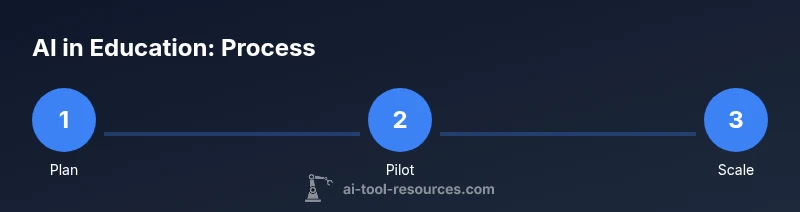
Day 1–5: Define learning goals and privacy rules; select 1–2 AI tools. Day 6–10: Run a small pilot in one class, collect student feedback. Day 11–20: Integrate AI activities into 1–2 lessons per week; adjust based on evidence. Day 21–30: Expand to additional sections or grade levels, with ongoing evaluation and teacher PD. Throughout, document outcomes, share lessons learned, and keep governance updates current.
Tools & Materials
- Digital devices (student laptops/tablets or classroom laptops)(Devices with reliable internet; ensure batteries are charged before class)
- Learning Management System (LMS) or classroom management tools(For distributing AI-enabled activities and collecting data)
- AI-enabled software or plugins(E.g., AI writing assistants, tutoring aids; ensure privacy settings)
- Student privacy consent forms and data privacy guidelines(Compliant with local regulations and district policy)
- Projector or display for demonstrations(Helpful for whole-class demonstrations and guiding instruction)
- Data management plan(Define what data is collected, how it is stored, who has access)
Steps
Estimated time: 6-8 weeks
- 1
Define learning goals
Clarify what AI will achieve in this unit and map it to standards. Decide whether AI will personalize practice, provide feedback, or support planning.
Tip: Document exact success criteria and align with curriculum standards. - 2
Assess readiness and privacy
Review device access, network reliability, and privacy implications. Decide which data will be collected and who can view it.
Tip: Obtain informed consent where required and explain data use to students. - 3
Pilot in a safe scope
Run a controlled pilot with a small group and one or two AI tools before scaling. Collect feedback from students and teachers.
Tip: Limit data collection to essential metrics to avoid overload. - 4
Integrate into instruction
Incorporate AI activities into existing lesson plans and classroom routines. Ensure teacher-led guidance remains central.
Tip: AI should augment, not replace, direct instruction. - 5
Monitor and adjust
Track engagement, learning gains, and equity effects. Update tool choice and supports based on data.
Tip: Check for bias in AI outputs and adjust accordingly. - 6
Evaluate impact and plan scale
Review outcomes against goals, collect stakeholder feedback, and decide on broader rollout.
Tip: Document what worked and what didn’t for future cycles.
FAQ
What does ai tools mean in education?
AI tools refer to software that uses artificial intelligence to adapt to learners, generate content, and provide feedback. They support instruction rather than replace teachers.
AI tools adapt to learners and help with feedback, not replace teachers.
Can AI tools replace teachers in the classroom?
No. AI tools should support teachers by personalizing practice and automating routine tasks, while human guidance remains essential.
No, AI tools support teachers and students; they don’t replace human teachers.
How can schools protect student data when using AI?
Establish data governance, limit data collection to necessary items, obtain consent, and use tools with strong privacy controls aligned to policy.
Protect student data by governance and consent, using privacy-focused AI tools.
What tasks are best suited for AI in the classroom?
Formative feedback, adaptive practice, handwriting or writing support, language translation, and content generation for scaffolding.
AI is great for feedback, adaptive practice, and content scaffolding.
What are common risks when using AI in education?
Bias in outputs, privacy concerns, over-reliance, and potential inequity if access is uneven across students.
Risks include bias, privacy, and unequal access.
Watch Video
Key Takeaways
- Define goals before tools
- Protect student privacy and ensure equity
- Pilot, measure, and adjust before scaling
- AI should augment teaching, not replace it