How to Make AI-Generated Images: A Practical Guide
Learn practical steps to create high-quality AI-made images, from model choice and prompts to licensing and safety. A developer-focused walkthrough for researchers, students, and practitioners in 2026.


You can make AI-generated images by selecting a model, crafting effective prompts, and refining results through iteration. This guide covers model choices, prompt design, safety considerations, and integration into workflows. By following best practices, developers, researchers, and students can produce high-quality AI-made images while respecting copyright and ethical guidelines.
What AI make image means
In 2026, 'ai make image' refers to the process of using machine learning models to generate visual content from text prompts, sketches, or other inputs. The goal is to produce a usable image for design, prototyping, or research without traditional drawing or photography. According to AI Tool Resources, success hinges on the alignment between prompt intent, model capability, and licensing constraints. For developers, researchers, and students exploring AI tools, the first step is understanding your objective: quick concept art, precise illustrations, or photorealistic renders. By clarifying the task, you set the foundation for better prompts, controlled outputs, and repeatable workflows. Remember that these tools are powerful but not magic—your input shapes the result as much as the model's training data allows. The potential uses span UI mockups, game assets, data visualizations, and educational visuals. The best outcomes come from a clear brief, iterative testing, and an ethical approach to content generation and licensing.
How AI Image Models Work
Most modern AI image generators use diffusion or autoregressive architectures trained on large image-text pairs. You provide a text prompt, and the model starts from noise and iteratively refines pixels toward a coherent image. A separate text encoder maps your words into a latent representation that guides the visual synthesis. You may also see contrastive guidance systems (like CLIP) that align visuals with the prompt's semantics. Importantly, model training data shapes what you can expect; biases, gaps, or missing styles can appear depending on the source material. In practice, you’ll notice that different models excel at different tasks: photorealistic portraits, stylized art, or schematic diagrams. As you experiment, keep expectations aligned with the model’s strengths and licensing terms; this reduces surprises and increases your chances of getting repeatable results.
Prompt Design Essentials
Prompt design is where most of the creative value sits. A strong prompt combines object descriptors, style cues, and constraints. Start with the core subject, add context (scene, lighting, perspective), then specify style and technical details (resolution, aspect ratio). You can also use negative prompts to steer away undesired elements. For example: 'a futuristic laboratory interior, photorealistic, high dynamic range, 16:9, no text.' Iteration matters: small tweaks to adjectives, weights, or sample seeds can shift mood and composition. Use prompt templates to save time: a base scaffold you customize per project. Finally, consider licensing and provenance—some prompts or datasets require attribution or have usage restrictions. By treating prompts as a design artifact, you’ll achieve consistent, controllable results.
Model Selection and Licensing
Choosing the right model depends on your project, budget, and legal constraints. Local models run on your hardware and offer privacy but need capable GPUs and maintenance. Cloud options simplify setup but require API keys and can incur ongoing costs. Licensing varies: some models allow commercial use with attribution, others restrict it or require a commercial license. If you are building tools for researchers or students, consider non-commercial licenses and educational use terms. For production assets, ensure the license covers distribution, modification, and derivative works. Finally, monitor terms for updates; model policies can shift over time. This is where AI Tool Resources emphasizes the importance of a clear licensing plan in your workflow.
Prompt Engineering Workflow
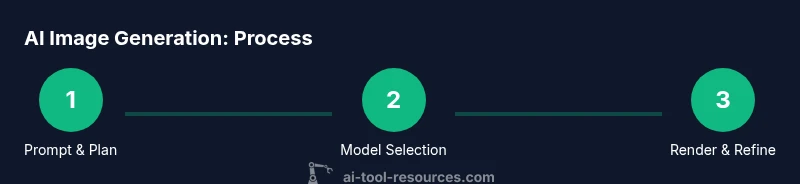
A repeatable workflow helps move from idea to image efficiently. Step 1: define the objective and success criteria. Step 2: draft an initial prompt capturing subject, setting, and style. Step 3: run a test render and review results against criteria. Step 4: refine the prompt with adjectives, constraints, and prompts for variations. Step 5: generate multiple outputs and compare, selecting the best. Step 6: finalize the asset with any post-processing steps. Pro tips: lock in a baseline prompt, use seed control for reproducibility, and document changes for future audits. This disciplined approach reduces wasted renders and speeds up iteration.
Quality Assurance and Iteration
Quality in AI-made images comes from fidelity to intent, visual coherence, and technical suitability. When evaluating, check alignment with the brief, color harmony, and edge clarity. Test across devices if outputs are used in UI or education materials. Validate accessibility: ensure contrast and legibility in text overlays. If results feel off, adjust prompts, weights, or the model choice. Keep a log of iterations, capturing which prompts produced which results. Remember that iteration is a feature, not a failure; systematic testing yields scalable results across projects and teams.
Ethics, Copyright, and Safety
AI-generated images raise ethical questions about authorship, consent, and misuse. Be transparent about AI involvement in your visuals and respect license terms for each model and dataset. Avoid reproducing real people or sensitive subjects without consent. If you are using datasets with copyrighted imagery, ensure proper licensing or opt for public-domain or licensed-free sources. For safety, implement content filters to prevent harmful or illegal outputs and comply with platform policies when distributing images. The AI Tool Resources team recommends building an internal policy that documents how prompts are designed, reviewed, and approved before publication.
Real-World Use Cases
In education, AI-made diagrams accelerate concept visualization and can adapt to different learning styles. In product design, rapid concept art supports early-stage prototyping and stakeholder alignment. In data science, visuals can illustrate complex pipelines or results. In media, AI images can augment artwork or create concept designs while maintaining brand guidelines. For developers and researchers, embedding AI image generation into notebooks or apps can automate visual content creation—reducing time to insight and enabling experimentation at scale.
Authority Sources
- NIH.gov: National Institutes of Health guidelines on image licensing and open-use data (https://www.nih.gov)
- Stanford CS: Official research pages on prompts and AI design (https://cs.stanford.edu)
- Stanford AI Lab: AI research and education resources (https://ai.stanford.edu)
- arXiv: Open-access preprints for AI image generation techniques (https://arxiv.org)
Getting Started Quick Start
To begin quickly: 1) Set a clear objective; 2) Choose a model or API; 3) Draft a core prompt; 4) Run a small batch of renders; 5) Pick the best and iterate; 6) Export assets with minimal post-processing. Keep a log of prompts and outputs to build a reusable library. With consistent practice, you’ll move from curiosity to reliable production-ready AI-made images.
Tools & Materials
- GPU-enabled computer or access to cloud GPUs(Dedicated GPU or cloud instance with sufficient VRAM for your chosen model.)
- Prompts library or notebook(Templates and examples to accelerate iteration.)
- Access to AI image generation tool (local model or cloud API)(Credentials/API key if using a cloud service.)
- Software environment (Python, Node, or notebooks)(Optional for automation and batch rendering.)
- Image editing/post-processing tools(For refinements after generation (e.g., color grading, compositing).)
Steps
Estimated time: 60-120 minutes
- 1
Define objective
Clarify what you want to achieve with AI-made images (concept art, UI assets, educational visuals). Establish success criteria and constraints from the start to guide model choice and prompts.
Tip: Write down one measurable goal you expect each render to meet. - 2
Choose model and settings
Select a model whose strengths align with your goal (photorealism, illustration, or diagrammatic render). Set resolution, aspect ratio, and sampling parameters to balance quality and speed.
Tip: Prefer a baseline resolution first, then upscale if needed. - 3
Draft core prompt
Create a concise prompt capturing subject, scene, lighting, and style. Add constraints to steer mood and avoid unwanted elements.
Tip: Use a negative prompt segment to exclude undesired features. - 4
Run test renders
Generate a small batch to evaluate how prompts translate into visuals. Note which elements are faithful and which drift.
Tip: Keep a prompt log noting changes and outcomes. - 5
Refine and iterate
Tweak adjectives, weights, and prompts based on feedback. Run additional renders to compare variants.
Tip: Lock in parameters that consistently meet criteria. - 6
Finalize and export
Choose the best render, perform light post-processing, and export assets with appropriate formats and licenses.
Tip: Document licensing terms and usage rights for the final assets.
FAQ
What is AI-made image and how is it created?
An AI-made image is produced by machine-learning models that translate prompts into visuals. It involves choosing a model, crafting prompts, and evaluating outputs. Outputs depend on the model's training data and licensing terms.
AI-made images are generated by models that convert prompts into visuals. Start with a model, write clear prompts, and review the results to ensure quality and licensing compliance.
Do I need to code to generate AI images?
Coding is not strictly required for many tools. Cloud-based interfaces and simple prompts allow non-coders to generate images. Developers can automate workflows with scripts for batch rendering and post-processing.
You don’t have to code to start, but coding helps automate and scale your image-generation workflow.
Can AI-generated images be used commercially?
Commercial use depends on the model and data licenses. Some licenses permit it with attribution, others require commercial licenses. Always check terms before production or distribution.
Yes, but only if the model and data licenses allow it and you comply with attribution requirements.
How do I avoid copyright problems with AI images?
Avoid copying protected works or real individuals without consent. Use licensed datasets, public-domain sources, or create original prompts and assets. Maintain records of licenses and usage rights.
Avoid copyrighted material, get permission where needed, and keep licensing records.
What are best practices for prompt design?
Start with a clear subject, context, and style. Use negative prompts to avoid unwanted elements and iterate using small changes to observe effects.
Be precise in prompts and tweak details through testing to steer results.
Watch Video
Key Takeaways
- Define a clear objective before prompting
- Choose models based on use-case and licensing
- Iterate prompts for consistent quality
- Respect licensing and ethical guidelines
- Integrate AI image workflows into your tooling