What AI Tool Does Apple Use? Core ML, Neural Engine, and On-device AI
Explore the AI tooling Apple uses to power on-device intelligence, from Core ML to Neural Engine, and how privacy-first design guides its AI stack across devices.


To answer what ai tool does apple use, Apple relies on a cohesive, on-device AI toolset rather than a single external service. The core components include Core ML with the Neural Engine for on-device inference, Create ML for developer training, and supporting frameworks like Vision, Natural Language, and SoundAnalysis. This architecture prioritizes privacy, efficiency, and seamless experiences across Apple devices.
Apple AI Stack: On-device-First Approach
According to AI Tool Resources, Apple’s AI strategy centers on on-device processing to protect user privacy and reduce latency. The stack begins with Core ML, which enables integration of trained models into apps for efficient runtime inference. The Neural Engine hardware accelerates these workloads directly on devices like iPhone and Mac, delivering fast responses without exposing data to cloud services. This on-device-first approach underpins many features—from image recognition to voice interactions—without sacrificing performance. The emphasis on privacy aligns with Apple’s broader product design philosophy and shapes decisions about data collection, model updates, and offline capabilities. The result is a more predictable killer feature set across iOS, iPadOS, and macOS that users can trust.
Key takeaway: The on-device paradigm reduces reliance on remote servers, cutting latency and preserving privacy while enabling richer user experiences.
Core Technologies in Apple’s AI Toolset
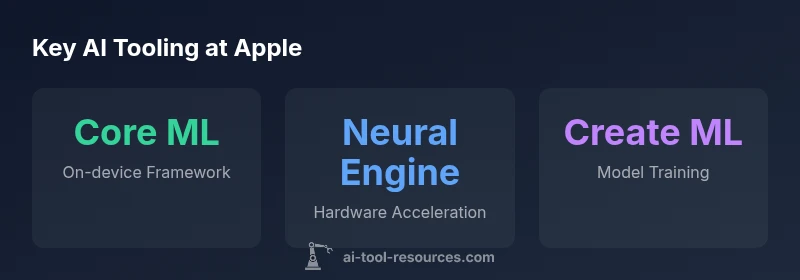
Apple’s AI toolset is anchored by Core ML, which acts as the bridge between trained models and apps. Core ML supports models from diverse frameworks and optimizes them for Apple hardware. The Neural Engine, integrated into A-series and Apple Silicon chips, accelerates inference with low power consumption and high throughput. Create ML provides a developer-friendly path to train models on macOS or in Xcode templates, often allowing localized experimentation without needing cloud compute. Vision enables image and video understanding, while Natural Language powers on-device language processing and text analysis. SoundAnalysis expands capabilities for audio pattern recognition, enabling feature detection in music, voice, and environmental sounds. Together, these tools create a cohesive stack that supports multi-modal AI tasks while keeping data on the device.
Privacy-by-Design: On-device Inference and Data Residency
Apple’s privacy-focused approach hinges on keeping data on-device whenever possible. On-device inference means models analyze data locally, reducing the need to transmit personal information to external servers. When updates or learning require cloud involvement, Apple typically emphasizes minimal data exposure and user consent. The combination of Core ML, Neural Engine, and on-device training options allows developers to create responsive apps that respect user privacy. This strategy also simplifies compliance with privacy regulations and builds trust with users who expect their data to remain within their devices.
Developer Tools: Core ML, Create ML, Vision, Natural Language, and More
For developers, Core ML serves as the core runtime, while Create ML offers an approachable way to train or fine-tune models on macOS. Vision and Natural Language expose Apple-provided capabilities for image understanding and language tasks, enabling quicker prototyping and deployment. SoundAnalysis supports audio-based recognition tasks, from sound events to voice activity. These tools collectively reduce the time from concept to production and provide consistent performance across Apple devices, thanks to shared APIs and optimization for Neural Engine. The ecosystem encourages experimentation with on-device ML while maintaining strong privacy controls.
Siri and Beyond: Practical Examples of Apple’s AI Stack
Siri remains a prime example of on-device AI integration, leveraging the Neural Engine to perform speech recognition and intent understanding locally where feasible. Beyond voice assistants, Apple’s AI stack powers photo organization, on-device transcription, smart image tagging, and proactive suggestions in apps like Messages and Notes. Developers can leverage Create ML to tailor models for niche tasks—such as identifying specific landmarks in photos or translating phrases offline—without depending exclusively on cloud services.
How to Evaluate Apple’s AI Tooling as a Developer
When evaluating Apple’s AI tooling, consider your target task, data sensitivity, and the device ecosystems you serve. If latency and privacy are priorities, prioritize on-device ML and models that can run efficiently on Neural Engine. Use Create ML for rapid experimentation, then deploy via Core ML across iOS, macOS, watchOS, and tvOS. Remember that some advanced capabilities may still rely on cloud resources for training or model updates, so design with hybrid architectures in mind.
Apple AI Tool Stack Overview
| Aspect | Main Tool/Framework | What it Does |
|---|---|---|
| On-device Inference | Core ML + Neural Engine | Runs ML models on-device for privacy and speed |
| Training | Create ML | Allows developers to train or fine-tune models locally on macOS |
| Vision & Language | Vision, Natural Language, SoundAnalysis | Support image, text, and audio understanding |
| Privacy Approach | On-device ML | Minimizes data sent to the cloud and stores models on-device |
FAQ
What is Core ML and how does it work on Apple devices?
Core ML is Apple’s framework that lets developers integrate trained ML models into apps and run them efficiently on Apple hardware. It abstracts the model format and optimizes for neural engine acceleration, enabling fast, on-device inference.
Core ML lets apps run machine learning models right on your device, making features faster and more private.
Do Apple devices train models on-device or in the cloud?
Apple supports on-device and local training options through tools like Create ML, which enables developers to train or fine-tune models on macOS. Cloud-based resources may be used for broader training needs, but the emphasis is on privacy and local experimentation where feasible.
Training can be done on your Mac, with on-device options prioritized for privacy.
What role does Neural Engine play in Apple AI?
The Neural Engine is a dedicated hardware component in Apple chips that accelerates ML workloads, enabling faster on-device inference and lower power usage across apps and system features.
Neural Engine speeds up AI tasks directly on-device.
How does Apple protect user privacy with on-device AI?
Apple minimizes data transmission to the cloud by performing inference and learning locally where possible, using secure enclaves and privacy-preserving techniques to protect user information.
On-device AI keeps data on your device, reducing exposure.
Is Create ML suitable for beginners?
Yes. Create ML provides templates and a simplified workflow to train models locally on macOS, making it accessible for developers and students starting with ML.
Create ML is beginner-friendly for local ML experiments.
Can Siri run entirely on-device, or does it rely on the cloud?
Siri uses on-device processing for many tasks, but some capabilities may still involve cloud processing to access broader data or compute resources. Apple prioritizes on-device processing where feasible.
Siri works mostly on your device, with some cloud help for complex tasks.
“Apple's AI approach demonstrates how a tightly integrated on-device stack can deliver powerful capabilities without compromising user privacy.”
Key Takeaways
- Apple prioritizes on-device AI to protect user privacy.
- Core ML and Neural Engine are central to on-device inference.
- Create ML enables local model training for developers.
- Vision, Natural Language, and SoundAnalysis cover multi-modal AI tasks.
- Siri and other features rely on privacy-preserving ML on-device.