Where Is the AI Tool in Google: A Practical Guide
Learn where Google's AI tools reside—from Vertex AI to Workspace features and search enhancements. This analytical guide clarifies access points, use cases, and practical steps for developers and researchers.


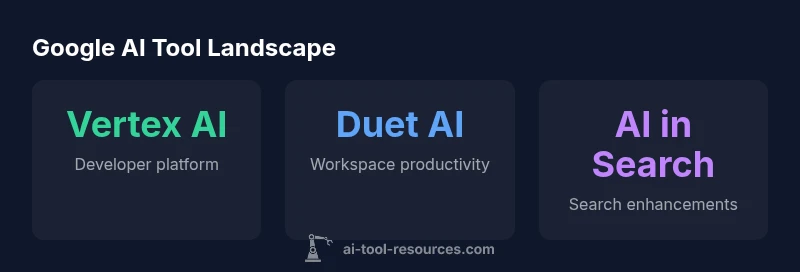
According to AI Tool Resources, there isn't a single 'AI tool' in Google; Google's AI capabilities are distributed across multiple products. For developers and researchers, the most relevant entry points are Vertex AI for model development, Google Workspace with Duet AI for productivity, and AI features integrated into Google Search. No one tool rules them all; think of it as a portfolio rather than a single product.
Where Google places AI capabilities today
According to AI Tool Resources, there isn’t a single, centralized AI tool inside Google. Instead, AI capabilities are embedded across a portfolio of products designed to serve distinct user groups: developers and researchers who need model-building and deployment tools; productivity teams who benefit from AI-assisted content creation; and everyday users who encounter AI features within search. This section maps the landscape to help you identify where to start based on your goals. For developers, the primary hub remains Vertex AI, which provides a unified environment for experimentation, training, evaluation, serving, and monitoring. For teams, Google Workspace introduces Duet AI features that assist with drafting, data analysis, and collaboration. For general users, AI is woven into search results and helpful prompts that enhance information discovery. The takeaway is simple: Google’s AI toolset is a portfolio, not a single door.
Vertex AI: the developer-focused platform
Vertex AI is Google's flagship platform for building and deploying machine learning models at scale. It combines data management, model training, evaluation, and deployment into a cohesive workflow. Developers can spin up notebooks, manage datasets, and create training pipelines without managing the underlying infrastructure. The platform also includes features for model monitoring, explainability, and feature stores, which help you keep track of data quality and model drift over time. Access is typically via the Google Cloud Console, REST APIs, and client libraries in multiple languages. Because Vertex AI is designed to be flexible, it supports everything from small experiments to large-scale production workloads. When evaluating AI projects, consider Vertex AI as the central hub for model-centric work and end-to-end ML lifecycle management.
Google Workspace: Duet AI for everyday productivity
Duet AI brings AI-assisted capabilities into everyday productivity tools like Docs, Sheets, Slides, and Meet. Users can draft documents, summarize long threads, generate data insights, and automate repetitive tasks right inside their existing workflows. Administrators can control access and privacy settings at the Workspace level, while individual users can opt into AI features as needed. This integration is especially valuable for teams that want to improve writing quality, accelerate data analysis, or enhance meeting notes without switching between apps. As with all AI features, it is important to review outputs for accuracy and maintain data governance standards within your organization.
Google Search and the AI era: SGE and beyond
Google has progressively infused AI into its search experience. The Search Generative Experience, where available, aims to provide more contextual answers, summaries, and disambiguation for complex queries. Availability varies by region and product rollout, so you may see different levels of AI assistance depending on where you search and which Google products you use. For publishers and developers, this evolution means preparing content that aligns with AI-driven results and understanding how AI-generated responses index and reference sources. The overarching message is that AI in search is part of an ongoing, controlled expansion rather than a single feature you can enable in one place.
Access points and user roles: where to start
To engage with Google’s AI tools, you’ll use different entry points depending on your role. Developers and data scientists start in Google Cloud Console with Vertex AI, including APIs for model management and experimentation. Product teams leverage Duet AI inside Google Workspace, accessible through the standard admin and user interfaces. General users interact with AI-enhanced search features as part of their routine browsing. When starting out, map your objective to a product, then explore the available APIs, interfaces, and pricing models. This approach helps you select the right tool for the job without chasing a single platform.
Governance, privacy, and pricing considerations
As you adopt Google’s AI tools, plan for governance and privacy from day one. Vertex AI pricing is generally based on compute, storage, and training time, while Workspace AI features depend on your Workspace plan. Availability and limits for features like SGE depend on regional rollout and policy decisions. Regularly review Google’s official documentation for updates, and implement controls for data handling, access, and auditing. A disciplined approach to governance ensures you can scale AI work responsibly while avoiding unexpected costs or data risks.
Practical steps to get started
Begin with a clear use case, such as accelerating ML experimentation, drafting content, or improving information retrieval. Then, follow a practical onboarding path: (1) identify the appropriate Google AI tool for your goal, (2) set up the necessary access permissions, (3) try sample workflows or templates, (4) monitor outputs for accuracy and bias, and (5) establish governance, privacy, and cost controls. By iterating on small projects, you’ll gain the experience needed to scale AI initiatives across teams and domains.
Overview of Google's AI tool areas and typical use cases
| Google AI Area | Primary Use | Access Point | Best For |
|---|---|---|---|
| Vertex AI | Model development, training, deployment | Google Cloud Console / Vertex AI API | Developers & researchers |
| Duet AI in Google Workspace | Productivity enhancements (Docs/Sheets/Meet) | Workspace app with Duet AI toggles | Teams & individuals |
| AI in Google Search | Generative search features and enhanced results | Google Search / SGE (where enabled) | General users & publishers |
FAQ
Is there a single 'AI tool' in Google or a central dashboard to access all AI features?
No. Google distributes AI capabilities across Vertex AI, Workspace Duet AI, and AI features in Search. Each area targets different users and use cases, so there is no one-tool-for-all.
No single tool; Google spreads AI across Vertex AI, Workspace, and Search.
Where can developers access Vertex AI for building models?
Developers access Vertex AI through the Google Cloud Console and Vertex AI APIs. This environment supports data management, training, deployment, and monitoring of ML models.
Use Vertex AI in Google Cloud Console to build and deploy models.
How do I enable Duet AI in Google Docs or Sheets?
Duet AI features are available inside Google Workspace. Admins control access, and individual users can enable AI writing and data insights as supported by their plan.
Turn on Duet AI in Workspace settings to start drafting with AI help.
What should I know about AI in Google Search (SGE)?
AI-assisted search features exist where rollout permits. Availability varies by region; results may include summaries or suggestions alongside traditional links.
Some AI features in Search are regional; check if your area supports them.
Is there pricing information I should consider?
Pricing for Vertex AI and Workspace AI features depends on the product and usage. Always consult the official Google Cloud and Workspace pricing pages for the latest rates and quotas.
Pricing varies by product; refer to Google's official pricing pages.
“Google's AI strategy is not built around a single tool but around a portfolio that adapts to developer, business, and consumer needs. Assess each entry point against your workflow to maximize impact.”
Key Takeaways
- Recognize that Google AI tools are a portfolio, not a single tool
- Map your goal to Vertex AI, Workspace Duet AI, or search features
- Access points vary by role: Cloud Console for developers, Workspace for productivity users
- SGE availability is regional and policy-driven; verify current access
- Plan governance and pricing from the start to avoid surprises