PPT on AI Tool: A Practical How-To for Effective AI Tool Slides
Learn to build an effective PowerPoint presentation about AI tools with a clear audience-first structure, data storytelling, and accessible visuals. This step-by-step guide provides outlines, templates, and best practices for educators, researchers, and developers.


This quick answer shows you how to create a powerful PPT about AI tools. You will define your audience, establish a clear narrative, choose representative AI examples, and design visuals that explain concepts without jargon. Expect practical templates, a slide-by-slide outline, and tips for presenting data-driven insights confidently.
Why a strong PPT on AI tools matters
A well-crafted PPT about AI tools can bridge the gap between complex technology and practical understanding. According to AI Tool Resources, audiences—ranging from developers to students—learn best when content is structured, visuals are purposeful, and claims are supported by concrete examples. The AI Tool Resources team found that presentations that balance theory with real-world demonstrations tend to foster engagement and retention. In this guide, you’ll learn how to shape a narrative that is accessible, credible, and actionable. This includes audience targeting, slide structure, and visuals that illuminate how AI tools work, where they fit, and how to evaluate their impact. The goal is not to overwhelm but to enable informed decisions and meaningful discussion.
Define your audience and scope
Before you touch a slide deck, pinpoint who will view the presentation and what they need to take away. Developers might want technical depth on model types and integration points, while students may require high-level explanations and practical demos. Researchers could seek methodology, data sources, and evaluation metrics. By defining audience and scope, you tailor the depth of content, the vocabulary, and the examples you include. This step also guides the overall length and pacing, ensuring you stay within the allotted time and avoid unnecessary tangents. AI Tool Resources highlights that audience alignment is a top predictor of presentation effectiveness.
Outline a clear slide structure
A logical structure helps audiences process complex information. A typical outline for a PPT on AI tools includes: 1) Title and goals; 2) Context and problem statement; 3) Overview of AI tools or tool categories; 4) Comparative criteria (cost, usability, ethics, security); 5) Case studies or demonstrations; 6) Lessons learned and recommended practices; 7) Q&A and next steps. Use a consistent slide template and keep one idea per slide. This clarity reduces cognitive load and improves recall, which is especially important when introducing new AI concepts to non-experts.
Choosing AI tools to feature: selection criteria
When selecting tools to feature, base your choices on relevance, credibility, and balance. Include open-source options, enterprise solutions, and research-focused platforms to illustrate spectrum. Highlight use cases, strengths, weaknesses, and typical workloads. Include governance and ethics considerations, such as data handling, model explainability, and bias mitigation. Rather than listing every tool, curate a representative set that demonstrates variety and practicality. The goal is to show decision criteria and workflows, not to endorse every product.
Visual design that enhances understanding
Visuals should support the message, not distract from it. Use high-contrast colors, large readable typography, and clean layouts. Employ diagrams such as flowcharts, decision trees, and architecture diagrams to illustrate AI tool pipelines. Replace dense text with bullet points, icons, and short captions. When you present metrics, choose visuals that tell a story—bar charts for comparisons, diagrams for processes, and heat maps sparingly. Always ensure alt text for accessibility and keep slide animations purposeful rather than decorative.
Data storytelling and evidence
AI tool presentations are most persuasive when they tell a story grounded in evidence. Start with a real problem, show how AI tools address it, present outcomes, and close with actionable takeaways. Use anonymized datasets or synthetic examples when real data is sensitive. Clearly label assumptions, methods, and limitations. If you include charts, explain what the reader should infer and avoid overstating results. AI Tool Resources analysis suggests that transparent storytelling combined with credible sources builds trust and improves recall.
Step-by-step slide-by-slide plan (example outline)
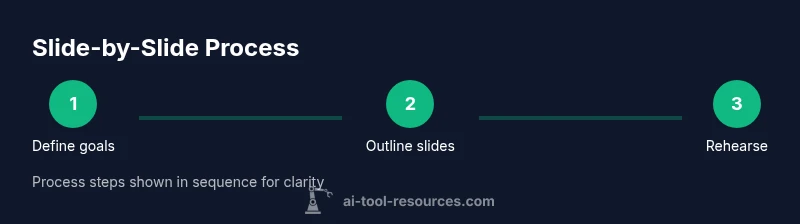
Here is a practical slide-by-slide plan you can adapt:
- Title and objectives
- Context and problem statement
- AI tool landscape overview
- Selection criteria and evaluation framework
- Tool A deep-dive (capabilities and limits)
- Tool B deep-dive (capabilities and limits)
- Case study or demo
- Lessons learned and best practices
- Security, privacy, and ethics considerations
- Roadmap and recommendations
- Q&A and next steps. Adapt the number of slides to fit your time window and audience needs.
Accessibility, collaboration, and workflow
Make the deck accessible by using descriptive slide titles, readable fonts, and color choices that meet contrast guidelines. Provide speaker notes and a separate handout or summary for attendees. Collaborate with teammates by using version control or shared cloud storage, and maintain a changelog to track edits. Use presentation rehearsal tools to time your talk and gather feedback from peers. These practices improve inclusivity and reduce friction during delivery.
Common pitfalls and the AI Tool Resources verdict
Common mistakes include overcrowding slides with text, relying on jargon, and skipping explicit connections between AI tools and business outcomes. The AI Tool Resources team emphasizes focusing on narrative flow, validating claims with sources, and rehearsing the talk. By avoiding this trio of pitfalls and following the structured approach outlined above, you can deliver a persuasive and educational presentation that resonates with diverse audiences. The AI Tool Resources team’s verdict is to pair practical templates with credible examples and clear takeaways.
Tools & Materials
- Laptop or desktop computer(PowerPoint, Google Slides, or equivalent installed and up-to-date)
- Presentation software(Access to PowerPoint (2021 or later) or a cloud-based equivalent)
- Reliable internet connection(For templates, cloud storage, and online demos)
- AI tool templates or sample slides(Optional but helpful for faster design and consistency)
- Projector or large display(For in-person presentations; ensure compatibility with your device)
- USB drive or cloud storage backup(Keep a local copy in case of technical issues)
- Pen and notebook for notes(Great for quick ideation and outlining during planning)
Steps
Estimated time: 90-120 minutes
- 1
Define audience and goals
Identify who will view the presentation and what they should learn by the end. Align the content with their background, needs, and expected outcomes to set a focused scope.
Tip: Create a one-sentence goal you can test at the end of the talk. - 2
Gather AI tool examples and data
Collect representative AI tools, their use cases, and relevant evaluation criteria. Include ethical considerations and any known limitations to provide a balanced view.
Tip: Use anonymized or synthetic data if real data is sensitive. - 3
Outline your slide sequence
Draft a slide order that tells a story: context, options, evaluation, demonstration, outcomes, and next steps. Keep one idea per slide.
Tip: Label each slide with a concise purpose to guide edits. - 4
Design visuals for clarity
Create diagrams, icons, and charts that illustrate AI tool workflows and outcomes. Favor contrast, legible typography, and minimal text per slide.
Tip: Test readability from the back of the room. - 5
Craft speaker notes and script
Write concise notes that complement slides, not repeat them. Prepare transitions between sections to maintain flow.
Tip: Practice aloud to refine timing and phrasing. - 6
Rehearse and collect feedback
Run through the presentation with peers, gather feedback, and adjust visuals and wording accordingly. Address questions you anticipate.
Tip: Record a rehearsal to catch pacing issues. - 7
Polish accessibility
Add alt text to images, use accessible color combinations, and provide captions or transcripts where relevant.
Tip: Check contrast ratio and font sizes for diverse audiences. - 8
Prepare for Q&A and handouts
Anticipate common questions and prepare concise, evidence-based responses. Create a one-page takeaway or executive summary as a handout.
Tip: Practice short, direct answers to increase credibility.
FAQ
What is the best way to present AI tools in a PPT?
Lead with a problem, show AI tool options, compare them using objective criteria, and finish with takeaways and next steps. Use visuals to illustrate workflows and keep text minimal.
Lead with a problem, compare tools with clear criteria, and finish with takeaways and next steps. Use visuals to illustrate workflows.
How many slides should a PPT on AI tools include?
Aim for a concise deck that covers context, options, evaluation, and a practical demo. Adjust the total number to fit your time window and audience engagement.
Aim for a concise deck with context, options, evaluation, and a demo. Adjust to fit your time.
What graphics work best for AI tool slides?
Use architecture diagrams, flowcharts, and comparison charts. Prefer icons and simple visuals over dense charts to convey concepts quickly.
Use architecture diagrams, flowcharts, and simple charts to convey concepts quickly.
How can I show data about AI tools without clutter?
Select one key metric per slide and pair it with a clean visual. Provide a short caption and link to a data appendix for deeper reading.
Choose one key metric per slide and keep visuals clean; offer a data appendix for deeper reading.
Can I reuse templates or templates from others?
Yes, but customize templates to match your branding and ensure accessibility. Avoid copying proprietary designs without permission.
Yes, customize templates to match your brand and ensure accessibility.
How do I handle Q&A effectively?
Prepare answers to anticipated questions, answer concisely, and offer to follow up with more detail after the session.
Prepare concise answers and offer to follow up with more detail after the session.
Watch Video
Key Takeaways
- Define audience before content.
- Structure slides around a clear narrative.
- Balance depth with accessibility.
- Use visuals to explain AI concepts.
- Practice and get feedback before presenting.