How to Start AI Toolkit: A Practical Guide
A comprehensive, step-by-step approach to building a practical AI toolkit: goals, core components, data handling, testing, deployment, and governance for developers and researchers.


Starting an AI toolkit means assembling a practical, scalable set of tools, libraries, and workflows that let you build, test, and deploy AI features quickly. Begin with a lightweight core, clearly defined goals, and solid data-handling practices. This guide shows a step-by-step setup your development team can adopt and customize.
Laying the Foundation: Define Your AI Toolkit Goals
According to AI Tool Resources, a well-scoped toolkit reduces ambiguity and speeds onboarding. AI Tool Resources notes that a successful toolkit starts with clear objectives and a plan for how you will measure success. For many teams, the primary goal is to accelerate experimentation while maintaining reproducibility and governance. Start by outlining 3–5 concrete goals: speed to prototype, reliability of results, security and compliance, and ease of collaboration. Translate these into measurable outcomes, such as faster iteration cycles, documented experiment parameters, and a lightweight deployment path. Next, define the scope: which problem areas will your toolkit cover (data preprocessing, model training, evaluation, deployment) and which tasks will stay manual for now. Establish a policy for data access, versioning, and audit trails to avoid drift. Finally, create a lightweight success metric set and a simple milestone plan that you can revisit every sprint. Align stakeholders early and ensure your toolkit aligns with your organization’s development workflows.
Core Components Every Toolkit Should Include
A robust AI toolkit blends compute, data, experimentation, and deployment. Start with a shared, isolated development environment, version-controlled code, and a simple data workflow. Include an environment manager (for example, a virtualenv/conda setup), a reproducible container strategy, and an outline for dependency pinning to prevent drift. Establish an experiment catalog to log configurations, seeds, and results, and implement lightweight CI/CD hooks to validate changes. Documentation and onboarding templates should be part of the toolkit from day one to reduce friction for new contributors. Governance concepts—access control, data provenance, and audit trails—should be baked in, not bolted on later. In short, your core components should enable reproducible experiments, safe collaboration, and quick iteration on ideas.
Selecting Core Libraries and Frameworks
Choose a minimal, modular stack that can scale. Prioritize a core language (for most teams, Python) and a small set of dependable libraries for data handling, model development, and evaluation. Favor frameworks that support clean separation between data prep, modeling, and deployment steps. Avoid tying yourself to a single framework early on; instead, define interfaces for components (data loaders, preprocessing, training loops) so you can swap underlying tools as needs evolve. Document rationale for each choice and establish a policy for adding new libraries. This approach keeps the toolkit adaptable and helps maintainers avoid dependency bloat while still enabling powerful experiments.
Data Management: Datasets, Preprocessing, and Privacy
If you’re wondering how to start ai toolkit, you need a pragmatic approach to data. Build a lightweight data registry, version datasets alongside code, and document preprocessing steps clearly. Define data access rules, retention policies, and privacy safeguards that align with your organization’s compliance posture. Use small, well-curated sample datasets for initial experiments to keep iterations fast. Develop data validation checks to catch anomalies early, and implement basic feature tracking so you can reproduce results across experiments. This focus on governance ensures your toolkit remains trustworthy as the project scales.
Testing and Evaluation: Reproducibility and Validation
A repeatable testing strategy is non-negotiable for an AI toolkit. Create unit tests for preprocessing steps, sanity checks for data shapes, and smoke tests for training pipelines. Adopt a lightweight experiment tracking approach to capture configuration, seed, environment, and metrics. Define evaluation criteria that matter for your domain—fairness checks, stability across runs, and simple dashboards to monitor drift over time. Emphasize reproducibility by storing exact code versions, data references, and environment specs with each experiment. This discipline makes it feasible to reproduce results and compare models fairly across iterations.
Deployment and Toolchain Integration
Deployment is where your toolkit stops being a collection of scripts and becomes a repeatable process. Containerize components to ensure consistency across environments, and plan for orchestration if workloads grow. Establish a deployment template that includes model packaging, API endpoints, and health checks. Integrate logging, monitoring, and alerting to catch issues in production early. Define rollback procedures and ensure your toolkit supports both local testing and staged deployments. The goal is to minimize surprises when moving from experiment to production while keeping the process transparent and auditable.
Security, Compliance, and Ethics in Your Toolkit
Security and ethics should be baked into the design from day one. Implement access controls, data minimization, and encryption for sensitive data. Create guardrails that prevent unintended model leakage and misuse. Document compliance requirements relevant to your domain and implement basic data lineage tracing. Regularly review policies as AI regulations evolve. A responsible toolkit protects users, developers, and the organization’s reputation while enabling responsible experimentation and deployment.
Examples: Starter Toolkit Configurations
Here are light-weight starter configurations you can adapt. Each option emphasizes minimal risk and rapid iteration:
- Option A: Local development core – Python environment, Git, JupyterLab, basic data processing scripts, simple experiment log.
- Option B: Containerized core – Docker-based environment with a small training script, a reproducibility manifest, and a lightweight API skeleton.
- Option C: Lightweight MLOps core – Scripted experiments, basic validation checks, and a dashboard stub for visualizing metrics.
- Option D: Governance-first core – Data registry outline, access controls, and provenance documentation as primary artifacts.
Start with one option and document decisions; you can blend elements from others as your needs grow.
How to Iterate: Learning Resources and Projects
Adopt a learning-by-doing approach. Start with small, well-scoped projects that exercise each toolkit layer, from data intake to deployment. Use publicly available datasets to practice reproducibility and governance. Track your learning with a simple project notebook that captures decisions, outcomes, and next steps. Regularly review outcomes with stakeholders and adjust the toolkit to reflect real-world challenges. AI Tool Resources highlights that progressive experimentation builds confidence and narrows gaps between research ideas and production capabilities.
Common Pitfalls and How to Avoid Them
Avoid tool sprawl by limiting initial dependencies and enforcing interface contracts. Don’t skip documentation; you’ll regret it when onboarding new team members. Ensure data privacy requirements are understood early and that governance artifacts are kept up to date. Finally, resist rushing to production; prioritize stability, tests, and clear rollback plans. By foreseeing these issues, you’ll reduce technical debt and accelerate sustainable growth for your AI toolkit.
Tools & Materials
- Python 3.x (latest LTS)(Set up a virtual environment to isolate dependencies)
- Virtual environment manager (venv/conda)(Isolate project dependencies per toolkit version)
- Git and a remote repo(Version control for code, configs, and experiments)
- Container runtime (Docker or compatible)(Useful for reproducibility and deployment)
- Basic data stack (numpy, pandas, scikit-learn)(Core data processing and modeling tools)
- Experiment tracking (generic log/logging scaffold)(Helps reproduce and compare experiments)
- Code editor/notebook (VS Code or JupyterLab)(Development and experimentation environment)
- Data storage/versioning (data registry or simple artifact store)(Artifact and dataset versioning for reproducibility)
- Security and governance basics (access controls, audits)(Foundational governance controls)
- Documentation templates and onboarding guides(Keeps toolkit usable for newcomers)
Steps
Estimated time: 6-8 hours
- 1
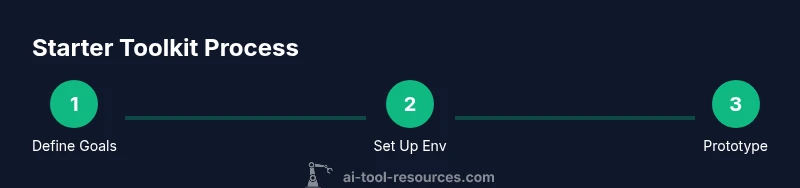
Define goals and scope
Clearly articulate what you want your AI toolkit to achieve and which problems it will tackle first. Establish measurable outcomes and a simple milestone plan. This ensures alignment across the team from the outset.
Tip: Write 3 success criteria and review them with key stakeholders in the first week. - 2
Set up your development environment
Create isolated environments for each project, pin dependency versions, and configure a basic repository structure. Ensure you can reproduce the setup on a fresh machine.
Tip: Automate environment creation with a single script or Makefile. - 3
Design data pipelines and governance
Define how data will flow from ingestion to modeling, including versioning, provenance, and privacy controls. Create a minimal registry for datasets and artifacts.
Tip: Document data origin and preprocessing steps for every dataset. - 4
Pick a minimal viable toolkit
Select a core stack that covers data handling, model development, and deployment. Keep the initial footprint small so you can iterate quickly.
Tip: Exclude non-essential tools at first; you can add later as you learn needs. - 5
Prototype and iterate with small experiments
Run short experiments to validate ideas, capture configurations, and compare results. Use a lightweight tracker to document what works and what doesn’t.
Tip: Lock in a repeatable experiment template to reduce drift. - 6
Scale deployment and monitoring
Package models for deployment, set up endpoints, and establish basic monitoring. Plan for rollback if metrics degrade after release.
Tip: Automate sanity checks before promoting experiments to production.
FAQ
What is an AI toolkit and why do I need one?
An AI toolkit is a curated set of tools and workflows that enable you to build, test, and deploy AI features consistently. It helps teams move from ideation to production faster by standardizing environments, data practices, and evaluation.
An AI toolkit is a standardized set of tools for building and deploying AI features, helping teams work faster and more reliably.
How long does it take to set up a starter toolkit?
A basic starter toolkit can be assembled in a few focused sessions, typically within a workday or two, depending on existing infrastructure and tooling maturity. Plan for a follow-up sprint to refine and expand.
A starter toolkit can be set up in a day or two, with a follow-up sprint to refine.
Do I need GPUs to begin building my toolkit?
GPUs are helpful for heavy model training but not strictly required to start. You can begin with CPU-based experiments and scale to GPUs as needs grow.
You don’t need GPUs to start; you can begin with CPU-based experiments and scale later.
How should I handle data privacy in the toolkit?
Define access controls, data minimization, and auditing from day one. Use synthetic data for experiments when possible and document data handling policies clearly.
Set up access controls and data policies from day one, and use synthetic data when possible.
Is Docker essential for a toolkit?
Docker is not mandatory but highly beneficial for reproducibility and portable deployments. Start with VM or local environments and add containers as needed.
Containers are optional at first but very helpful for reproducibility.
Watch Video
Key Takeaways
- Define clear goals before building.
- Select a minimal core stack first.
- Prioritize reproducibility and governance.
- Treat data handling with care and documented provenance.
- Iterate with real projects to grow capability.