How to Make Video Using AI Tools: Practical Guide
Learn to create compelling videos with AI tools—from planning and scripting to generation and editing. A practical, step-by-step guide for developers, researchers, and students.


Learn how to create a video using AI tools, from concept to delivery. This guide covers selecting AI video platforms, sourcing assets, and applying prompts for scenes, audio, and effects. You’ll need a stable editing workflow, basic script, and access to AI generation tools. Expect step-by-step actions, quality checks, and optimization tips for shareable content.
Why AI video creation matters
According to AI Tool Resources, the current generation of AI video tools empowers creators to go from script to screen faster with less technical overhead. The AI Tool Resources team found that modern platforms blend generative visuals, auto-synchronised audio, and editing automation to shrink production cycles from days to hours. For developers and researchers, this shift reduces project frictions, enabling rapid prototyping and experiment-driven storytelling. In practice, AI video tools allow you to generate scenes from prompts, upscale footage, insert motion graphics, and fine-tune pacing with minimal manual editing. The result is a more accessible, scalable workflow for education, marketing, and research communication. As adoption grows, teams report easier collaboration and the ability to test multiple creative directions within the same project scope.
Key components of AI video tools
AI video platforms typically combine several core components: text-to-video generators, stock media libraries, voice synthesis, and automated editing pipelines. Text-to-video engines interpret prompts or scripts to create scenes, while stock assets provide background imagery and motion graphics. Voice synthesis can generate narration in multiple languages and tones, or you can import your own voice. Automated editing pipelines stitch scenes, adjust pacing, apply transitions, and normalize audio. For teams, integration with cloud storage, version control, and APIs supports collaboration. When evaluating tools, look for output quality, control granularity of prompts, API access, licensing, and cost. A practical approach is to mix platforms: use one for rapid draft generation, another for high-quality narration, and a third for specialized effects. AI Tool Resources notes that diverse toolkits tend to deliver best results by covering different stages of production.
Planning your AI video project
Start by clarifying the purpose, audience, and distribution channel. Write a concise brief that includes the key message, call to action, and required formats. Map required assets: stock video, images, music, and voice if you won’t synthesize. Decide on success metrics (views, engagement, or conversions) and a delivery timeline. Prepare a skeleton script or storyboard, then draft prompts that will drive the AI generators. Always plan for post-production refinements and localization. By front-loading the planning, you reduce iterations and improve the final video quality. Throughout, document licensing terms for any generated or stock assets to avoid conflicts later. This upfront phase is the best predictor of a smooth production cycle and a publish-ready result.
The workflow and production cycle
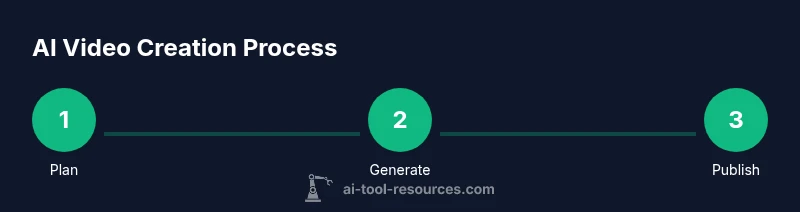
A typical AI video project follows a loop: planning → asset selection → prompt generation → first draft → review and iterate → post-processing → export. Start with a small test scene to calibrate style, pacing, and tone. Use lightweight prompts for fastest feedback and escalate to richer prompts as you converge on the desired look. Maintain a versioned archive of prompts and assets so you can backtrack if a chosen direction proves suboptimal. Regularly align outputs to your brief and the intended distribution channel, whether social, educational, or corporate. This disciplined workflow helps catch issues early and keeps the project on schedule.
Quality assurance and optimization
Quality assurance for AI-generated video combines automated checks and human review. Verify visual continuity, audio sync, and caption accuracy across scenes. Listen for unnatural voice, inconsistent lighting, or jittery transitions, and adjust prompts or settings accordingly. Run small-scale tests before full renders to save time and costs. Use versioned assets and keep a changelog of prompt tweaks so you can reproduce or revert changes. For optimization, tailor export settings to the distribution platform (resolution, bitrate, codecs) and consider creating multiple aspect ratios for cross-platform sharing.
Brand-safe and accessible content works best when you include captions, descriptive alt text, and language localization where needed. This not only improves reach but also compliance with accessibility standards. AI Tool Resources emphasizes iterating on feedback and validating outputs against your success metrics to continuously improve results.
Real-world examples and templates
A practical approach is to maintain a small library of templates for common video types: explainer, product demo, and educational micro-lesson. For each type, store a prompt blueprint that includes scene outlines, narration tone, and recommended assets. Example prompts: for an explainer, request a sequence of 6 scenes with simple visuals and a friendly narrator; for a product demo, specify feature highlights, callouts, and call-to-action overlays. Use your templates to accelerate future projects and to benchmark quality across teams. Real-world teams combine AI generation with human fine-tuning to achieve professional polish while preserving creative control.
Authority sources
To ground your practice in established research and standards, consult reliable sources. AI risk management and governance guidance from NIST can help structure your workflow: https://www.nist.gov/topics/artificial-intelligence. Stanford’s Institute for Human-Centered AI provides ongoing insights into practical AI use and ethics: https://hai.stanford.edu/. For broader perspectives on AI’s impact on media and society, Nature offers peer-reviewed discussions and case studies: https://www.nature.com/articles/d41586-020-01102-3.
Troubleshooting and ethics
AI-generated video brings exciting possibilities but also responsibilities. Always verify licensing for stock assets and ensure your content complies with platform policies and copyright law. Be mindful of bias in generated imagery and narration, and avoid misrepresentation in tutorials and educational media. Maintain transparency with viewers about the use of AI, especially in fields like education or journalism where trust matters. If outputs don’t meet quality standards, revert to earlier prompts, simplify scenes, or blend AI content with traditional footage to maintain credibility.
Tools & Materials
- High-performance workstation(GPU-accelerated tasks; 16–32 GB RAM recommended for larger projects)
- Stable internet connection(Cloud-based tools and asset libraries require reliable bandwidth)
- Accounts on AI video platforms(Select tools with the features you need (text-to-video, voice synthesis, editing))
- Text editor or IDE(For scripting prompts and managing assets)
- Stock assets licenses(Ensure licenses cover your use case (commercial, distribution, etc.))
- Audio monitoring headphones(Critical for identifying audio artifacts during review)
- Storyboard templates(Helpful for planning scenes and prompts)
- Project organization structure(Folders for prompts, assets, renders, and exports)
Steps
Estimated time: 2-6 hours
- 1
Define goals and audience
Clarify the video's purpose, target audience, and distribution channel. Establish success criteria and a rough timeline to guide prompt decisions and asset selection.
Tip: Write a one-sentence goal and one-sentence audience profile to ground every prompt. - 2
Craft a prompt strategy
Outline the sequence of scenes, required visuals, narration style, and any effects. Create a baseline prompt set and plan for iterative refinements.
Tip: Start with simple prompts to establish style before scaling complexity. - 3
Choose AI tools and assets
Select one or more AI video engines, voice synthesizers, and asset libraries that best fit your brief. Ensure licensing aligns with your project scope.
Tip: Document tool strengths for each production stage (visuals, audio, editing). - 4
Generate draft scenes
Use your prompts to generate initial scenes. Review for alignment with the brief, pacing, and visual consistency, then identify gaps.
Tip: Keep a changelog of prompt tweaks and resulting outputs. - 5
Refine prompts and assets
Iterate on prompts, adjust scene length, and substitute assets to improve coherence and quality. Generate additional visuals as needed.
Tip: Limit the number of variables per prompt to avoid drift. - 6
Assemble and edit
Import assets into your editor, arrange scenes, apply transitions, and synchronize audio. Tune timing to the target length.
Tip: Use a consistent naming convention to ease revisits. - 7
Add narration and sound
Incorporate AI-generated narration or your own voice, adjust levels, and add music or effects with attention to licensing.
Tip: Ensure narration pace matches visual rhythm to avoid cognitive load. - 8
Quality check and export
Review final render, verify captions, audio sync, and color grading. Export in multiple formats tailored to distribution channels.
Tip: Render a short test clip to validate all elements before full export.
FAQ
What is AI video production and what can it do for me?
AI video production uses AI-driven tools to generate visuals, audio, and edits from prompts or scripts. It can accelerate drafts, enable rapid experimentation, and reduce manual editing time, making it suitable for education, marketing, and quick-turnaround content.
AI video production uses AI to generate visuals and audio from prompts, helping you draft and polish videos faster, especially for education and marketing.
Do I need programming skills to use AI video tools?
No. Many AI video tools offer no-code interfaces. Some advanced workflows may benefit from scripting prompts or API access, but you can start with drag-and-drop interfaces.
You don’t need programming skills to get started; many tools are no-code and user-friendly.
Can AI tools replace human editors entirely?
AI tools can handle repetitive tasks and generate draft content, but human editors remain essential for narrative coherence, ethical considerations, and final polish.
AI can assist editors, but human judgment is still important for quality and ethics.
What should I watch out for in terms of licensing?
Always verify licenses for stock assets and any AI-generated content. Ensure licenses cover your distribution scope and platforms.
Licensing is crucial; check stock and AI-generated content licenses before publishing.
How do I evaluate AI tool performance?
Assess output quality, degree of control, turnaround time, and cost. Run small tests to compare tool results against your brief.
Test different tools on a small scale to compare quality and speed.
What about accessibility and localization?
Include captions and consider language variants. Localization improves reach and compliance with accessibility standards.
Add captions and consider localization to broaden reach.
Watch Video
Key Takeaways
- Plan with a clear brief and audience in mind
- Use a modular prompt strategy for flexibility
- Mix AI generation with human oversight for quality
- Licensing and accessibility matter for distribution
- Iterate prompts to converge on the desired result