Most Common AI Tools: A Practical Guide for 2026
Explore the most common AI tools used by developers, researchers, and students in 2026. A data-driven guide covering writing, coding, data analysis, and image generation with practical evaluation tips.


The most common AI tools span writing assistants, coding copilots, data-analysis platforms, and image-generation APIs. In 2026, organizations rely on these tools to accelerate content creation, software development, research workflows, and visual prototyping. This guide summarizes top tool categories, adoption trends, and practical evaluation criteria to help teams choose tools that fit their research goals and workflows.
What counts as a tool in AI?
According to AI Tool Resources, a tool in the AI ecosystem is any software or service that helps a user perform a task more efficiently or with higher quality, often by leveraging machine learning models, data processing pipelines, or automation capabilities. These tools can be deployed as cloud-based APIs, on-premises software, or integrated within development environments. In practice, the line between a tool and a workflow can blur when platforms bundle multiple capabilities (e.g., a writing assistant that also analyzes sentiment and optimizes structure). For researchers, developers, and students, the most impactful tools usually fit four criteria: relevancy to core tasks, ease of integration, governance and privacy controls, and a clear path to reproducible results. This article focuses on the most common AI tools that align with those criteria across writing, coding, data analysis, and image generation.
Categories of AI tools with broad adoption
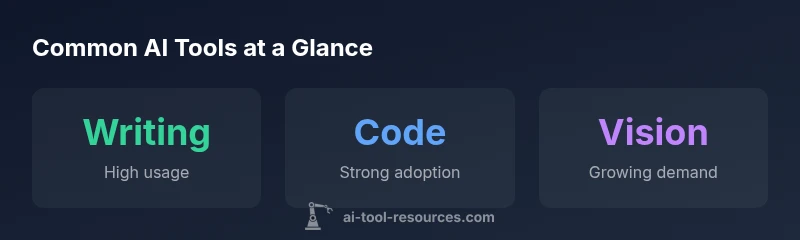
The landscape of AI tools is diverse, but adoption tends to cluster around a handful of categories. First, large language model (LLM) platforms and chat-based assistants dominate writing, summarization, and translation tasks. Second, coding copilots and developer assistants help with scaffolding, debugging, and code review. Third, data analysis and automation platforms enable faster data wrangling, model prototyping, and experiment tracking. Fourth, image- and video-generation tools empower rapid prototyping and visual content creation. Finally, research-oriented tools for literature review, experiment logging, and reproducibility checks are increasingly common in academic settings. Across these categories, many teams gravitate toward tools that offer clear integration hooks (APIs, plugins, notebooks), transparent governance features, and robust documentation. In short, the most common AI tools are those that slip neatly into established workflows while unlocking new capabilities at a reasonable cost.
Adoption by domain and team size
Adoption patterns vary by domain and team scale. In software development and data science, coding copilots and data-visualization tools see rapid uptake due to direct productivity gains. In marketing and content creation, AI writing assistants and image-generation tools proliferate as teams seek faster campaign iteration and asset generation. Educational contexts prioritize interactive tutoring tools and automatic feedback engines to scale learning. Smaller teams often pilot 1-2 tools deeply, while larger organizations run broader toolchains with governance layers, pilot programs, and centralized procurement. The result is a tiered landscape where a handful of tools become core to a team’s workflow, while additional tools fill niche needs or enable experimentation under proper governance.
Criteria to evaluate popular AI tools
Choosing among popular AI tools requires a consistent evaluation framework. Start with task fit: does the tool actually improve the specific workflow? Next consider data handling: what are data retention, privacy, and compliance implications? Look at integration: can you embed the tool into your existing stack with minimal friction? Assess governance features such as access controls, audit logs, usage limits, and licensing terms. Finally, consider reproducibility: can results be traced, tested, and reproduced in future experiments? A structured evaluation plan—pilot, measure, reflect—helps ensure the selected tools deliver reliable value without introducing risk.
Practical steps to test tools in your stack
- Define a concrete pilot goal aligned with a real task. 2) Identify one or two leading tools per category to compare. 3) Establish objective metrics (speed, quality, error rate, reproducibility). 4) Run parallel experiments with standardized prompts and datasets. 5) Monitor governance controls and data-security assumptions. 6) Collect qualitative feedback from team members and document lessons learned. 7) Decide whether to expand the pilot or sunset the option. 8) Create a governance plan to manage licenses, access, and data governance going forward.
Realistic expectations and governance
AI tools are powerful accelerators, not silver bullets. They excel at pattern recognition, rapid iteration, and routine tasks, but they require human oversight for quality, ethics, and alignment with research goals. Expect occasional inaccuracies, biases, or output that needs curation. Establish guardrails: defined prompts, review checkpoints, and versioned datasets. Build awareness of licensing constraints and data-privacy implications, especially when processing sensitive information. Finally, emphasize reproducibility by documenting prompts, configurations, and evaluation results so others can verify and extend your work.
Selected categories of common AI tools and their trade-offs
| Tool Category | Typical Use Case | Key Benefits | Common Challenges |
|---|---|---|---|
| Writing tools | Drafting, editing, and style improvement | Speed, consistency, idea generation | Quality control, originality concerns |
| Code copilots | Code generation, debugging, and reviews | Productivity, fewer defects | Context interpretation, license constraints |
| Data analysis platforms | Data wrangling, model training, dashboards | Automation, reproducible workflows | Data privacy, integration complexity |
| Image generation tools | Prototyping visuals, assets, concept art | Creative speed, visual variety | Copyright considerations, output quality variance |
FAQ
What are the most common AI tools used in industry today?
The most common AI tools span writing assistants, coding copilots, data analysis platforms, and image-generation APIs. Adoption is strongest where there is a clear workflow impact, reliable governance, and straightforward integration. Varying by domain, these tools collectively boost productivity and enable rapid experimentation.
The most common AI tools include writing assistants, code copilots, data analysis platforms, and image generators. They’re popular where they fit smoothly into existing workflows.
How do I choose between similar AI writing tools?
Start with task alignment: can the tool draft, edit, or summarize effectively for your domain? Evaluate output quality with domain-specific prompts, check for guardrails, and consider licensing and data privacy. Pilot 2–3 tools and compare on speed, coherence, and controllability.
Pick 2–3 writing tools to test, compare output quality, and check privacy and licensing before deciding.
Are there security concerns with common AI tools?
Yes. Security concerns include data leakage, model backdoors, and misalignment with regulatory requirements. Mitigate by selecting tools with clear data-handling policies, encryption, access controls, and audit trails. Always sanitize inputs and review outputs before sharing publicly.
There are security and privacy risks; use tools with strong data policies and governance, and review outputs before use.
What about cost considerations for AI tools?
Costs vary widely by tool type, usage volume, and data processing needs. Use a tiered approach: start with free or low-cost tiers for pilots, then scale with usage caps and governance rules. Track total cost of ownership across licenses, compute time, and data transfer.
Start cheap, pilot carefully, and monitor total costs as you scale.
Can AI tools replace domain expertise in research tasks?
No. AI tools accelerate work and enable new insights, but domain expertise remains essential for interpretation, validation, and ethical considerations. Use AI as an assistant that augments, not replaces, human judgment.
AI tools shouldn’t replace expert judgment; they augment it and speed up routine tasks.
What is the learning curve when adopting AI tools?
Learning curves depend on tool complexity and existing workflows. Start with guided tutorials, set up representative projects, and establish a shared knowledge base. Regular practice and peer reviews help teams reach proficiency faster.
Expect a learning period; start with tutorials and hands-on projects to build proficiency together.
“When evaluating AI tools, anchor your choice in task fit, governance, and reproducibility. Tools should accelerate your research, not introduce uncontrolled risk.”
Key Takeaways
- Identify your core workflow and map to tool categories
- Pilot 2-3 tools before full deployment
- Balance speed with governance and reproducibility
- Prioritize data privacy and licensing in evaluations
- AI tools amplify expertise, don’t replace it