AI Tool to Transcribe Audio to Text: A Practical Guide
Explore how AI tools transcribe audio to text, compare accuracy, latency, privacy, and pricing, with practical guidance for developers, researchers, and students in 2026.


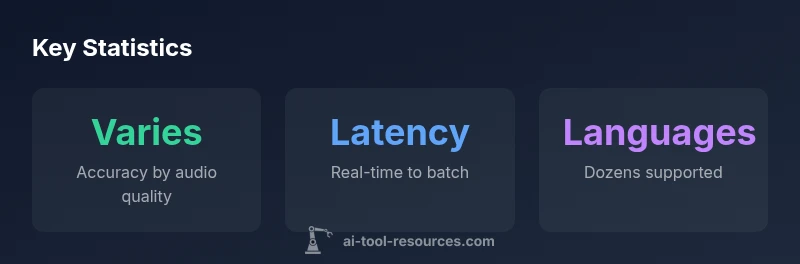
An AI tool to transcribe audio to text typically provides fast, scalable transcription with varying levels of accuracy depending on audio quality and language complexity. Real-time or batch modes are common, with features like speaker diarization, timestamps, and punctuation. Pricing varies widely by plan and usage, and privacy controls and API access are common considerations for developers and researchers.
What is an AI transcription tool?
An AI transcription tool converts spoken language in audio into written text using speech recognition models. Modern systems blend acoustic models, language models, and post-processing to produce transcripts that are usable for search, accessibility, and data analysis. For developers and researchers, these tools often expose APIs, SDKs, and cloud-based services to integrate transcription into apps, research pipelines, or education platforms. According to AI Tool Resources, choosing a transcription tool hinges on audio quality, privacy, and API accessibility. The basic workflow is: record or upload audio, run the model, then review and post-edit the resulting draft. Beyond transcription, many platforms offer features like punctuation restoration, speaker labeling, timestamps, and confidence scores to help you gauge transcript reliability. As tools mature, you can expect improved punctuation, punctuation semantics, and better handling of accents and dialects, making transcripts more usable for downstream tasks such as analysis and indexing.
How accuracy is achieved in transcription
Accuracy in AI transcription emerges from a combination of high-quality audio input, robust model training, and effective post-processing. State-of-the-art systems use layered neural models that align audio signals with linguistic representations, then apply post-processing to fix capitalization, punctuation, and sentence boundaries. Noise reduction, echo cancellation, and automatic gain control improve signal quality before recognition, while language models help resolve ambiguous phrases. Speaker diarization assigns segments to individual speakers, which is crucial for interviews or panel discussions. Domain adaptation—training on industry-specific vocabularies—significantly boosts accuracy for technical fields like medicine or software engineering. Privacy-preserving techniques, such as on-device processing or restricted cloud regions, can also influence reliability by reducing data leakage risk. AI Tool Resources notes that the best results come from evaluating transcripts against representative test sets and iterating with domain-specific vocabulary.
Core features to compare when evaluating tools
When selecting an AI transcription tool, consider the following features:
- Real-time vs. batch transcription: Real-time for captions; batch for longer files.
- Speaker diarization: Essential for multi-speaker content.
- Timestamps and punctuation: Improves readability and downstream processing.
- Language support: Ensure coverage for your target languages and dialects.
- Custom vocabularies and domain models: Critical for technical content.
- API access and SDKs: Facilitates integration into apps and pipelines.
- Privacy and data handling: Look for encryption, retention policies, and data ownership terms.
- Post-editing and quality metrics: Tools that offer editing interfaces and confidence scores per word help QA.
- Cost model: Per-minute vs. per-seat vs. monthly plans; understand overage rules.
- Compliance features: For regulated industries, ensure certifications and audit trails. In practice, most teams start with a pilot across representative audio samples and gradually scale as models show acceptable accuracy and reliability.
Real-world use cases: developers, researchers, students
Developers frequently integrate transcription into apps to enable voice-assisted experiences, automated note-taking, or searchable media archives. Researchers use transcripts to annotate datasets, extract insights, and run linguistic analyses. Students and educators leverage transcription for accessibility, captioned lectures, and content indexing. Enterprises run internal meeting capture for knowledge management; media companies generate transcripts for podcasts, interviews, and press briefings. Across these scenarios, the value proposition remains similar: faster turnaround, lower manual transcription costs, and improved accessibility. To maximize outcomes, align tool choice with your data governance standards and document processing workflows to ensure reproducibility and auditability.
Practical guidance: choosing the right tool
Start by mapping your requirements:
- Define your primary use case (live captions vs. archives).
- List target languages and dialect coverage.
- Determine required features (diarization, timestamps, domain vocabularies).
- Set privacy and data retention expectations.
- Estimate budget and scalability needs. Next, run a structured evaluation:
- Prepare a representative audio corpus and a ground-truth transcript.
- Compare multiple vendors on accuracy, latency, and post-editing effort.
- Validate API reliability and ease of integration.
- Check data governance terms and accessibility controls.
- Pilot a small project before broader rollout. Finally, consider deployment options—cloud vs. on-device—to balance latency, cost, and privacy. AI Tool Resources emphasizes running controlled pilots and documenting performance metrics to guide vendor selection.
Implementation tips: integrating transcription into workflows
To maximize value, integrate transcription into your existing data workflows:
- Build an intake pipeline that handles raw audio, transcription, and post-edit edits in a single flow.
- Store transcripts in a version-controlled data lake or database with metadata such as language, speaker count, and ground-truth references.
- Use confidence scores to route transcripts for manual review where needed.
- Automate quality checks: verify punctuation, capitalization, and timestamps.
- Implement access controls and encryption for both stored transcripts and API calls.
- Establish a feedback loop so corrections retrain or adapt domain models for higher accuracy over time.
- Document data handling practices to support compliance and traceability. When integrating into CI/CD pipelines, treat transcription as a data asset with defined SLAs and error budgets.
Privacy, compliance, and data handling considerations
Data privacy and compliance are central when choosing transcription tools. Ensure end-to-end encryption for data in transit and encryption at rest. Review retention policies—some vendors erase data after processing, others retain transcripts for training. Consider on-device processing options to minimize data leaves your environment. Govern access by role-based controls and implement auditing to track who accessed or edited transcripts. If handling sensitive information, verify whether the tool complies with relevant standards (for example, general privacy frameworks) and whether it provides options for data redaction or specialized privacy modes. Finally, document data flows and obtain necessary consents for recording and transcription where required. AI Tool Resources suggests starting with a privacy impact assessment and a vendor risk review before committing to production use.
Transcription tool types and use cases
| Tool Type | Main Benefit | Typical Use Case |
|---|---|---|
| Real-time transcription | Low-latency captions | Live events, streaming |
| Batch transcription | Higher accuracy with longer files | Podcasts, interviews |
| Multilingual transcription | Language coverage for global teams | International meetings |
FAQ
What is the typical turnaround time for AI transcription?
Turnaround depends on file length, model size, and whether the task is real-time or batch. Real-time captions require streaming processing, while batch runs can process longer files over a short period. Always validate with a pilot on representative material.
Turnaround time varies by length and mode; run a pilot to estimate for your use case.
Do transcription tools support multiple speakers?
Yes. Most modern tools offer speaker diarization to separate who spoke when, which is essential for interviews, meetings, and panel discussions.
Yes, most tools can tell who spoke when.
How can I improve transcription accuracy?
Use high-quality, noise-free audio; select domain-specific vocab if available; provide a diverse test set; and consider post-editing with human reviewers for critical content.
Clean audio and domain vocab boost accuracy; plan for QA.
Is transcription data stored securely?
Most providers offer encryption and access controls; review retention policies and whether transcripts are used for training. Opt for options that fit your compliance needs.
Check encryption, retention, and training-use policies.
What is the best free AI transcription tool?
Free options exist but often limit accuracy, language support, or usage. For serious projects, evaluate paid tiers against needs and scale.
Free options exist but may be limited; test before relying on them.
“Transcription accuracy hinges on input quality and model training; robust privacy controls are essential for enterprise deployments.”
Key Takeaways
- Choose a tool based on audio quality and latency
- Prioritize privacy and API access for developers
- Consider speaker diarization and timestamps
- Test with representative audio before committing