How to Generate a Prompt from an Image: A Practical Guide
Learn how to turn any image into a precise, model-ready prompt with practical steps, examples, and best practices for AI tools, coding, and education.


Generating a prompt from an image starts by describing the key subjects, scene, and mood you see. Translate those visual cues into precise tokens a model can understand, then add constraints like length, style, and format. Start with a simple reference image, test the prompt, and refine based on output. This approach improves consistency and creativity across tasks.
What does it mean to generate a prompt from an image?
In AI workflows, turning a visual input into a textual prompt helps bridge vision and language models. The goal is to capture essential elements—subject, setting, mood, lighting, and action—in a structured sentence that a model can execute reliably. This skill is valuable for research, education, and product prototyping, and it scales when you automate examples. According to AI Tool Resources, mastering this technique accelerates iteration and improves prompt quality across domains.
Core principles: visual anchors and prompt stability
The most reliable prompts start from three anchors: the core subject, the scene or setting, and the mood or tone. Keep these anchors explicit and separable so you can swap scenes without rewriting the whole prompt. Use stable terminology (e.g., ‘portrait of,’ ‘interior with’) and prefer concrete nouns over idioms to minimize misinterpretation by models. This approach also improves reproducibility across model runs and datasets, a practice highlighted by AI Tool Resources.
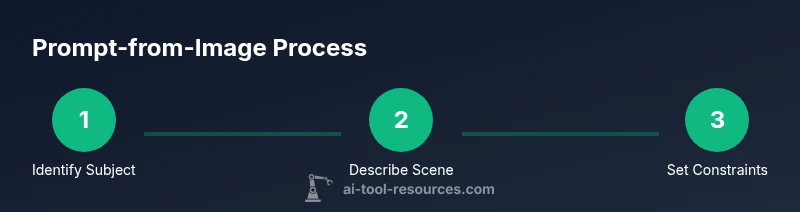
Step-by-step method: identify subject, scene, action
- Identify the core subject: what or who is the focal point?
- Describe the scene: where does it take place, and what’s in the background?
- Note action and dynamics: is there movement, interaction, or emotion?
- Capture lighting and color: is it natural, dramatic, warm, or cool?
- Set constraints: output length, format, and any required style cues.
- Draft an initial prompt: combine anchors into a single sentence.
- Refine with model feedback: adjust terms that caused misinterpretation.
- Add optional stylistic tokens: tone, genre, or device (e.g., cinematic, documentary).
- Validate and iterate: test with the target model and revise accordingly.
Translating visual cues into explicit prompt tokens
Take a sample image and map each visual cue to a prompt token. For example, a scene described as “a bustling street market at sunset with vibrant colors” can be tokenized as: subject=’street market vendors and shoppers’, scene=’outdoor market at sunset’, color=’vibrant warm hues’, mood=’dynamic and lively’, lighting=’golden hour’, style=’cinematic, documentary’.
By formalizing cues into labeled tokens, you enable systematic variation and automation for experiments. This practice also aids in communicating requirements to teams and AI systems.
Controlling style, tone, and constraints
Define objective constraints before drafting the prompt:
- Output length: short sentence, paragraph, or JSON
- Style: cinematic, documentary, painterly, flat, schematic
- Perspective: close-up, wide shot, top-down
- Composition rules: rule of thirds, centered, depth cues
- Domain specifics: photography, product design, education
Clear constraints prevent drift across iterations and help you compare results across experiments. AI Tool Resources notes that explicit constraints are a keystone for repeatable, reliable prompts.
Practical domain examples
- Photography: image of a street musician at dusk → "A cinematic wide-shot of a street musician playing guitar at dusk, warm golden lighting, shallow depth of field, documentary style."
- UI/UX mockups: user interface screenshot with a dark theme → "A clean UI mockup featuring a dark theme, high contrast buttons, and minimal typography; modern, tech-forward mood; 1920x1080 frame."
- Concept art: futuristic cityscape → "A vivid, sci-fi city at night with towering glass skyscrapers, neon reflections, atmospheric fog; cinematic, wide-angle lens, high detail."
These examples show how domain needs shape prompt syntax and vocabulary. Use domain templates to speed up drafting later.
Common pitfalls and how to avoid them
- Ambiguity: vague adjectives lead to inconsistent outputs. Be specific with nouns and actions.
- Overloading prompts: too many details can confuse models. Use modular prompts and placeholders for experimentation.
- Inconsistent tense or perspective: pick one point of view and stick with it.
- Ignoring constraints: without length and format constraints, outputs vary unpredictably.
Balance specificity with flexibility to maximize model performance while preserving control.
Workflow: tools and automation to scale prompts
Build a simple workflow: (1) collect images, (2) extract anchors, (3) map anchors to prompt tokens, (4) assemble initial prompts, (5) test and iterate. Use templates to standardize prompts and batch processing to scale. Consider lightweight automation scripts or notebook templates to speed up this process and maintain consistency across teams.
Evaluation and iteration: test prompts with models
Run prompts against the target models, compare outputs to intended goals, and log discrepancies. Refine terms that produced unexpected results, add or remove tokens, and adjust constraints. Keep a change log to track how each modification affects output, which aids reproducibility and research integrity. The process is iterative by design and improves with clear metrics.
Case study: example image and final prompt
Image: a child reading a book under a tree in bright daylight. Core subject: child with book; Scene: outdoor setting under a large leafy tree; Mood: calm, educational; Lighting: bright, natural; Style: editorial documentary. Final prompt: "A calm editorial documentary shot of a child reading a book under a sunlit tree, natural lighting, shallow depth of field, warm tones; 1:1 aspect ratio; educational mood."
Integrating prompts into an AI pipeline: LLMs, image-to-text, and diffusion models
Prompts from images can be fed into LLMs for task planning, then used to guide diffusion models or text-to-image systems. Use a two-stage approach: first translate visuals into structured prompts, then generate outputs with controlled variations. This separation improves traceability and troubleshooting when model behavior changes across versions or platforms.
Ethical considerations and licensing
Always respect copyright and permissions when using source imagery. If the image isn’t owned by you, ensure you have rights to transform it into prompts and outputs. Avoid prompts that produce sensitive, illegal, or harmful content. Document data provenance and ensure models are used in ethical, legal, and responsible ways.
Quick-start checklist
- Define your domain and desired output type
- Collect representative images
- Create a standard prompt template
- Map visual anchors to tokens
- Set clear style and constraint tokens
- Test prompts with the target model and iterate
- Document results and refinements
Tools & Materials
- High-resolution image sample(Prefer 1:1 or 16:9, 1080p+ if possible)
- Prompting notebook or digital document(For capturing anchors and iterations)
- Text editor or word processor(To craft final prompt)
- Access to an AI model or image-to-prompt tool(e.g., LLM, diffusion model, or automation script)
- Style guide or reference prompts(helps maintain consistency)
Steps
Estimated time: Estimated total time: 25-40 minutes
- 1
Identify the core subject
Look at the image and determine the central figure or object that should anchor the prompt. Write a concise noun phrase that captures this subject.
Tip: Keep the subject stable across variations to maintain consistency. - 2
Assess the scene and setting
Describe where the action happens and what surrounds it. Include location, environment, and any notable background elements.
Tip: Use concrete place descriptors rather than abstract ideas. - 3
Note action and dynamics
Capture motion, interaction, or emotion. This guides how the model should depict movement or relationships.
Tip: Prefer active verbs that convey clear dynamics. - 4
Describe lighting, color, and mood
Specify lighting quality (soft, harsh), color palette, and overall mood to shape tone.
Tip: Match lighting to intended output for realism or stylization. - 5
Set constraints for output
Decide on format (text, JSON, bullet list), aspect ratio, and length. These constraints control the final prompt's form.
Tip: Document constraints before drafting the prompt. - 6
Draft an initial prompt
Combine anchors into a single, readable sentence with tokens like subject, scene, mood, style.
Tip: Keep it explicit and modular so you can swap parts easily. - 7
Refine with model feedback
Run the prompt against the target model and note where it misinterprets details.
Tip: Iterate one variable at a time when testing. - 8
Add optional stylistic cues
If needed, append tone, genre, or device tokens to align output with your goals.
Tip: Avoid overusing stylistic terms that reduce clarity. - 9
Test, evaluate, and iterate
Execute the final prompt and compare outputs to expectations; refine until satisfied.
Tip: Maintain a log of changes and results for reproducibility.
FAQ
What is the main payoff of generating a prompt from an image?
Converting visuals to prompts improves control, reproducibility, and speed when working with AI models. It helps standardize outputs across tasks and domains.
Converting visuals to prompts improves control and reproducibility, helping you work faster with AI models.
What kinds of images work best for this approach?
Screenshots, staged photos, and simple scenes with clear subjects typically translate best, while complex, cluttered images may require staged prompts or segmentation.
Simple, clear scenes work best; complex images may need segmentation.
Can this method work for all AI models?
The approach is broadly applicable to language models and image-to-text pipelines, but results depend on the model's training data and prompt tolerance.
It's broadly applicable, but results vary with the model's training and prompt tolerance.
How do I handle complex scenes with multiple subjects?
Break the scene into sub-anchors and draft multiple prompts for each subject, then compose a composite prompt or use hierarchical prompts.
Split the scene into parts and combine prompts for a cohesive final output.
What are common mistakes when translating visuals to prompts?
Vagueness, overloading with adjectives, and inconsistent tense or perspective. Stick to explicit anchors and test iteratively.
Avoid vagueness and too many adjectives; test and refine.
Should I document my prompt iterations?
Yes. Keeping a changelog of prompts and outputs helps reproduce results and track improvements.
Yes—document iterations to reproduce and improve results.
Watch Video
Key Takeaways
- Identify core anchors before drafting.
- Translate cues into explicit tokens.
- Set clear style and constraint tokens.
- Iterate with model feedback for reliability.