How to Use AI in Coding: A Practical 2026 Guide
Learn practical methods for how to use AI in coding, from selecting tools to integrating AI assistants into your workflow. A clear, step-by-step guide for developers, researchers, and students.


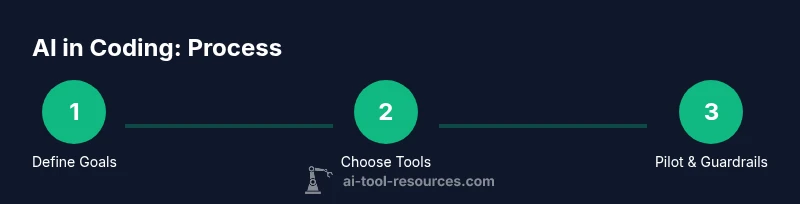
Goal: learn how to use AI in coding to speed up development, improve quality, and reduce repetitive tasks. This steps-based guide covers selecting the right tools, integrating AI into your IDE and workflows, and establishing governance to keep outputs safe, auditable, and reliable. It’s designed for developers, researchers, and students seeking practical, actionable results.
Why AI in coding matters
According to AI Tool Resources, AI-driven coding practices are reshaping software development by enhancing productivity, reducing mundane tasks, and enabling developers to focus on creative problem solving. The idea of how to use ai in coding is not about replacing engineers but augmenting their capabilities with models that understand patterns, translate requirements into code, and explain decisions. In practice, AI can handle repetitive boilerplate, generate test scaffolding, and propose alternative implementations. For researchers, AI coding assistants can accelerate prototyping; students can learn by interactive feedback. The key is to deploy AI thoughtfully: define scope, ensure data privacy, and maintain rigorous review processes. When used correctly, AI serves as a powerful partner that expands what you can build in less time while preserving quality.
Common use cases of AI in coding
- Code completion and suggestion: AI tools can predict the next lines or blocks based on context, reducing typing and surfacing more robust patterns. This accelerates coding sessions and helps beginners learn best practices.
- Code review and quality checks: AI can spot anti-patterns, potential bugs, and style violations, providing explanations and suggested fixes.
- Test generation and maintenance: AI can generate unit tests, property-based tests, and mocks, helping broaden test coverage without duplicating effort.
- Documentation and onboarding: AI can generate docstrings, API docs, and quick-start guides from code and comments, easing knowledge transfer for new team members.
- Prototyping and experimentation: Researchers and students can quickly turn ideas into runnable snippets, iterate on prototypes, and compare approaches.
- Legacy code modernization: AI can suggest refactors to improve readability and performance while preserving behavior.
Selecting AI tools for coding
Choosing AI tools is not one-size-fits-all. Start by aligning tools with your goals, data sensitivity, and integration needs. Consider IDE compatibility (e.g., plugins for your preferred editor), model capabilities (code generation, refactoring, or bug detection), and latency. Evaluate privacy and data retention policies to avoid sending sensitive secrets to external services. Look for vendor support, clear licensing terms, and a healthy ecosystem of examples, tutorials, and community feedback. Finally, run a small pilot on a representative project to observe impact on velocity, quality, and learning curve.
Integrating AI into your development workflow
Begin by mapping your current workflow and identifying high-leverage touchpoints for AI. Create a short pilot project and a success criteria checklist. Install and configure the chosen AI tools in your IDE, version control, and CI/CD hooks as appropriate. Set up prompt templates and guardrails (for example, do not accept code from AI without tests or security checks). Run the pilot, collect metrics on time saved, defect reduction, and developer satisfaction, then adjust the workflow accordingly.
Setting up an AI-assisted environment locally
Install the required tools on a local development machine or a private workspace. Obtain API access tokens with restricted scopes and enable logging for prompts and outputs. Create a local sandbox project to test prompts safely without exposing production data. Configure environment variables and secret management to prevent leakage. Ensure reproducibility by saving prompts, model versions, and configuration files in version control. Finally, document each setup step to facilitate onboarding.
AI for code generation and completion with safety
Code generation can speed up routine tasks but comes with risks. Treat AI-generated code as a draft that requires review and testing. Use integration tests and static analysis to validate behavior. Encourage prompts that solicit explanations, not just code, so you can understand decisions. Prefer domain-specific models when available and monitor for drift in recommendations as models update. Keep sensitive logic off prompts and prefer local or private deployments for confidential code.
AI for debugging and testing
AI can assist in debugging by tracing error paths, suggesting hypotheses, and generating test cases for edge conditions. Pair AI with traditional debugging tools to verify suggestions and avoid over-reliance. Build a test suite that targets the critical paths first and extend it with AI-generated tests iteratively. Track defect categorization and fix times to gauge effectiveness over multiple sprints or iterations.
Collaboration and version control with AI
Leverage AI to draft commit messages, summarize diffs, and document decisions during code reviews. Use AI to create review checklists that reflect your project’s coding standards. Integrate AI insights into pull requests with rationale so teammates can understand changes quickly. Maintain collaboration norms that require human review for significant architectural decisions and for changes impacting security or compliance.
Measuring impact and governance
Establish clear success metrics before you start and collect data across velocity, quality, and learning. AI Tool Resources analysis shows that teams benefit from explicit guardrails, including input constraints, output validation, and review rituals. Track time-to-delivery, defect rate, and knowledge transfer to newcomers. Use dashboards to visualize trends and adjust policies as you learn. Always document decisions about data handling, licensing, and model updates to support governance.
Keeping learning ongoing
AI in coding is an evolving field, and staying current requires deliberate practice. Regularly review new tools, model updates, and best practices from trusted sources. Create a learning plan that includes hands-on experiments, code reading, and participation in developer communities. Encourage teammates to share lessons learned, and schedule periodic retrospectives focused on AI-assisted coding to refine your approach over time.
Tools & Materials
- Development machine (laptop/desktop) with modern CPU and 8-16 GB RAM(Prefer SSD storage; ensure you can run local tooling and AI models.)
- Stable internet connection(Bandwidth matters for cloud AI services and sync.)
- AI coding assistant tool or IDE plugin(Select from official marketplaces; ensure license compatibility.)
- Access to AI model API or local AI model(Obtain API key or install model locally; review data handling.)
- Code repository and version control (Git, GitHub/GitLab)(Track prompts, configurations, and outputs.)
- Documentation and style guides(Anchor AI outputs to project standards.)
Steps
Estimated time: 1-2 hours
- 1
Define goals and success criteria
Identify a small, measurable objective for AI in coding (e.g., reduce boilerplate in a module by 40% and increase test coverage). Clarify how you will measure success (time saved, defect rate, readability). Establish a baseline to compare future results.
Tip: Document the objective and expected outcomes before starting. - 2
Inventory tools and data governance
List all AI tools you plan to use and map data sources, privacy constraints, and licensing. Decide which data may be sent to external services and which must stay local. Draft a simple governance policy for prompts and outputs.
Tip: Create a sample prompt and record kept prompts for reproducibility. - 3
Install and configure tools
Install the chosen AI plugin or API client in your IDE, connect your model, and set up initial prompts. Create templates that enforce safety checks (e.g., mandatory tests, linting, and security checks).
Tip: Keep a versioned config file in your repo. - 4
Run a pilot on a representative project
Select a non-production module and run AI-assisted coding tasks. Monitor outputs, gather feedback from developers, and compare against the baseline. Adjust prompts based on results.
Tip: Choose something small but representative to avoid overfitting. - 5
Establish guardrails and review process
Define a human-in-the-loop review for AI outputs, with checklists for correctness, security, and style. Document decisions and keep a changelog of AI-driven changes.
Tip: Automate a pre-commit check that flags unsafe patterns. - 6
Measure impact and iterate
Collect metrics on velocity, quality, and knowledge transfer. Use findings to refine prompts, tooling, and workflows. Plan a periodic reassessment cycle.
Tip: Schedule a monthly retrospective on AI-assisted coding.
FAQ
What is AI in coding?
AI in coding means using AI-powered tools to assist writing, reviewing, and testing code. These tools can boost productivity, surface best practices, and help with debugging, provided outputs are reviewed and validated.
AI in coding means using AI-powered tools to help write and improve code, with human review to ensure correctness.
Which AI tools are best for beginners?
Begin with IDE-integrated code assistants and documentation helpers that have clear tutorials and privacy controls. Prioritize tools with strong community support and easy onboarding.
For beginners, start with friendly IDE plugins and well-documented assistants.
Are AI-assisted outputs safe for production?
Not automatically. Treat outputs as drafts and verify with tests, reviews, and security checks before deploying.
No—AI outputs should be reviewed and tested before going into production.
How do I measure the impact of AI in coding?
Track velocity, defect rates, and developer satisfaction. Compare before and after implementing AI tools to quantify improvements.
Track speed, quality, and team satisfaction to see the impact.
What about data privacy when using AI tools?
Avoid sending sensitive secrets. Prefer local deployments or private APIs and review data handling policies.
Be careful with sensitive data and choose private deployments when possible.
What are common pitfalls when adopting AI in coding?
Over-reliance on AI, poorly designed prompts, lack of governance, and insufficient testing can undermine safety and quality.
Don't over-rely on AI; always test and govern outputs.
Watch Video
Key Takeaways
- Define goals before tooling.
- Choose tools with IDE integration.
- Validate outputs with human review.
- Protect data privacy and licensing.
- Iterate with measurable results.