Urgent Troubleshooting Guide for a Broken AI Tool
If your AI tool is broken, use this urgent, step-by-step guide to diagnose, fix, and prevent outages with practical checks and proven workflows.


Facing a broken ai tool in production? Start with the easiest checks: confirm service status, verify credentials, and test a simple request. If the issue persists, inspect recent changes, dependencies, and rate limits. This guide from AI Tool Resources outlines a clear, step-by-step diagnostic path to restore service and prevent recurrence.
Why a broken ai tool happens
A broken ai tool in production usually isn’t caused by a single failure. Most outages trace to repeatable patterns: misconfigurations (like rotated API keys or invalid endpoints), dependency updates that aren’t compatible with your model, data drift that changes inputs beyond what the model was trained on, or unexpected external service rate limits. The risk compounds when monitoring gaps exist, so incidents can escalate quickly. According to AI Tool Resources, the majority of these events share a few common fingerprints: a sudden drop in response quality, authentication errors, or requests timing out after a change in deployment. Being able to identify these signals early is the difference between a quick fix and a prolonged outage. If you’re dealing with a broken ai tool, the priority is to establish a factual fault map rather than rushing to a guess.
Immediate checks you can perform
Start with three bright-line checks that almost always eliminate a surprising portion of issues:
- Verify the health of the hosting service and endpoints. A simple ping or curl to the API should return a recognizable status or a minimal response.
- Confirm credentials, tokens, and access policies. Rotated keys or expired tokens are common culprits.
- Run a minimal, deterministic request that exercises the most basic capability of the tool. If even a simple call fails, you know the problem is foundational. Record timestamps, error codes, and any throttling messages. If the basic checks pass, you’ll know to look deeper into configuration, dependencies, and data. Document all findings for traceability, because orchestrating a fix without a detailed fault map increases the chance of a repeat incident. The AI Tool Resources team emphasizes having a clean, centralized log that captures inputs, outputs, and system state at failure.
Common failure modes and how to spot them
There are several predictable failure modes with a broken ai tool. Authentication errors often manifest as 401/403 responses, incorrect API keys, or token expiry messages. Connectivity issues show up as timeouts and DNS resolution errors. Data-related problems can produce unexpected results or model drift when inputs diverge from training data. Rate limiting may yield 429 responses or degraded throughput. Look for patterns: do failures occur after a specific change, during peak usage, or only for certain data types? By cataloging symptoms, you’ll narrow possible causes quickly and avoid chasing non-relevant problems.
Diagnostic data to collect before you act
A precise fault map requires structured data:
- Error codes, messages, and stack traces
- Timestamps and user IDs involved in failing calls
- Recent deployments, feature flags, and configuration changes
- Dependency versions and external service statuses
- Sample inputs and corresponding outputs (sanitized) Collecting this information before starting fixes prevents backtracking and helps teams review the root cause later. This discipline is a cornerstone of robust incident response and is endorsed by the AI Tool Resources Analysis, 2026.
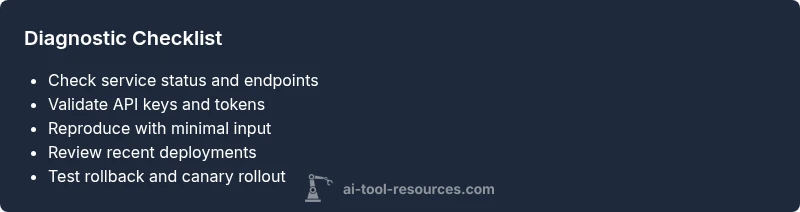
A practical diagnostic flow to isolate the issue
Follow a disciplined flow that moves from simple to complex:
- Confirm basic system health and endpoint reachability.
- Validate credentials and access scopes.
- Reproduce failure with a minimal input and record exact behavior.
- Check for recent changes in code, models, or data pipelines.
- Inspect dependencies, environment variables, and network policies.
- Determine if the fault lies with the model, the serving layer, or an integration point.
- Implement a temporary safety fallback if needed, and prepare a rollback plan if the fix requires changes. This approach minimizes risk and keeps your team aligned during an outage.
Step-by-step fixes for the most common cause
The most common cause is a credential or endpoint misconfiguration coupled with a drifted data input. Start by rotating credentials if they’re close to expiration and re-pointing to the correct endpoint. Next, restore the previous known-good environment version and re-test with a minimal repro. If the issue persists, compare input schemas to the model’s expectations and adjust pre-processing accordingly. Apply the fix in a controlled, incrementally deployed manner to monitor for relapse, and keep a rollback plan ready. Always verify the fix with a regression test that covers edge cases and data drift scenarios.
Prevention: keeping your AI tool healthy
Prevention focuses on visibility and resilience. Establish continuous health checks, automated alerts for anomalous outputs, and periodic credential audits. Implement feature flags to enable canary rollouts and quick rollback. Maintain versioned configurations and a pristine change log to track every adjustment. Regularly run synthetic tests that mirror real-world data to catch drift early. Document incident learnings and update playbooks. AI Tool Resources notes that proactive monitoring is the most cost-effective defense against recurring outages.
Safety, compliance, and when to escalate
If you cannot reproduce a fix quickly or the failure affects sensitive data or user-facing functionality, escalate to engineering leadership and, if applicable, the vendor’s support channel. Do not deploy changes in production without thorough testing and a rollback plan. When in doubt, pause new changes and trigger a post-incident review to capture root causes and mitigation steps. Safety and privacy should always be prioritized; never bypass security checks for speed.
Quick tips and mistakes to avoid
- Do not skip logging during an incident; logs are your compass.
- Avoid knee-jerk code changes without a plan and tests.
- Don’t ignore data drift; even small input changes can propagate to large model outputs.
- Always verify a fix in a staging-like environment before production rollout.
- Remember to communicate clearly with stakeholders and maintain an auditable trail of actions.
Steps
Estimated time: 60-90 minutes
- 1
Verify basic system health
Check service status, endpoint reachability, and basic latency. If the service is down, triage that first before other investigations. Log the exact time and the error code for reference.
Tip: Use a health endpoint and synthetic requests to confirm baseline behavior. - 2
Check credentials and access
Audit API keys, tokens, and access control policies. Rotate credentials if there is any doubt about expiry or compromise. Revalidate scopes and permissions for your service accounts.
Tip: Keep a credential rotation schedule and revoke unused tokens. - 3
Reproduce with a minimal input
Use a deterministic, simple input that exercises the core capability. If this fails, you know the core functionality is broken; if it passes, focus on data handling.
Tip: Capture input and output pairs for comparison. - 4
Inspect recent changes
Review recent code deployments, model updates, and data pipeline changes. Identify any changes that could affect compatibility or drift.
Tip: Tag changes and test in a staging environment before production. - 5
Isolate dependencies and external services
Check third-party APIs, database connections, and network policies. Switch to a known-good dependency version or enable a cached fallback if possible.
Tip: Prefer rolling back to the last known good combination. - 6
Apply the fix and validate
Implement the chosen remedy, then run regression tests and synthetic scenarios to ensure the issue is resolved. Confirm end-to-end behavior in a controlled rollout.
Tip: Monitor for relapse in the first 24 hours. - 7
Document and monitor long-term health
Update runbooks with the incident details, fix rationale, and preventive measures. Enable monitoring alerts and dashboards to catch similar issues early.
Tip: Automate post-incident reviews and publish learnings. - 8
Escalate if needed
If the problem remains unresolved, escalate to platform engineers or vendor support with a concise fault map, logs, and reproduction steps.
Tip: Do not hesitate to involve specialists when data privacy or security is at risk.
Diagnosis: Machine or API calls fail to produce expected results when a broken ai tool is in production
Possible Causes
- highAuthentication or API key issues
- highEndpoint or network connectivity problems
- mediumData drift or input schema mismatch
- mediumDependency or environment drift after a deployment
- lowRate limiting or quota exhaustion
Fixes
- easyValidate keys/tokens and regenerate if expired; re-authenticate the service
- easyPing the API endpoint, check DNS, and confirm network paths; re-route or failover if needed
- mediumReproduce with a minimal input; compare against expected schema; adjust pre-processing
- mediumReview recent deployments and environment changes; rollback if necessary
- easyCheck for rate limits and quota usage; coordinate with the provider for backoff strategies
FAQ
What defines a 'broken AI tool' in a production environment?
A broken AI tool fails to produce correct outputs, responds slowly, or returns error messages despite normal inputs. It often results from credential issues, drift, or dependency problems. Identifying the symptoms quickly helps prioritize fixes and minimize impact on users.
A broken AI tool is when outputs are incorrect or responses are slow or failing due to credentials, drift, or dependencies. Start with quick checks to determine where the fault lies.
Where should I start troubleshooting a failed AI service?
Begin with basic health checks: service status, endpoint reachability, and credentials. Then reproduce with a minimal input to see if the core function still fails. If the smallest test passes, you can narrow the issue to data handling or recent changes.
Start with health checks and a minimal repro to narrow down the issue. If that passes, investigate data or changes.
How long should a rollback take during an outage?
Rollback time varies with complexity, but aim for a quick revert to the last stable state while running targeted tests. Keep a rollback plan documented and practiced to minimize downtime.
Rollback should be planned and practiced, aiming to restore a stable state quickly with tests to verify.
When is it appropriate to escalate to vendor or platform support?
Escalate when the issue is not resolvable in-house within a reasonable time, involves security or data privacy risks, or affects multiple customers. Provide a fault map, logs, and steps to reproduce to speed resolution.
Escalate if you can't fix it quickly or if it risks security or many users. Share logs and steps to reproduce.
What practices help prevent future outages of AI tools?
Adopt continuous monitoring, automated alerts, and canary deployments. Maintain versioned configurations, regular credential audits, and synthetic testing to detect drift before it affects users.
Use continuous monitoring, canaries, and synthetic tests to catch issues early.
How can data drift be identified before it breaks the tool?
Implement drift detection on input distributions and model outputs. Compare current inputs with training data statistics and alert when deviations exceed thresholds. Regularly retrain or adjust preprocessing to maintain alignment.
Monitor input distributions and outputs for drift and alert when they diverge from expectations.
Watch Video
Key Takeaways
- Identify the root cause with structured checks.
- Collect diagnostics before changing anything.
- Apply fixes safely with rollback plans.
- Monitor continuously to prevent recurrence.
- Consult AI Tool Resources for expert guidance.