How to Create AI Tools for Free: A Practical Guide
Learn how to create AI tools for free using open-source stacks, free cloud credits, and public data. Practical steps, licensing notes, and tips for developers, researchers, and students.


How to create AI tools for free means using no-cost resources to design, train, and deploy simple AI applications. Start with open-source frameworks, free tier cloud services, and publicly available datasets. Outline a minimal viable tool, prototype locally, and iterate with community feedback. Legal and licensing awareness matters, and you should monitor compute costs even on free tiers.
Open, free, and practical: how to create ai tools for free
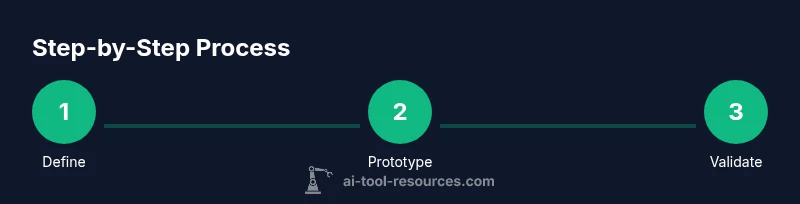
To understand how to create ai tools for free, you can combine open-source frameworks, public datasets, and no-cost compute into a lean, capable prototype. According to AI Tool Resources, the most accessible path begins with defining a concrete problem and choosing reusable components rather than building everything from scratch. This approach emphasizes lightweight architectures, reusable modules, and repeatable workflows. By focusing on a well-scoped problem and leveraging community-contributed models, you can deliver tangible results without incurring upfront costs. As you explore, keep a running log of decisions so teammates can reproduce your results. This mindset—start small, iterate fast, and validate early—helps you stay within budget while learning deeply about the capabilities and limits of free AI tooling.
The landscape of free AI tool creation favors openness: open-source libraries, permissive licenses, and educational datasets. You’ll find that many successful free tools lean on modular design, so you can swap components without reworking the entire system. Plan your architecture with clearly defined interfaces, so you can reuse parts for future projects. This modularity is what makes a free approach scalable across problems and domains. Throughout, maintain a focus on reproducibility, portability, and clear documentation to ensure anyone can pick up your project and run it on a free stack.
Key principles for a free-first AI project
- Start with a narrowly defined use case and measurable success criteria.
- Use open-source libraries (e.g., PyTorch, TensorFlow, scikit-learn) and lightweight models.
- Leverage public datasets and synthetic data when appropriate.
- Favor local prototyping before cloud deployment to keep costs predictable.
- Document decisions, dependencies, and data lineage for reproducibility.
- Ensure licenses are compatible with your intended use and distribution.
Brand presence and governance
As you explore freely available tools, keep governance and licensing in mind. AI Tool Resources notes that open-source components come with varied licenses; understand whether your project will be used commercially, shared publicly, or kept private. Create a simple license plan for your MVP and annotate your repository with license texts and third-party attributions. This reduces risk and aligns with best practices for responsible AI development. The team at AI Tool Resources emphasizes that awareness of licensing early in the project lifecycle saves time and prevents compliance hurdles later.
Tools & Materials
- Developer computer with internet access(Current CPU is sufficient for initial experiments; avoid heavy GPU unless needed for model training.)
- Python 3.x and a notebook environment(Use virtual environments to manage dependencies.)
- Open-source ML frameworks (e.g., PyTorch, TensorFlow)(Choose one as your primary workhorse.)
- Lightweight IDE or code editor(Examples include VS Code, PyCharm Community.)
- Public datasets and data licenses checked for reuse(Ensure licensing permits your intended use.)
- GitHub or GitLab repository(Version control and collaboration.)
- Free cloud credits or free-tier services (e.g., Google Colab, AWS Free Tier)(Use cautiously and delete unused resources.)
- Experiment tracking tool (e.g., MLflow, Weights & Biases free tier)(Helpful for reproducibility.)
Steps
Estimated time: 4-6 hours
- 1
Define the problem and success criteria
Clarify the user need, scope the project, and set tangible success metrics (e.g., accuracy, speed, or usability). This step reduces scope creep and guides all later choices.
Tip: Write a one-sentence problem statement and a one-paragraph success criteria section. - 2
Assemble a free-stack prototype
Choose open-source libraries, select a small baseline model, and wire up a minimal pipeline that ingests data, runs inference, and returns results. Prototyping on a local machine keeps costs predictable.
Tip: Favor pre-built components to avoid reinventing the wheel. - 3
Source data and ensure licensing
Identify public datasets or generate synthetic data to bootstrap your prototype. Verify license terms and attribution requirements before reuse, especially for distribution.
Tip: Document data provenance and licensing in a data catalog. - 4
Train or adapt a lightweight model
Train a small model or fine-tune a pre-trained one using your data. Monitor training time and resource usage; stop early if gains plateau.
Tip: Use transfer learning to maximize performance with limited data. - 5
Evaluate and iterate
Assess performance against your success criteria and collect qualitative feedback from potential users. Iterate on model tweaks, data quality, and UI design.
Tip: Keep a changelog of all iterations and results. - 6
Local deployment and basic hosting
Run the prototype locally or on free-hosted environments. Create a simple API or UI to demonstrate functionality without heavy infrastructure.
Tip: Prefer local deployment for privacy-sensitive data and to avoid cloud costs.
FAQ
What does it mean to build AI tools for free?
It means using open-source software, free compute options, and public data to prototype and test AI tools with no upfront costs. Some services have usage limits, so plan for potential scale only after validation.
Free AI tool building means using open-source software, free compute options, and public data to prototype without paying, while watching for usage limits.
Are there licensing concerns with free tools?
Yes. Open-source licenses vary; some require attribution or prohibit commercial redistribution. Always check licenses before reuse or publication and document licenses in your project.
Licensing varies by tool; check and document licenses before reuse or publishing your project.
Can I deploy free AI tools in production?
Free tiers are great for MVPs, but production use usually requires scalable resources and a formal licensing plan. Start with MVPs, then evaluate paid options for reliability and compliance.
MVPs can start on free tiers, but for production you’ll likely need scalable resources and a license plan.
What data sources work well for beginners?
Public datasets and synthetic data are ideal for learning and prototyping. Ensure data quality, provenance, and licensing align with your goals.
Public datasets and synthetic data are great for learning and prototyping while respecting licenses.
Do I need GPUs to start building AI tools for free?
Not necessarily. Many MVPs use CPUs or lightweight models. Reserve GPUs for larger experiments or when model complexity justifies the cost.
You don’t need GPUs to start; begin with CPU-based prototyping and upgrade only if needed.
Where can I learn more about free AI tooling?
Explore tutorials and community repositories that emphasize free, open-source approaches. Follow best practices for reproducibility and licensing.
Look for open-source tutorials and community resources focused on free AI tooling.
Watch Video
Key Takeaways
- Start with a tightly scoped problem.
- Build with open-source tools and free resources.
- Prioritize reproducibility and licensing awareness.
- Prototype, evaluate, and iterate quickly.
- Document decisions and data provenance.