How to Generate AI Images Free: A Practical Guide
Learn to generate AI images for free with a practical, step-by-step approach. Explore no-cost tools, prompts, licensing, and workflows for students, researchers, and developers in 2026.


Whether you’re a developer, researcher, or student, you can generate AI images for free by using reputable tools that offer free credits, open models, or trial plans. This quick answer previews practical steps, safety considerations, licensing basics, and best practices so you can start producing high-quality visuals without spending money.
What free AI image generation means in practice
According to AI Tool Resources, generating AI images for free is now possible through several accessible channels: free credits on hosted platforms, open-source models you can run locally, and trial schemes that don’t require payment information upfront. The landscape favors experimentation, especially for students and researchers who need quick prototypes or classroom demos. When you search for ways to generate AI images free, you’ll encounter a spectrum of options with varying limits—resolution caps, usage rights, and watermarking. The key is to understand what you gain and what you give up with each option. This section clarifies the differences between fully free tools and freemium services, and it sets expectations about output quality, speed, and license terms. It also highlights practical considerations, such as whether you need online access, GPU time, or local computation, depending on your project constraints and data privacy requirements.
Licensing is a critical factor for free image generation. Some outputs may be free to use commercially, while others require attribution or have non-commercial restrictions. Always review the tool’s terms of service and license files before integrating generated images into presentations, research papers, or products. If you’re part of an institution in 2026, your library or lab may offer access to academic-grade tools or discounts—verify eligibility through your administrator. The overarching message is simple: free doesn’t mean permissionless. Respect licenses, respect privacy, and document provenance for reproducibility and compliance.
In practice, plan a small, repeatable workflow. Start with a clear objective, test a few prompts in parallel, compare results, and learn which descriptors produce preferred styles. Keep iterations organized with versioned prompts and saved outputs. This approach maximizes learning while minimizing wasted cycles, especially when you’re exploring multiple free options in parallel. For many, the fastest path to usable visuals is to combine a no-cost platform for initial drafts with open-source tools for refinement, at a pace that suits your schedule and commitments.
note“There’s a long note here that won’t be displayed.”
Tools & Materials
- Reliable internet connection(Stable bandwidth for cloud-based free tools and collaboration.)
- Accounts on free tools (free tier)(Sign up with a work/education email if possible to access extended trials.)
- Prompt templates and style references(Have a few reference prompts ready to speed up exploration.)
- License checklist for outputs(Keep a simple record of usage rights for each image.)
- Local storage space for downloaded assets(Organize outputs by project and version.)
Steps
Estimated time: 60-120 minutes
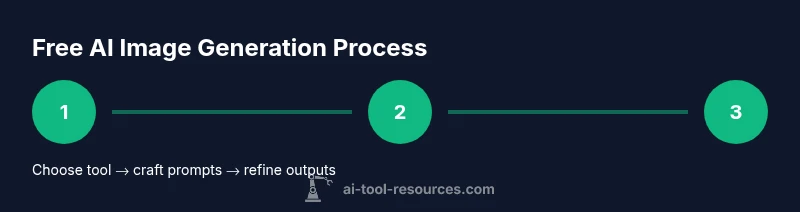
- 1
Choose a free platform or model
Identify 1–2 no-cost options that fit your project goals (e.g., quick drafts, educational demos, or research experiments). Evaluate their output quality, resolution limits, and licensing terms to avoid surprises later.
Tip: Start with a low-stakes test to understand each tool’s strengths and limits. - 2
Define your objective and constraints
Articulate what you want to create (style, mood, lighting, composition). Specify any constraints like color palette or aspect ratio to guide prompts and reduce iterations.
Tip: Write a one-sentence objective and a quick list of 3–5 style descriptors. - 3
Craft prompts and seed styles
Create concise prompts that combine subject, style, and lighting. Use seed references (e.g., “cyberpunk city at dusk, photorealistic”) to anchor outputs.
Tip: Experiment with 2–3 prompts simultaneously to compare results. - 4
Generate and iterate
Run initial generations, review results, and refine prompts or descriptors to push toward the desired look. Repeat 2–4 cycles for best balance of quality and speed.
Tip: Tweak one descriptor at a time to isolate effect. - 5
Assess licensing and attribution
Check each image’s terms for commercial use, credit requirements, and redistribution rights before reuse in projects or publications.
Tip: Document the license for each asset to support reproducibility. - 6
Export, organize, and cite provenance
Download suitable outputs, name versions clearly, and store metadata. Organize assets by project, tool, and generation date for traceability.
Tip: Maintain a simple manifest linking prompts to outputs.
FAQ
What does generate ai images free mean in practical terms?
It means using tools that offer no-cost access to AI image synthesis through free credits, open models, or trial plans. Outputs may have limits on resolution or licensing terms. Always review terms.
Free AI image generation means you can test and use images from tools that don’t charge, but you should check licenses before using them in public or commercial work.
Which platforms offer free AI image generation without paying?
Look for platforms that provide free credits, open-source models you can run locally, or trial access. Expect limitations like watermarks, size limits, or usage restrictions.
Free options exist, usually with limits. Always verify licenses before using results.
Are there licensing concerns with free AI-generated images?
Yes. Free outputs may restrict commercial use, require attribution, or limit redistribution. Always read the license and keep records of terms for each image.
Licensing matters with free images—read the terms and keep proof of rights.
Can I trust the quality of free AI images for professional work?
Quality varies by tool and prompt. Free options are great for drafts, experiments, and education, but professional production may need higher-resolution tools or post-processing.
Free tools are good for drafts, but you may need refinement for professional work.
What are common restrictions on free AI image tools?
Expect limits on resolution, output count, and commercialization rights. Watermarks and usage credits are common in free plans.
Watch for limits and watermarks in free plans.
How can I avoid copyright issues when using AI-generated images?
Use images with permissive licenses or open models, and document prompts and sources. Avoid claiming ownership of generated content if licensing is unclear.
Be careful with licenses and always document where you got your images.
Watch Video
Key Takeaways
- Experiment with multiple prompts to discover styles.
- Check licensing before deploying images.
- Organize outputs with versioned prompts.
- Document provenance for reproducibility.