How to Build an AI Tool: A Practical Step-by-Step Guide
Learn how to make ai tool by planning, data preparation, model selection, architecture, deployment, and governance. This comprehensive guide covers data ethics, tooling, and deployment best practices for developers and researchers.


According to AI Tool Resources, learning how to make ai tool starts with a clear problem statement, a lightweight prototype, and a robust plan for data, ethics, and deployment. This quick path helps you frame the project and align stakeholders before coding begins. In this guide, you will identify user needs, define success metrics, select a tooling stack, and plan testing and monitoring.
What is a AI Tool and Why Build One?
An AI tool is software that leverages artificial intelligence to automate or augment tasks that would typically require human judgment. It can range from a simple recommendation engine to a complex decision-support platform. Building an AI tool is not only about picking a flashy model; it’s about solving a concrete user problem with measurable impact. For developers and researchers, the journey begins with a clear problem definition, a minimal viable product (MVP), and a plan for data governance, security, and maintainability. As you explore the question of how to make ai tool, think about the end-user workflow, the data sources you’ll rely on, and the constraints around privacy and compliance. The AI Tool Resources team emphasizes that successful projects start with well-scoped goals and a plan you can test early.
wordCountEligible
Tools & Materials
- Laptop or workstation with dev environment(Linux/macOS; Python 3.9+; Node.js for API tooling)
- Python environment(An isolated virtual environment; dependencies via requirements.txt or poetry)
- Compute resources(Access to CPU/GPU as needed for training or inference)
- Data sources(Lquality datasets aligned to the use case; ensure consent/privacy)
- Version control(Git repository with clear branching strategy)
- ML libraries(TensorFlow/PyTorch, and supporting tools)
- Experiment tracking(MLflow, Weights & Biases, or similar)
- Deployment platform(Cloud service or on-prem API gateway)
- Data labeling tool(If your data requires annotation, choose a labeling solution)
Steps
Estimated time: 6-8 weeks
- 1
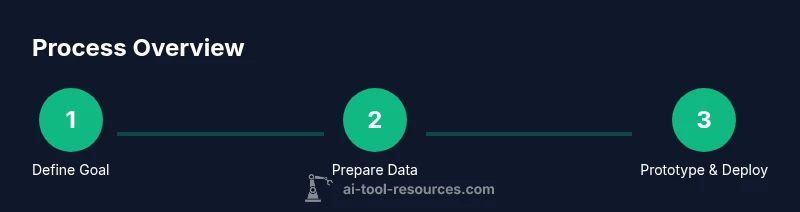
Define the problem and success criteria
State the user problem clearly and set measurable success metrics (accuracy, speed, adoption). Map these to business or research goals and document constraints around privacy, latency, and budget.
Tip: Create a one-page problem brief and a KPI dashboard sketch to keep stakeholders aligned. - 2
Assemble data and establish governance
Identify data sources, assess quality, and define labeling needs. Establish privacy, consent, and usage policies; design a data lineage approach to trace data from source to model outputs.
Tip: Prioritize data quality over model complexity to improve reliability early. - 3
Prototype a minimal feature set
Build a small MVP that demonstrates the core capability. Use synthetic or parameterized data if real data is unavailable to validate the workflow end-to-end.
Tip: Aim for a single user journey with a clear input and output to simplify testing. - 4
Choose architecture and tooling
Select model types, frameworks, and an integration approach (microservices, serverless, or on-device). Consider reusable components to accelerate future enhancements.
Tip: Favor modular design with clean API contracts and clear data contracts. - 5
Build integration and APIs
Implement data ingestion, preprocessing, and API endpoints for model inference. Add authentication, rate limiting, and observability hooks.
Tip: Document API schemas and add automated tests for end-to-end flows. - 6
Train, evaluate, and iterate
Run experiments to compare approaches, track metrics, and iterate quickly. Validate on held-out data and perform bias and safety checks.
Tip: Use a simple baseline to gauge relative improvement and avoid overfitting early. - 7
Deploy with monitoring and governance
Move from MVP to production with monitoring dashboards, logging, and alerting. Establish governance around updates, rollback, and model drift.
Tip: Define rollback criteria before deployment to reduce risk. - 8
Plan maintenance and user support
Set expectations for maintenance windows, data updates, and user feedback channels. Build a roadmap for improvements and ongoing compliance checks.
Tip: Schedule quarterly reviews to reassess goals and metrics.
FAQ
What is an AI tool?
An AI tool is software that uses artificial intelligence to automate or augment tasks that would normally require human reasoning. It combines data, models, and interfaces to deliver a specific user outcome.
An AI tool uses AI to automate tasks and help users get results faster.
What data do I need to start?
You need representative data that reflects the task, along with metadata about its provenance and quality. Start with a small, clean dataset and plan for labeling and augmentation as you scale.
Start with a clean, representative dataset and plan labeling as you scale.
Do I need a full data science team?
Not necessarily at the start. A focused team or cross-functional unit can handle data, model selection, and deployment. Scale the team as the project grows and needs expand.
A small, focused team can start; expand as the project grows.
What are common pitfalls?
Common pitfalls include scope creep, data quality issues, lack of governance, and insufficient monitoring after deployment. Address these early with guardrails and dashboards.
Watch for scope creep, data issues, and weak monitoring after launch.
How long does deployment take?
Deployment timelines vary by scope, but a disciplined MVP can reach production in weeks, followed by iterative improvements based on user feedback and metrics.
A disciplined MVP can go live in weeks with ongoing improvements.
Is cost a concern for AI tool projects?
Cost is a factor, especially for compute and data. Plan budgets around data, training, deployment, and monitoring, and seek cost-efficient architectures.
Yes—plan for compute, data, and ongoing maintenance costs.
Watch Video
Key Takeaways
- Define a clear problem and success metrics.
- Prioritize data quality and governance from day one.
- Prototype early with an MVP to validate workflow.
- Choose modular architecture for scalable growth.
- Monitor, update, and govern the deployed tool.