Training on AI Tools: A Practical How-To Guide for Beginners
A comprehensive, step-by-step guide to training effectively on AI tools, including environment setup, curriculum design, hands-on projects, and evaluation methods for students, researchers, and developers.


This guide provides a practical, repeatable plan for training on ai tools aimed at developers, researchers, and students. You’ll define clear goals, select appropriate tools, and build a hands-on curriculum with reproducible environments and regular assessments. The approach blends foundational theory with real-world projects, emphasizing ethics and scalability. According to AI Tool Resources, structured training accelerates skill development and helps learners graduate from basics to applied proficiency in modern AI workflows.
What training on AI tools means in practice
Training on AI tools means more than just running code or following tutorials. It’s a structured journey to learn how to select, configure, and apply software libraries and platforms to real data problems. Learners build competence in data preparation, model selection, evaluation, and deployment, while cultivating reproducible workflows and responsible practices. The goal is to move from ad-hoc scripting to repeatable processes that scale across projects and teams. This section clarifies terminology, expectations, and the practical outcomes of a well-designed training program. AI Tool Resources emphasizes that a thoughtful curriculum reduces ramp-up time and increases long-term retention by combining theory with hands-on practice.
Key competencies include data handling, environment management, tool profiling, experiment tracking, and ethical decision-making. By the end of this stage, learners should be able to outline a tooling stack for a given problem, justify tool choices, and set up a reproducible project skeleton that others can reuse.
Designing a learning framework for AI tools
A solid learning framework starts with clear goals, measurable milestones, and a realistic schedule. Begin by outlining the core competencies you want to acquire—data loading and cleaning, how to select and tune models, evaluation strategies, and deployment concepts—and map them to concrete tasks. Use a modular curriculum so learners can progress linearly or jump to advanced modules as needed. Include regular assessments—code reviews, short quizzes, and live demos—to guide feedback and track progress. Build in flexibility to accommodate different backgrounds; some learners excel at data wrangling, others at algorithmic reasoning. Document outcomes, reflect on feedback, and adjust the plan accordingly. AI Tool Resources data supports the idea that goal-driven training with frequent feedback yields faster mastery and better retention.
Required tools and environments for hands-on practice
To practice effectively, you need a reliable work setup. A laptop with internet access and at least 8 GB of RAM is recommended, with a preference for a modern OS and upgradable storage. Install Python 3.x, a code editor (e.g., VS Code or PyCharm), and a notebook environment (Jupyter, JupyterLab, or cloud notebooks) to support rapid experimentation. Include core ML frameworks and libraries (e.g., PyTorch, scikit-learn, TensorFlow) and ensure you can manage dependencies via virtual environments or containers. Use Git for version control, and establish a simple project structure to preserve reproducibility. If possible, reserve a budget for cloud compute or remote lab access to experiment with GPUs, but ensure you follow data privacy and security guidelines when using shared resources. This setup minimizes compatibility issues and accelerates hands-on work.
Curriculum outline: modules and sample syllabus
A practical syllabus is organized into modules that build on one another. A sample progression might include:
- Module 1: Foundations of AI tools and the problem-solving mindset
- Module 2: Data wrangling, cleaning, and preprocessing
- Module 3: Core libraries and environments, including notebooks and version control
- Module 4: Model selection, training, and evaluation metrics
- Module 5: Experiment tracking and reproducibility practices
- Module 6: Deployment concepts and monitoring
- Module 7: Ethics, bias, and responsible use in AI
- Module 8: Capstone project and portfolio development
Each module should include hands-on labs, mini-projects, and a short assessment to reinforce learning. Time allocation can be adjusted based on available weeks, but a typical course spans 6–8 weeks with weekly milestones.
Hands-on projects and real-world data sources
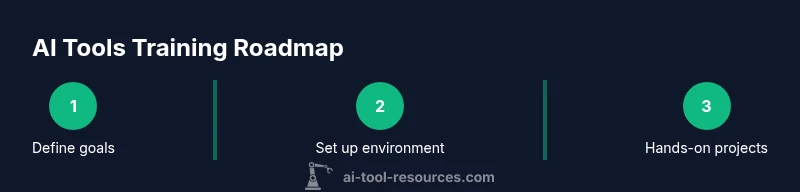
Hands-on projects are the heart of training on AI tools. Begin with guided tasks that reinforce core concepts, then advance to open-ended problems that require design decisions and justification. Project ideas include data exploration and visualization on a public dataset, building a simple predictive model, or creating a small end-to-end pipeline with data ingestion, processing, model training, evaluation, and a basic dashboard for results. Use open datasets from educational repositories and research-backed sources, ensuring you respect licensing and privacy constraints. Document your approach, code, and results in a portfolio or Git repository to demonstrate practical competence.
Evaluation strategies and progress tracking
Assessment should reflect both process and product. Use rubrics that evaluate code quality, documentation, reproducibility, and the ability to explain decisions. Incorporate formative assessments such as weekly code reviews, pair programming, and reflective journals, alongside summative assessments like a capstone project and final presentation. Track progress with a simple dashboard that highlights milestones reached, skill gaps, and plan adjustments. Encourage peer feedback and self-assessment to foster continuous improvement. The focus is on demonstrable competence and the ability to apply tools to new problems.
Safety, ethics, and responsible use
Training on AI tools must include ethical considerations. Discuss bias, fairness, privacy, data governance, and the social impact of models. Emphasize responsible data sourcing, consent, and appropriate data anonymization techniques. Teach risk assessment and mitigation strategies, including model monitoring, fail-safes, and transparency in reporting model limitations. Encourage learners to question assumptions, verify results with diverse datasets, and seek guidance when encountering sensitive topics. A strong ethical foundation protects both the learner and the organization.
Scaling your skills: from learner to practitioner
To move from learner to practitioner, build a professional portfolio that demonstrates end-to-end capabilities. Contribute to open-source tools, share notebooks and dashboards, and participate in AI communities or study groups. Seek internships, research roles, or collaborative projects that apply AI tools to real problems. Maintain a learning cadence through ongoing coursework, tutorials, and hands-on projects. By documenting your decision-making process alongside outcomes, you create a compelling narrative that showcases not just what you did, but why you chose each approach.
Tools & Materials
- Laptop or workstation with internet access(Minimum 8 GB RAM; SSD preferred; ensure OS is up to date)
- Python 3.x environment(Install Python 3.10+ and manage packages with venv or conda)
- Code editor or IDE(Examples: VS Code, PyCharm, or JupyterLab interface)
- Notebook platform(Jupyter, JupyterLab, or cloud notebooks with GPU access if possible)
- ML/DL frameworks and libraries(Include PyTorch, scikit-learn, TensorFlow (or equivalent) and data libraries)
- Version control system(Git or a similar system; ensure basic workflows are understood)
- Dataset sources(Open datasets suitable for education; verify licensing)
- Experiment tracking tool(Optional for larger teams to track experiments and results)
- Secure storage(Backup and encrypt code and data; follow organizational policies)
Steps
Estimated time: 6-8 weeks
- 1
Define goals and success metrics
Identify learner outcomes and measurable indicators of progress. Establish a timeline and decide which tools and datasets will be used for hands-on practice.
Tip: Write down 2–3 concrete outcomes you want learners to demonstrate by the end. - 2
Choose the tooling stack
Select a core set of AI tools, libraries, and environments that align with your goals. Ensure compatibility and reproducibility across machines.
Tip: Limit to a manageable set of tools to avoid cognitive overload early on. - 3
Set up a reproducible environment
Create a shared environment configuration (e.g., a requirements file or environment.yml) and provide a starter notebook or template project.
Tip: Test the setup on a fresh machine to verify the onboarding path. - 4
Design modular labs and projects
Develop labs that build on each other, culminating in a capstone project that integrates multiple tools.
Tip: Incorporate checkpoints to confirm understanding before advancing. - 5
Implement assessment and feedback
Use rubrics that evaluate code quality, documentation, and justification of tool choices.
Tip: Provide timely feedback and opportunities for revision. - 6
Pilot the program
Run a short pilot with a small group to identify gaps and iterate on content and pacing.
Tip: Collect qualitative feedback and adjust before a full rollout. - 7
Scale and sustain
Expand content, maintain a portfolio-worthy track record, and encourage ongoing practice.
Tip: Create a living syllabus that evolves with new AI tools.
FAQ
What is training on AI tools vs simply using AI tools?
Training on AI tools focuses on learning to select, configure, and apply tools effectively, with an emphasis on reproducible workflows and decision-making. Using AI tools often centers on completing a task or getting a result without understanding the underlying process.
Training teaches you how to choose and use tools responsibly, while using tools is about getting results you can trust.
What prerequisites do I need to start?
A basic comfort with programming and data concepts is helpful. You should be able to run simple scripts and manage files. No deep ML background is required to begin, but curiosity and a willingness to learn are essential.
You don’t need to be an ML expert to start; just be ready to learn and experiment.
How long does it take to see results?
Progress varies with background and effort. Expect several weeks to establish a working routine, then months to demonstrate proficiency through projects and portfolios.
It takes time and consistent practice to build real competence.
Should I learn Python first?
Python is a common starting point for AI work due to its readability and rich ecosystem. If you’re new to programming, begin with Python basics and gradually add ML-focused libraries.
Yes, Python is a solid foundation for most AI toolchains.
What are common pitfalls to avoid?
Avoid over-reliance on tutorials without applying concepts to real data, neglecting data quality, and skipping documentation or version control.
Don’t skip documenting decisions or tracking experiments.
Are there safety considerations?
Yes. Be mindful of data privacy, bias, and model misuse. Align practice with ethical guidelines and organizational policies, and engage in regular bias checks and auditing.
Ethics and safety should be integral, not optional.
Watch Video
Key Takeaways
- Define clear learning goals before starting.
- Use a modular curriculum to adapt to learners' backgrounds.
- Prioritize hands-on projects to reinforce concepts.
- Ensure reproducible environments for scalable practice.