AI Design Free Download: Safe, Legal, and Practical Tools for Creators
Learn how to safely locate, verify, and download free AI design tools. This guide covers licensing, sources, and workflows for developers, researchers, and students exploring AI design.


By the end of this guide, you’ll know how to safely locate, verify, and download free AI design tools that fit your project. Focus on trusted sources, open-source options, and legitimate trials; review licenses for commercial use, check export formats, and confirm system requirements before installing. This quick answer helps you avoid scams, malware, and license traps.
Understanding ai design free download: what it means for creators
If you're new to digital design, the phrase ai design free download can be confusing. It refers to accessing software, models, templates, and design assets that are available at no cost, either as fully free desktop tools, open-source projects, or freemium products with free tiers. According to AI Tool Resources, understanding licensing and distribution models is essential before you install anything. The goal is to empower you to work faster, iterate ideas, and port outputs into your own workflows without violating terms. In practice, a responsible free download should come from reputable sources, offer clear usage rights (including commercial use where needed), and provide straightforward installation instructions. You will typically encounter a mix of open-source libraries, trial versions of premium tools, and community-maintained assets such as templates or presets. This section frames the landscape so you can evaluate options with a critical eye and avoid common hazards such as bundled malware or hidden license restrictions.
From a practical standpoint, plan to verify both the tool’s provenance and its stated capabilities. Free download options range from open-source vector editors and generative image models to design templates and UI kits. When you see the term ai design free download, think about whether you’re obtaining code, assets, or executable software, and always confirm how outputs can be used in commercial projects before you commit.
Licensing basics for free design tools
Licensing is the backbone of any free download. Even when a tool is labeled free, usage rights can vary widely: some licenses permit commercial use, others restrict redistribution, and a few require attribution. The AI Tool Resources team emphasizes reading the license file or terms of service carefully, especially for tools that export editable assets or generate derivative work. Common licenses include permissive open-source licenses (MIT, Apache), copyleft (GPL), and more restrictive terms for commercial products that offer a free tier. If your project has revenue goals, verify whether the license allows commercial distribution and whether attribution is required or optional. Also, check whether the tool contains third-party dependencies with separate licenses. Finally, be mindful of embedded content rights—stock photos, fonts, and icons may have separate licensing even when the core tool is free.
Licensing workflows and risk management
To minimize risk, adopt a standard licensing checklist before downloading anything labeled freeAI design tool. Confirm: the license allows commercial use, redistribution, and modification; there are no hidden royalties; and you understand export or sharing restrictions. Maintain a simple log of each downloaded item including source URL, license type, and date of download. When possible, favor tools with explicit licenses published on official sites and avoid opaque distribution channels. If in doubt, contact the maintainers or test the tool in a sandbox environment before committing to a full project. AI Tool Resources analysis shows that teams who formalize licensing checks reduce compliance issues and legal exposure in design workflows.
Trusted sources and open-source options
The strongest free design tools come from reputable publishers, open-source communities, and academic institutions. Look for official repositories on platforms like GitHub, official project pages, or university-hosted portals. Open-source options unlock transparency, allowing you to inspect code, contribute improvements, and adapt the tool to your pipeline. For designers and researchers, this means faster iteration without vendor lock-in. When evaluating sources, prefer domains with clear maintainers, recent activity, and documented usage guidelines. The AI Tool Resources analysis shows that projects with active maintainers and visible issue trackers tend to deliver more reliable, long-term design capabilities. Always verify that the download is the latest release, includes a readme outlining usage, and has a clear build or installation procedure.
How to evaluate a free AI design download: features, quality, and risks
A robust free AI design download should offer essential features without compromising safety. Look for a transparent feature list, compatibility with your current OS, and export formats that fit your workflow (SVG, PNG, PDF, or native project files). Quality indicators include a responsive interface, reasonable performance on typical hardware, and clear documentation or tutorials. Be wary of tools that push you to download additional software, bundle installers, or request unnecessary permissions. Security is critical: scan installers with antivirus tools, download only from official pages, and avoid cracked or leaked versions. The strongest free design tools provide community support, changelogs, and explicit notes about data usage and privacy. According to AI Tool Resources, tools with documented safety practices and an active user community are generally safer bets for long-term projects.
Step-by-step validation workflow for a downloaded tool
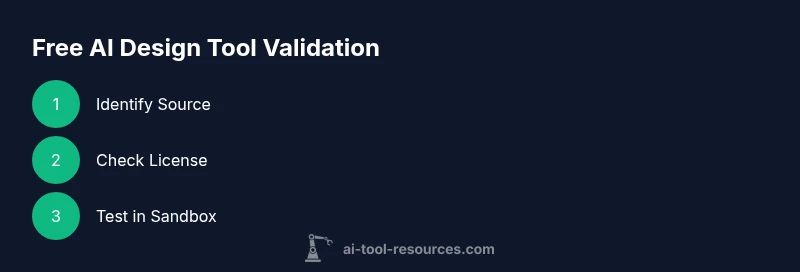
This section guides you through a structured validation workflow after downloading a free AI design tool. Step 1: verify the source and license before installation. Step 2: review system requirements and ensure compatibility with your workstation. Step 3: install in a controlled environment (sandbox or dedicated testing user). Step 4: run a small test project to gauge performance, export options, and output quality. Step 5: test collaboration features, if any, and ensure compatibility with your existing asset formats. Step 6: document results and preserve the license terms for future reference. Step 7: archive the installer and corresponding license metadata in your project folder. Step 8: plan for updates or migration as dependencies evolve. Pro tip: use virtual environments to isolate test runs and prevent system-wide changes.
Open-source vs commercial-free options and licensing differences
Free AI design tools come in different flavors: fully open-source projects, freemium offerings, and completely free commercial-grade tools. Open-source options provide full transparency and customization potential, but may require more technical setup. Freemium tools can be excellent for short-term projects, but verify what the free tier includes and whether upgrades are necessary for full features. Commercial-free options, when properly licensed, can offer reliability and professional support for teams, but still require careful review of license terms for redistribution or client work. The key is to map license terms to your project needs—whether it’s personal experimentation, internal use, or commercial delivery—and document decisions accordingly. The AI Tool Resources team notes that aligning licenses with your workflow reduces risk and accelerates adoption across teams.
Practical workflow: using free AI design tools in a project
In practice, integrating a free AI design tool into a project involves aligning tool capabilities with your design goals. Start with a clear brief and map the tool’s outputs to your required asset types (logos, icons, mockups, or illustrations). Keep versioned assets and ensure your export formats are compatible with downstream editors (e.g., vector formats for logos, raster formats for social media). Maintain a testing loop: create a small set of deliverables, review them with stakeholders, and iterate based on feedback. Document any automation or scripting you implement so new team members can reproduce results. Finally, establish a maintenance plan for updates and licensing over the project lifecycle. AI Tool Resources emphasizes maintaining rigorous documentation to sustain long-term usability and compliance.
Use-case: logo design pipeline with a free tool
Imagine a designer using a free AI design tool to generate initial logo concepts. The workflow might start with a mood board, followed by generating several logo variants, refining colors and type, and exporting vector SVG assets for client review. The designer then imports the vector files into a professional editor for final polish. Throughout, licensing terms are checked to ensure client usage rights and attribution obligations are respected. This practical example demonstrates how a free download can accelerate ideation while preserving professional standards and legal compliance.
Common pitfalls and safety warnings
Common pitfalls include downloading from untrusted mirrors, misinterpreting license terms, and assuming all outputs are free for commercial use. Always verify the license scope, avoid bundled software, and scan for malware. Pay attention to data handling and privacy disclosures—some tools collect usage data that may affect your project’s confidentiality. In addition, don’t rely solely on a free tool for critical deliverables; consider layering with well-supported paid options for high-stakes work. Finally, maintain backups of all assets generated with free tools to safeguard against unexpected changes in licensing or software availability.
How to stay updated and participate in the community
To stay current, subscribe to official project pages, community forums, and release notes. Active communities often share tutorials, presets, and compatibility tips that accelerate adoption. Contributing improvements, reporting bugs, or sharing your own templates helps the ecosystem grow and benefits all users. If you rely on free tools in a classroom or research setting, engage with maintainers respectfully, cite sources correctly, and document software provenance in your project logs. The broader community can help you learn faster and avoid common mistakes.
Verdict and next steps
The landscape of ai design free download options is broad, with genuine, freely available tools alongside riskier options. The AI Tool Resources team recommends a disciplined approach: verify licenses, download from official sources, test in a controlled environment, and document all findings. By following best practices, you’ll maximize benefits while minimizing risk and liability. As you scale, consider mapping these tools to your workflow with formal change control and ongoing license reviews. The AI Tool Resources verdict is that free design tools can be powerful when used responsibly and in alignment with project goals.
Tools & Materials
- Computer with internet access(Modern browser and up-to-date OS; sufficient RAM (8–16 GB) for testing tools.)
- Reliable antivirus/anti-malware software(Scan all downloads before opening; enable real-time protection.)
- Web browser with security features(Use a browser that supports container tabs or profiles to isolate tests.)
- Backup storage (external drive or cloud)(Store installers, licenses, and project assets for safekeeping.)
- Notebook or document editor(Record licenses, installation steps, and test results.)
- Source verification checklist(Checklist template to assess source legitimacy and license terms.)
Steps
Estimated time: 1-2 hours
- 1
Define design goals and scope
Clarify what you want to achieve with the AI design tool (e.g., logo generation, iconography, layout mockups) and identify required export formats. This ensures you select a tool whose capabilities align with the project, reducing wasted time.
Tip: Write a one-sentence goal and list must-have outputs before searching. - 2
Identify credible download sources
Search for official project pages, reputable repositories, or university-hosted portals. Avoid shady mirrors or third-party bundles that promise “free” access but carry risks.
Tip: Favor sources with recent activity and explicit license information. - 3
Check licensing and permissions
Read the license terms to confirm commercial usage rights, attribution requirements, and whether the tool permits modification or redistribution of outputs.
Tip: Copy the exact license text into your project notes. - 4
Test in a safe environment
Install the tool on a sandbox user or non-production machine and run a small experiment to evaluate output quality and stability.
Tip: Disable data collection or telemetry during testing if possible. - 5
Evaluate export formats and compatibility
Verify that the tool exports in formats compatible with your workflow (SVG, PNG, PDF, etc.) and that any generated assets integrate with your editor.
Tip: Try a simple asset to confirm color, typography, and scale accuracy. - 6
Document findings and licenses
Log the source, license type, version, and test results. Keep licenses accessible for future audits and client work.
Tip: Create a shared folder or doc for the team. - 7
Plan updates and maintenance
Set a review cadence to check for new releases, security patches, or license changes that could affect ongoing work.
Tip: Schedule quarterly checks to stay aligned with tooling changes. - 8
Integrate into workflow
If the tool passes tests, add it to the approved toolkit with usage guidelines and onboarding notes for teammates.
Tip: Create a minimal starter guide for others.
FAQ
Is it safe to download free AI design tools from the internet?
Safety depends on the source and license. Always download from official pages or reputable repositories, scan files for malware, and review the license to ensure commercial use is permitted if needed.
Yes, but only if you download from trusted sources and check licenses before use.
Can I use outputs from free AI design tools for commercial projects?
Many free tools allow commercial use under specific licenses; others restrict commercial use or require attribution. Read the license carefully and keep evidence of permissions.
Check the license terms to confirm whether commercial use is allowed.
Do free AI design tools require an internet connection to work?
Some tools operate offline after download, while others rely on cloud processing. Verify requirements on the official page to avoid surprises during work.
It depends on the tool; check the product page for offline capabilities.
What file formats should I expect for outputs?
Common formats include SVG, PNG, PDF, and sometimes proprietary project files. Confirm export compatibility with your editor before starting.
Look for widely supported formats like SVG or PNG.
Are there licensing restrictions I should watch for with open-source tools?
Open-source licenses vary; some require attribution or copyleft terms. Always review the license and comply with redistribution or modification rules.
Open-source licenses can be strict—read them carefully.
How do I report issues or contribute to a free design tool?
Most projects host issue trackers or forums. You can report bugs, request features, or contribute code or templates if you have the skills.
Join the project community and share feedback.
Watch Video
Key Takeaways
- Verify licenses before use
- Prefer official/open-source sources
- Test in a sandbox environment
- Document licenses and test results
- Maintain a change-log for updates