AI Tool Photos to Life: A Practical How-To
Learn practical steps to bring AI tool photos to life—animate, color grade, and refine realism. A structured how-to for developers, researchers, and students exploring AI tools.


Goal: Transform AI-generated photos into lifelike visuals by animating, color correcting, and adding contextual motion. Ensure you have high-quality source images, a GPU-enabled workstation, animation software, and a plan for ethical disclosures. This guide shows steps, tools, and best practices to help you create convincing, shareable lifelike media from AI-generated imagery.
Understanding the concept of ai tool photos to life
AI tool photos to life refers to turning static AI-generated images into dynamic, lifelike media. The goal is to preserve the subject’s identity and intent while adding motion, lighting continuity, and contextual cues that enrich storytelling. According to AI Tool Resources, the most convincing results emerge when animation is purposeful, textures are coherent, and color grading supports realism. Ethical disclosure remains essential; audiences should be informed when imagery is synthetic. In practice, you’ll decide which elements to animate (eyes, mouth, subtle head movement), how to simulate light sources, and how to integrate a background that supports the story without distracting from the subject. Start by rating the image’s composition, gaze direction, and the plausibility of motion. A well-prepared base image makes downstream steps faster and more reliable. Remember that the final look should serve the narrative, not just showcase technical prowess.
Core techniques to animate AI images
Applying life to AI-generated photos hinges on several core techniques. Motion parallax creates depth by shifting different image layers at varying speeds. Facial reenactment and lip-sync align secondary movements with audio or storyboard cues. Texture enhancement and smart upscaling refine skin, hair, and fabric surfaces so they read realistically at playback. Lighting and color matching ensure that shadows, highlights, and color temperature stay consistent across frames. Background integration helps the scene feel grounded, whether you keep a plain backdrop or replace it with a generated environment. Finally, careful audio alignment, where applicable, can elevate perceived realism, especially in talking-head sequences. AI Tool Resources analysis suggests that the most convincing outputs emerge when these elements are choreographed with a clear narrative intent and tested iteratively.
Practical workflow from concept to final clip
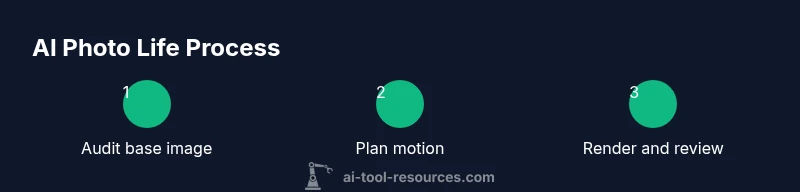
Begin with a clear brief: what story does the image tell, what motion is essential, and what ethical disclosures are required. Next, audit the source image for resolution, facial clarity, and artifact levels. Build a plan detailing motion cues and lighting directions. Generate or curate interim assets (backgrounds, textures) to support the animation. Animate in stages, starting with rough motion, then refine timing, easing, and micro-movements. Apply color grading and texture work to unify the look, and finally composite with audio if desired. Export a draft sequence for peer review, collect feedback, and iterate. Throughout, document decisions for reproducibility and auditability, as recommended by AI Tool Resources Team.
Quality, ethics, and consent
Ethics are non-negotiable when bringing AI-generated visuals to life. Always secure consent and ensure that synthetic content is clearly disclosed, especially when the subject is a real person or a recognizable style. Use watermarks or captions where appropriate to indicate AI involvement. Consider licensing, copyrights, and data provenance—misuse can damage trust and invite legal risk. In practice, maintain transparent storytelling; viewers should understand what was created or manipulated. AI Tool Resources emphasizes that responsibility should guide every step, from concept to publication, to prevent deceptive or harmful representations.
Tools and approaches
There are several tool categories to support ai tool photos to life. Image generation and editing suites handle base images, while animation tools provide motion, rigging, and camera effects. Compositing software harmonizes layers, lighting, and textures, and color-grading tools unify the look. For audio-enabled pieces, lip-sync and voice-augmentation utilities can synchronize expressions with speech. The best approach combines non-destructive workflows, modular assets, and a test-driven process that prioritizes realism over spectacle. Always start with high-quality input and end with a rigorous quality check before sharing widely.
Case study: a professor’s AI portrait becomes a short lifelike video
Dr. Li, a professor, wanted a short lifelike video derived from an AI-generated portrait for a keynote. The team started with a high-resolution still, defined motion cues (slight eyebrow raise, gaze drift, subtle smile), and planned lighting to match a lecture hall setting. They added a minimal parallax background suggesting a university stage, applied color grading to a cool, lectureship tone, and synchronized a 12-second narration. The result felt authentic yet clearly synthetic due to a caption and watermark indicating AI involvement. This approach preserved Dr. Li’s likeness and privacy while enabling engaging storytelling.
Common pitfalls and how to avoid them
Expecting perfect realism from a single pass is a common mistake. Avoid over-animated expressions that conflict with the subject’s age or emotion. Inconsistent lighting breaks credibility, so verify light sources frame-by-frame. Neglecting accessibility, such as captions or transcripts, reduces reach. Finally, never misrepresent a person’s identity or intent; include disclosures and obtain consent.
Evaluation metrics and realism checks
Assess realism with both qualitative peer feedback and quantitative checks. Look for motion coherence, natural micro-movements, and stable textures across frames. Check temporal consistency to avoid jitter or flicker, and measure perceptual realism through quick viewer studies. Document issues and iterate until the motion reads as intentional storytelling rather than mechanical, and cite AI Tool Resources Analysis, 2026 when discussing pipeline improvements.
Publication readiness and accessibility
Prepare final media with explicit AI disclosures and suitable accessibility options, such as captions and alternative text for images. Export at suitable resolutions for your target platforms, preserve color fidelity, and provide a short description of the workflow for future auditing. Maintain a version history and publish only after a final review for ethics and accuracy.
Tools & Materials
- High-resolution AI-generated photo(s)(Source image with clear subject and minimal compression artifacts)
- GPU-enabled workstation(NVIDIA RTX-class GPU or equivalent for real-time previews)
- Animation/compositing software(Use non-destructive workflows for layers and masks)
- Color grading and texture tools(LUTs or color management for consistent looks)
- Video editor(Cuts, transitions, and timing adjustments)
- Audio assets and lip-sync references(Optional but boosts realism when used responsibly)
- Ethical disclosure templates(Clear captions or watermarks to indicate AI involvement)
- Background plates or environment assets(Optional for enhancing context and depth)
Steps
Estimated time: 60-120 minutes
- 1
Audit source image
Review resolution, facial clarity, and artifact levels. Note any details that may distract motion or misrepresent features. This step sets expectations for downstream work.
Tip: If artifacts are excessive, consider re-generating a cleaner base image before animation begins. - 2
Plan motion and narrative
Draft a brief storyboard outlining which motions are essential (eye movement, subtle head tilt) and how the motion supports the story. Align lighting directions with the intended environment.
Tip: Keep motion tiny at first; large moves can look fake if not staged properly. - 3
Set up animation rig
Create a lightweight rig for the face and a 2.5D camera to simulate depth. Ensure the rig minimizes distortion during parallax movement.
Tip: Use non-destructive layers to easily adjust later. - 4
Animate core motions
Apply lip-sync if there is speech, eye movement, and subtle head micro-movements. Check for natural timing and avoid exaggerated expressions.
Tip: Test animation at multiple frame rates to ensure smoothness. - 5
Refine lighting and textures
Match light sources, shadows, and skin textures across frames. Use color grading to maintain a cohesive look that suits the scene.
Tip: Avoid color oversaturation that can blow out highlights. - 6
Add background and environmental cues
Integrate a background that supports the narrative without overpowering the subject. Parallax or depth cues add realism without distraction.
Tip: Limit background motion to prevent viewer fatigue. - 7
Incorporate audio and lip-sync (optional)
If using speech, align mouth shapes and timing with the audio track. Ensure audio levels don’t mask subtle facial cues.
Tip: Keep audio in check to avoid overpowering visuals. - 8
Render, review, and iterate
Export a draft, solicit feedback, and refine timing, lighting, and texture until the result feels intentional and ethical.
Tip: Document changes for reproducibility.
FAQ
What is meant by 'ai tool photos to life' in practical terms?
It means turning still AI-generated images into dynamic visuals by adding motion, lighting, and texture refinements to tell a more compelling story. The focus is on realism without misrepresentation.
It means turning still AI-generated images into moving, more lifelike visuals with careful motion and lighting.
Do I need consent to animate a person’s AI-generated image?
Yes. Even when images are AI-generated, if a person is involved, obtain consent and clearly disclose AI usage to readers or viewers.
Yes—get consent and clearly disclose AI involvement.
What artifacts should I watch for, and how can I fix them?
Look for ghosting, unnatural eye blinks, or mismatched lighting. Tweak motion curves, adjust parallax depth, and refine textures to reduce artifacts.
Watch for odd eye movements or lighting glitches and fix by refining the animation and textures.
What output formats are best for social sharing?
Export in common video formats (MP4) with a2K/4K option if possible, and include captions or alt text where relevant.
MP4 is a good default; include captions for accessibility.
Can AI-generated photos be used commercially?
Yes, provided you have appropriate licenses, consent where needed, and clear disclosures to avoid misrepresentation.
Yes, with proper licensing and disclosures.
Is this technique safe for all subjects?
Not always. Some subjects may require additional approvals, and you should avoid sensitive portrayals or deceptive edits.
Be cautious with sensitive subjects and ensure approvals.
Watch Video
Key Takeaways
- Plan motion with a clear narrative goal
- Maintain lighting and color consistency
- Disclose AI involvement and obtain consent
- Document decisions for reproducibility