AI to Make Pictures: A Practical Guide to Image Generation
Learn practical workflows, tool comparisons, and safety tips for using AI to make pictures. This guide helps developers, researchers, and students create high-quality visuals responsibly and efficiently.


Learn how to turn prompts, sketches, or existing images into high-quality visuals using AI. This guide covers tool selection, prompt engineering, output evaluation, and practical workflows for reliable results. Ideal for developers, researchers, and students exploring AI image creation with responsible practices.
What AI to Make Pictures Means Today
AI to make pictures refers to the process of generating visual content from computer models driven by data. Today, it includes text-to-image generation, style transfer, image inpainting, and editing with AI assistants. For developers, researchers, and students, this means a flexible toolkit for prototyping ideas, visualizing concepts, and creating educational visuals without traditional art skills. According to AI Tool Resources, AI-assisted image creation has matured into accessible pipelines that combine intuitive prompts with powerful models, enabling rapid iteration and experimentation. In practice, you might start with a simple prompt like 'a futuristic city at sunset' and then adjust lighting, color palette, and composition through parameter controls. The ability to generate multiple variants quickly accelerates brainstorming sessions, while iterative prompts can refine composition and mood. However, you should also be mindful of generation settings such as resolution and sampling method to balance speed and quality. This article will guide you through tool selection, prompting techniques, and practical workflows to achieve reliable results.
Core Categories of AI Image Tools
The landscape of AI image tools falls into several core categories: diffusion-based text-to-image models (such as those that generate imagery from written prompts), generative adversarial networks (GANs) for style and detail, and image editing tools that apply enhancements, color shifts, or object removal. Style transfer tools reimagine existing images in the style of a painting or photographer, while inpainting tools fill in missing regions with coherent details. The AI Tool Resources team found that diffusion-based tools currently dominate new projects due to their balance of quality and controllability. Practically, a single project might combine a diffusion model for the main scene with an editing pass to adjust mood and lighting. Knowledge of these categories helps you choose the right tool for the job and set realistic expectations for output fidelity and speed.
Prompt engineering for image generation
Prompt engineering is the art and science of crafting textual inputs that reliably elicit the desired image. Start with a concise scene description, then layer in style, composition, lighting, and camera or drawing techniques. Use constraints like color palette, mood, and perspective to guide the model. You can also employ negative prompts to filter out unwanted elements. A practical approach is to draft several variants of a prompt, each emphasizing a different aspect (e.g., lighting, texture, or depth), then compare results to determine which direction best matches your goal. As you refine prompts, keep a reference sheet of keywords and phrases that have consistently produced the best results for your subject matter.
Tool comparison: diffusion vs GAN vs style transfer
Diffusion models generate images by denoising random noise step by step toward the target scene, offering high realism and flexible prompts. GANs can excel at specific styles and fast iterations but may require more tuning for consistency. Style transfer applies the look of one image to another, useful for branding or thematic cohesion. For many workflows, diffusion offers the best balance of quality and controllability, while style transfer can create a cohesive look across a set of visuals. The choice depends on your goals: realism, stylization, or a specific brand aesthetic. Remember to consider licensing, compute costs, and the availability of models when selecting a toolset.
Quality signals and evaluation
Evaluating AI-generated images involves multiple signals: resolution and detail, color accuracy, consistency with prompts, and absence of artifacts. Check for edge artifacts, color banding, or texture inconsistencies. When evaluating prompts, consider whether the output matches your concept, whether the lighting feels natural, and if composition guides the viewer’s eye effectively. Tools like upscalers can improve resolution, but be mindful of introduced artifacts. Regularly compare outputs to a reference board or mood board to ensure alignment with your design intent.
Ethics, attribution, and copyright
Ethical use is central to AI image creation. Always verify licensing for generated assets and be mindful of potential copyright or style-related concerns when imitating living artists or brands. When sharing AI-generated work, provide clear attribution and describe the role of AI in the process. Consider documenting prompts and model versions for reproducibility. In educational and research contexts, maintain transparency about data sources and training materials to support responsible use. AI Tool Resources analysis shows that clear policies help teams avoid misrepresentations and legal pitfalls.
Practical workflows: concept to final image
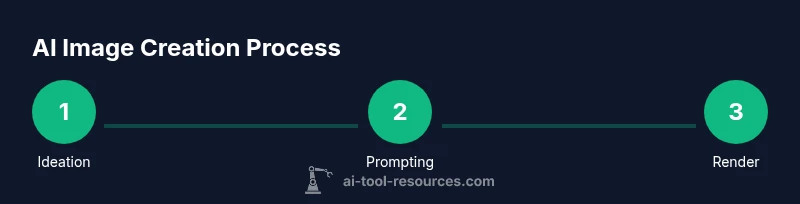
A practical workflow starts with ideation, moves through prompt drafting, renders, and ends with review and polishing. Begin with a concept sketch or mood board, then translate it into a concise prompt and select a suitable model. Render at a baseline resolution to iterate quickly, then upscale and refine as needed. Incorporate feedback from teammates and iterate on prompts to converge on the final composition. This process emphasizes speed for exploration and precision for final assets.
Post-processing and editing AI-generated images
Post-processing remains essential to maximize quality. Use editing software to adjust color balance, contrast, and sharpness. AI-based upscaling can enhance detail, while retouching tools can correct artifacts. When applying edits, maintain a consistent color pipeline and document changes for reproducibility. Consider exporting multiple variants for review, then selecting the strongest candidate for final delivery.
Common pitfalls and how to avoid them
Common pitfalls include overfitting prompts, introducing artifacts during upscaling, and neglecting ethical considerations. To avoid these, approach prompts iteratively, compare outputs to your reference, and test across different models and seeds. Maintain a log of prompts and settings to reproduce results. Avoid relying on a single render; generate several variants and select the best. Always verify that outputs align with your intended use and licensing terms.
Real-world use cases by domain
AI-generated imagery is useful across design, education, journalism, and scientific visualization. In design, rapid prototyping of branding visuals speeds up the iteration cycle. In education, AI artworks illustrate complex concepts, bringing abstract ideas to life. In research, researchers create visuals to represent data or hypotheses when photography is impractical. Each domain benefits from a disciplined workflow, clear prompts, and strict evaluation criteria to ensure outputs support the intended message.
Accessibility and cost considerations
When budgeting for AI image work, consider compute costs, platform subscriptions, and data-management needs. Open-source models can reduce ongoing costs but may require more technical setup. Cloud-based tools offer convenience and scalable compute, often with per-image pricing. For students, look for education licenses or free tiers to practice prompting and workflow design. Accessibility remains a priority, with GUI-based tools lowering the barrier for non-programmers while still enabling advanced users to script and automate batches.
Future trends and learning resources
The field is evolving rapidly with improvements in realism, controllability, and ethical guardrails. Expect better multimodal prompts, stronger style consistency, and more transparent licensing. To stay current, engage with AI Tool Resources’ tutorials, read research papers on diffusion strategies, and participate in community prompts challenges. Continuous learning—through courses, documentation, and hands-on projects—remains essential for mastering AI image creation.
Tools & Materials
- Reliable computer or cloud GPU access(At least 8GB GPU VRAM; consider cloud options for elasticity.)
- Stable internet connection(High bandwidth recommended for large renders.)
- Prompts and reference assets(Prepare concept briefs, mood boards, and reference images.)
- Image editing software(Photoshop, GIMP, or Affinity for polishing assets.)
- Access to an AI image tool or platform(Choose tools with appropriate licensing for your use case.)
- Color-calibrated display(Improves color judgment for final outputs.)
Steps
Estimated time: 60-120 minutes
- 1
Define your visual goal
Clarify the concept, mood, and audience for the image. Create a simple mood board and a few target elements (color palette, composition, focal point) to guide prompt creation.
Tip: Write a one-sentence goal before drafting prompts. - 2
Choose the right tool
Select a model or tool that fits your goal (diffusion for realism, style transfer for branding, inpainting for edits). Consider licensing and output resolution.
Tip: Match model strength to your concept; avoid over-relying on a single tool. - 3
Draft the initial prompt
Create a concise, descriptive prompt that includes subject, setting, lighting, and mood. Include style cues (e.g., ‘cinematic lighting’, ‘watercolor texture’).
Tip: Start broad, then tighten prompts with adjectives and constraints. - 4
Render and review
Generate multiple variants at baseline resolution. Assess composition, color, and fidelity to your goal. Select the best candidate for refinement.
Tip: Render at standard dimensions to minimize upscaling artifacts. - 5
Refine with prompts and settings
Iterate by adjusting prompts, seeds, and sampling steps. Use negative prompts to minimize unwanted elements.
Tip: Document seeds and settings for reproducibility. - 6
Upscale and polish
Upscale the chosen render to final resolution and adjust details with post-processing tools.
Tip: Check for artifacts at edges and in texture areas. - 7
Ethical check and attribution
Review licensing, potential impersonation risks, and attribution needs before sharing.
Tip: Be transparent about AI involvement in your image. - 8
Publish and document
Export final files with proper color space and metadata. Save prompts, model version, and pipeline steps for future reuse.
Tip: Create a prompt log for reproducibility and re-runs.
FAQ
What is AI image generation and how does it work?
AI image generation uses trained models to synthesize visuals from prompts or inputs. Models learn from large image datasets and apply patterns to recreate scenes, textures, and styles. Output quality depends on model capability, prompts, and processing steps.
AI image generation uses trained models to create pictures from prompts; the results depend on the model and how you prompt it.
Do I need to code to use AI image tools?
No—many tools offer graphical interfaces for prompt input and parameter control. Coders can also script batch renders or fine-tune models for more advanced workflows.
You can use AI image tools without coding, but developers can script and customize workflows if they want.
Can I use AI-generated images commercially?
Commercial use depends on the tool’s licensing and training data. Always review terms, credit requirements, and any restrictions on synthetic media in your jurisdiction.
Make sure you check licenses and rules for commercial use before using AI-generated images.
How can I improve image quality and consistency?
Improve quality by refining prompts, adjusting sampling steps, using higher resolution renders, and applying post-processing. Consistency comes from using templates and maintaining a stable style guide.
You improve quality by refining prompts and settings and stay consistent with a style guide.
What about copyright and attribution for AI images?
Copyright questions vary by jurisdiction. Generally, attribute AI involvement when relevant, and avoid copying protected styles too closely. Use licensing-friendly models and document sources.
Copyright rules vary; attribute AI involvement and ensure you’re following model licenses.
Watch Video
Key Takeaways
- Define a clear visual goal before prompting
- Choose the right tool for your task
- Iterate prompts and settings to refine output
- Ethics and attribution matter in every image
- Document prompts and model versions for reproducibility