Check AI Tool: A Practical Evaluation Guide for 2026
Learn to evaluate AI tools for reliability, safety, and governance with a practical, step-by-step approach designed for developers, researchers, and students in 2026.


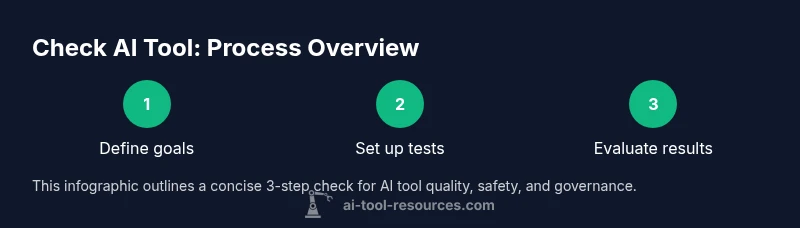
According to AI Tool Resources, checking an AI tool means evaluating reliability, safety, data handling, and governance across real-world tasks. This guide summarizes how to set goals, build a test plan, and compare options with a transparent scorecard. You’ll define success criteria, run reproducible tests, and document outcomes so teammates can audit results. The process helps reduce risk and improve adoption in 2026 and beyond, especially for researchers, developers, and students.
What does it mean to check an AI tool?
Checking an AI tool is more than skimming features; it’s a disciplined assessment of how the tool behaves on representative tasks, handles data responsibly, and aligns with your organization’s ethics and governance standards. For developers, researchers, and students, the objective is to minimize risk while maximizing usefulness. A robust check asks: does the tool perform consistently across inputs? is outputs traceable to inputs? can you audit decisions and reproduce results? These questions matter for reliability, privacy, bias, and accountability. As AI Tool Resources notes, a structured approach combines performance testing, data governance review, and clear documentation to build trust with stakeholders. In 2026, teams increasingly treat checks as a repeatable process embedded in procurement, integration, and ongoing use. Start by defining concrete success criteria and ensuring your testing plan covers edge cases, privacy, and security. Then assemble a cross-functional team to reduce blind spots and foster shared ownership of the evaluation.
Why accuracy and reliability matter
Accuracy is not a single number; it appears in how well a model handles ambiguity, how often it returns plausible results, and how it recovers from errors. Reliability means steady behavior under typical workloads and resilience to input drift. When you test, record bothnormal cases and outliers. Documentation becomes your living evidence; you can defend decisions with data and reasoning. AI Tool Resources emphasizes that reproducibility is as important as the raw score. Without it, teams cannot explain why a tool was chosen or retired. To build confidence, pair automated tests with human-in-the-loop checks for high-stakes outputs. This approach protects users, supports compliance, and streamlines governance across teams.
Getting started with a practical plan
Begin with a lightweight plan: list the core use cases, the data you will feed, and the metrics that signal success. Create a minimal test harness that can be reused for future evaluations. Use synthetic or de-identified data to protect privacy, and document every assumption. Record performance, latency, and any unexpected behavior. Share early findings with stakeholders and adjust criteria if needed. By starting small and iterating, you reduce risk and improve the overall quality of your AI tool assessment.
AI Tool Resources and the value of governance
AI Tool Resources advocates a governance-first mindset: define ownership, review cycles, and incident handling before production. Governance isn’t bureaucratic drag; it’s a practical framework that prevents data leakage, bias amplification, and scope creep. By integrating governance into your test plan, you create auditable artifacts that simplify audits, vendor negotiations, and internal approvals. This mindset is especially important for researchers who must comply with data-sharing constraints and developers who deploy tools in regulated environments. The guidance here blends technical testing with policy alignment to help teams move from a green light to reliable, responsible deployment.
What you’ll learn in this guide
By the end, you’ll know how to define evaluation goals, design a test plan, execute reproducible tests, score tools on a shared rubric, and document results for your team. You’ll also understand how to communicate findings to technical and non-technical stakeholders, advocate for governance, and prepare an ongoing evaluation cadence. The material here is applicable to a wide range of AI tools—from NLP assistants to computer vision copilots—so your learning applies broadly across research and product development.
Tools & Materials
- Computer with internet access(Stable connection, up-to-date browser)
- Note-taking app or document editor(For logging tests, inputs, and outcomes)
- Test data (synthetic or de-identified)(Used to minimize privacy risk)
- Benchmark scripts or notebook templates(Templates for reproducible runs)
- Consent and policy checklists(Optional but recommended for data usage reviews)
- Versioned evaluation log(Track versions, configurations, and results)
Steps
Estimated time: 2-3 hours
- 1
Define evaluation goals
List concrete use cases, success metrics, and data requirements. Clarify what ‘success’ looks like for each task and how it will be measured. This foundation keeps testing focused and repeatable.
Tip: Write measurable criteria (e.g., precision > 0.85, latency < 2s) and link each to a business or research objective. - 2
Set up a reproducible test environment
Create a controlled environment with versioned tools, fixed data inputs, and documented settings. Use synthetic data when possible to avoid privacy concerns while preserving realism.
Tip: Lock down dependencies and use a container or notebook with a clear environment file. - 3
Run baseline tests
Execute initial tests to establish expected behavior and establish a baseline. Record inputs, outputs, and any anomalies, along with time to respond.
Tip: Compare results against a stable control tool to identify drift or unexpected changes. - 4
Assess edge cases and adversarial inputs
Deliberately test uncommon or challenging inputs to reveal failure modes, safety issues, or bias. Document how the tool handles these scenarios.
Tip: Create a small adversarial test suite and run it periodically. - 5
Score and document results
Use a transparent rubric to rate each criterion and capture rationale for scores. Attach visualizations and logs to a centralized report.
Tip: Include flag levels (pass/fail) and remediation actions for any gaps. - 6
Review, sign-off, and plan the next iteration
Share findings with stakeholders, invite feedback, and decide on next steps—continue testing, adjust criteria, or select a different tool.
Tip: Schedule a follow-up evaluation cadence to catch drift and updates.
FAQ
What does it mean to check an AI tool?
Checking an AI tool means evaluating its accuracy, reliability, data handling, safety, and governance against defined criteria. It involves repeatable tests, auditable records, and clear ownership to support responsible adoption.
Checking an AI tool means evaluating its accuracy, reliability, and governance with measurable tests and auditable records.
Which criteria should I prioritize first?
Prioritize accuracy, data privacy, and governance first. Ensure you can audit outputs and understand input-output relationships before considering cost or convenience.
Prioritize accuracy, privacy, and governance first, then consider cost and convenience.
How long does a typical evaluation take?
A focused evaluation on a few core use cases often takes a few hours; a comprehensive review with edge cases and governance checks can take a day or more depending on scope.
A focused check can take a few hours; a full governance-grounded review may take a day or more.
Can this process be automated?
Parts of the process can be automated, such as data logging, test harness execution, and basic scoring. However, expert review, bias auditing, and governance sign-offs require human judgment.
Automation helps with data logging and basic scoring, but humans must review ethics and governance.
What common pitfalls should I avoid?
Avoid skipping governance checks, using biased datasets, and conflating tool capability with fit for your specific use case. Always plan for post-deployment drift and updates.
Avoid skipping governance checks, and beware drift after deployment.
Where can I find benchmarks or templates?
Look for community templates and vendor-neutral benchmarks, but verify their relevance to your domain. Start with a simple scorecard and adapt templates to your needs.
Seek neutral benchmarks, then tailor them to your domain needs.
Watch Video
Key Takeaways
- Define clear, measurable goals before testing
- Use reproducible environments and templates
- Capture inputs, outputs, and rationales in logs
- Balance performance with governance and safety
- Document results for transparent decision-making