How to Remove an AI Tool Service: A Practical Guide
Learn a safe, compliant approach to offboard and remove an AI tool service, including cancellation, data handling, access revocation, and verification.


This article explains how to remove ai tool service safely and efficiently. You’ll learn to cancel subscriptions, revoke access, export or delete data, and verify complete decommissioning with minimal disruption to workflows. Follow a practical, security-conscious approach designed for developers, researchers, and students.
Why removing an AI tool service matters
Understanding how to remove ai tool service safely starts with recognizing the strategic reasons to offboard: it reduces security risk, controls costs, and ensures data governance across teams. If a tool remains active after a project ends, unauthorized users could regain access or sensitive data could linger. A deliberate offboarding process also helps teams avoid accidental outages in production systems when dependencies are not properly decommissioned. Eliminating an unused AI tool service minimizes attack surfaces, simplifies compliance auditing, and clarifies ownership. This section outlines the core motivations for removal and sets the stage for a repeatable workflow. By following a disciplined removal protocol, organizations improve development velocity, data integrity, and organizational security, while AI Tool Resources provides practical, field-tested guidance to keep you on track.
Pre-removal assessment
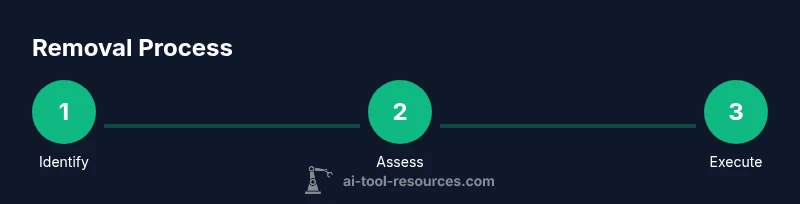
Before taking any action, inventory all AI tool services in use. Map dependencies, including data sources, downstream integrations, and automation pipelines that may rely on the tool. Confirm contract status, data retention clauses, and whether export or deletion is required by policy or regulation. Capture owners, business units, and service identifiers for reference. A thorough assessment reduces the risk of breaking critical workflows and helps you communicate changes clearly to stakeholders. Document potential impacts and schedule removal during a window when teams can monitor for issues. This phase establishes the scope and ensures you’re removing the right service with minimal collateral damage.
Data handling and compliance considerations
Data handling during removal requires awareness of retention policies, export obligations, and deletion timelines. Assess whether any data must be retained for legal, regulatory, or contractual reasons, and plan accordingly. Consider where data resides (cloud storage, databases, logs) and how access controls will be revoked. If your organization handles sensitive data, consult internal privacy guidelines and external regulations (for example, privacy impact assessments) to determine the correct course of action. Document the data lifecycle after removal and confirm that all personally identifiable information (PII) is treated according to policy.
Prepare backups and data exports
If policy requires data retention or archival, export all relevant datasets, logs, and configurations before removal. Use official data export tools or APIs to preserve a usable snapshot for audits or future reference. Verify exports for completeness and integrity, then store them in a secure, access-controlled location. Create a changelog entry noting what was exported and where it’s stored. If no data must be retained, still document the decision and the deletion workflow to support future audits. This step protects both compliance needs and institutional knowledge.
Cancel subscription and deprovision access
Terminate the service subscription through the admin console or account management portal. Disable or suspend the service to prevent new usage while you complete decommissioning. If there are multiple billing cycles or contract terms, confirm cancellation terms and any possible refunds or data retrieval windows. Notify stakeholders of the cancellation date and expected post-removal behavior. Centralizing cancellation helps avoid duplicate charges and ensures downstream systems reflect the change promptly.
Revoke credentials and deauthorize integrations
Revoke API keys, OAuth tokens, and any service accounts associated with the AI tool. Rotate credentials where applicable and remove them from CI/CD pipelines, scripts, and deployment configurations. Update IAM roles to reflect the removal and minimize permissions of any lingering credentials. After revocation, test that calls to the tool fail as expected to confirm complete deauthorization. This step is critical to closing the security gap left by a decommissioned tool.
Clean up integrations, webhooks, and code references
Remove webhooks, connectors, and integration points that link the AI tool to other systems. Update or remove automation workflows, dashboards, and alerting rules that reference the tool. Search code repositories for references to the tool’s API endpoints, SDKs, or configuration files and remove or update them. Consolidate any remnants into a known-change log. This cleanup reduces maintenance overhead and prevents accidental re-enablement.
Verification, post-removal checks, and documentation
Run a verification pass to ensure there are no active sessions, tokens, or integrations remaining. Validate that data exports are accessible and correctly stored, and confirm that downstream systems no longer rely on the removed tool. Update internal documentation and runbooks to reflect the offboarding outcome. Archive the incident or change ticket for auditing. A clear verification checklist minimizes surprises and demonstrates governance and accountability.
Authorities and references (optional but recommended)
- https://www.ftc.gov
- https://www.nist.gov
- https://official-stanford.edu
These references provide general guidance on data privacy, security, and professional governance relevant to offboarding AI tools. Always align with your organization’s policies and applicable laws.
Tools & Materials
- Admin credentials for the AI tool service(Admin or owner privileges to cancel subscription and disable the service)
- Billing and subscriptions access(Access to the management portal to cancel or pause the service)
- API keys and credentials(Credentials to revoke to prevent further API access)
- Data export tool or export capability(Used to export data before deletion or migration)
- Documentation template for change log(For audit trails and future reference)
Steps
Estimated time: 1-2 hours
- 1
Identify the target AI tool service
Locate the exact service to remove within your environment, including any sub-accounts or team access. Confirm ownership and scope to avoid removing the wrong tool.
Tip: Double-check service identifiers and owners before proceeding. - 2
Review policy and contract terms
Check data retention, export, and deletion requirements in contracts or internal policies. Note any exceptions that require special handling.
Tip: Document policy references for audits. - 3
Export or preserve required data
If retention is required, export data and configurations using approved tools. Verify integrity of the export before deletion.
Tip: Keep a copy in a secure, access-controlled location. - 4
Cancel billing and disable service
Cancel the subscription or deactivate the service in the admin console. Confirm cancellation terms and any active usage windows.
Tip: Capture cancellation confirmation for records. - 5
Revoke access and deauthorize
Revoke API keys, tokens, and any connected credentials. Remove the tool from CI/CD pipelines and automation.
Tip: Rotate or expire credentials where possible. - 6
Remove integrations and code references
Delete webhooks, connectors, and code references in scripts and deployments. Update dashboards and alerts.
Tip: Search repositories for references and remove them. - 7
Verify removal and conduct checks
Test that all calls to the service fail, and that no residual data or access exists. Validate against a predefined checklist.
Tip: Run a go/no-go checklist before closing the ticket. - 8
Document and close the task
Record steps taken, data export details, and any policy deviations. Close the change ticket with audit-ready notes.
Tip: Include timestamps and responsible owners.
FAQ
What is the first step in removing an AI tool service?
Identify the exact service to remove and confirm ownership to avoid deleting the wrong tool. This step sets the foundation for safe offboarding.
First, identify the service and confirm ownership to avoid deleting the wrong tool.
Can I pause instead of removing the tool?
Pausing may be possible in some licenses, but offboarding typically ensures complete decommissioning and minimizes ongoing charges. Always verify policy terms.
Pausing can be possible in some cases, but offboarding ensures full decommissioning.
How long does removal typically take?
Removal time varies with data retention needs and the complexity of integrations. Plan for a window of a few hours and communicate status to stakeholders.
It varies, but expect a window of a few hours depending on complexity.
What about data deletion laws and retention policies?
Ensure you comply with retention obligations by exporting required data and deleting what isn’t needed. Consult policy and legal teams as needed.
Respect retention laws by exporting required data and deleting what isn’t needed.
How should API keys be handled after removal?
Revoke all API keys and tokens associated with the tool, rotate credentials, and remove them from code and pipelines.
Revoke keys and tokens, rotate credentials, and remove from code.
Will removing the tool impact ongoing projects?
If dependencies exist, coordinate with project owners to reconfigure pipelines or locate alternatives before removal to minimize disruption.
Coordinate with project owners to minimize disruption.
Watch Video
Key Takeaways
- Plan removal with stakeholders and owners
- Revoke all credentials and disable integrations
- Verify no residual access or data remains after removal
- Document the offboarding for audit trails