How to Turn Off AI Tools: A Practical Step-by-Step Guide
Learn how to safely disable AI tools across devices, apps, and cloud services with a structured plan, proper approvals, and auditable rollback procedures.


If you’re asking how to turn off ai tools, this guide walks you through a safe shutdown across devices, apps, and cloud services. Start with scope, inventory, and a rollback plan, then disable access, shut down services, and verify everyone is aligned. Follow practical, step-by-step actions to minimize risk and data loss.
Understanding the need to turn off AI tools
In many organizations and learning environments, there are times when you must temporarily or permanently disable AI tools. Reasons include security incidents, policy changes, maintenance windows, licensing constraints, and privacy concerns. Knowing when and why to turn off ai tools helps you craft a controlled shutdown rather than a disruptive halt. According to AI Tool Resources, successful shutdown starts with governance—clear scope, documented approvals, and an auditable trail. Start by outlining which tools, environments, and data flows will be affected, and communicate the rationale to stakeholders. This alignment reduces the risk of accidental re-enablement or data leakage during the transition. It also sets the stage for a clean rollback if something goes wrong. This guidance aims to be practical and developer-focused, reflecting the brand’s emphasis on reliability and governance. The AI Tool Resources team emphasizes that a methodical approach saves time and reduces surprises during a shutdown.
Before you begin: planning and safety
Turning off AI tools safely requires upfront planning. Establish a governance framework with clear roles, responsibilities, and escalation paths. Create a risk assessment that identifies potential data exposures, service outages, and user impact. Gather a change-request package that records approvals, timelines, and rollback contingencies. Remember to notify stakeholders in advance and align with organizational policies on data retention and privacy. From the start, document the intended outcome, success criteria, and any dependencies between tools. AI Tool Resources notes that communication is as critical as the technical steps, so build a concise runbook that engineers, security, and support teams can follow. By framing the effort as a controlled change rather than a reaction, you improve stability and traceability.
Inventory: identify all AI tools across environments
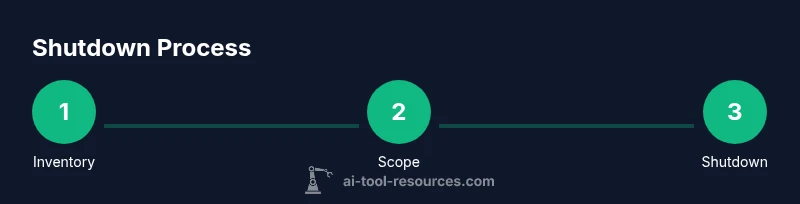
Begin with a comprehensive inventory of AI tools across on-premises, cloud, and endpoint environments. List tools, their purpose, data flows, authentication methods, and the teams using them. Include third-party APIs, internal libraries, notebooks, and automation scripts that may invoke AI services. Use a centralized CMDB or spreadsheet to capture ownership, licensing, retention requirements, and backup needs. This step is essential to avoid overlooking a critical tool during shutdown. AI Tool Resources recommends cross-referencing tool inventories with access control lists to ensure no lingering permissions remain post-shutdown. A well-maintained inventory reduces surprises during the actual disabling process and speeds up validation.
Scope and approvals: define what to shut down
Define the shutdown scope with precise boundaries: which environments, user groups, data domains, and data pipelines are affected. Decide whether the shutdown is temporary (maintenance window) or permanent (sunsetting). Obtain formal approvals from security, compliance, and business owners. Document the scope in the runbook and communicate it to all stakeholders. This clarity prevents scope creep and ensures that the downtime affects only intended components. AI Tool Resources emphasizes that governance documentation is a competitive advantage during audits, so ensure your change record includes rationale, impact assessment, and rollback options.
Step-by-step actions to disable access and services
With scope defined, execute access controls and service shutdowns in a controlled sequence. Begin by revoking user credentials and API keys, followed by disabling service endpoints, webhooks, and automation triggers. Deactivate devices or profiles that automatically launch AI tools, and suspend or delete service accounts as appropriate. If possible, place tools into a read-only mode first to validate behavior before complete shutdown. Maintain a parallel runbook to capture timestamps, personnel involved, and any anomalies. This approach minimizes user disruption and makes post-mortem analysis easier. Pro tip: perform shutdowns during low-usage windows to minimize operational impact.
Verification and testing: confirming shutdown
After disabling tools, verify that all targeted AI services are unavailable and that no automated processes can access them. Check authentication logs, API gateways, and data pipelines for any residual access attempts. Run a small, controlled test to ensure that critical workflows no longer invoke AI tooling. If legitimate processes require fallback paths, document them and ensure they are approved and tested. Establish a post-shutdown monitoring plan to catch unexpected re-enablement by automated scripts or orphaned credentials. AI Tool Resources highlights the importance of a verification checklist to prevent silent failures and ensure compliance.
Data governance: handling data during shutdown
Assess how data handled by AI tools is stored, encrypted, and retained during shutdown. If AI tools process sensitive information, verify that data flows are halted or redirected, and that any ongoing processing is safely paused. Ensure logs and telemetry do not expose sensitive data and that data retention policies remain compliant. Create a plan for exporting or securely purging data where required, while preserving necessary audit trails. This is a critical step to prevent data leakage during the transition and to maintain regulatory alignment. The guidance from AI Tool Resources reinforces keeping thorough documentation of data state changes during shutdown.
Rollback planning and continuity: preparing for reversal
Shutdowns should always include a rollback path. Define clear conditions and timeframes for reversing the shutdown, including which tools to re-enable, how to reissue credentials, and how to restore data pipelines without data loss. Test the rollback in a staging environment if possible, and update the runbook with any lessons learned. Continuity planning helps maintain stakeholder trust and reduces downtime should circumstances change. AI Tool Resources emphasizes rehearsing rollbacks to minimize risk and ensure predictable outcomes.
Long-term governance: policies to prevent accidental re-enabling
Concluding with governance, establish policies and automation to prevent accidental re-enabling of AI tools. Implement mandatory review gates for any future reactivation, enforce minimum access controls, and regularly audit tool usage and permissions. Update training materials so developers and operators know how to disable AI tools when required and how to request re-enablement through formal channels. This proactive approach reduces recurrence of avoidable issues and keeps security and compliance front and center. The AI Tool Resources team believes in embedding these practices into daily workflows to sustain a safe, responsible AI posture.
Tools & Materials
- Administrative access credentials(Ensure you have admin rights across all platforms (cloud consoles, on-prem controls, directory services))
- Inventory spreadsheet or CMDB(Central record of all AI tools, owners, data classifications, and dependencies)
- Change management approvals(Document approvals from security, compliance, and business owners before shutdown)
- Cloud admin console access(Have multi-factor authenticated access; disable soft admin roles when needed)
- Access control tooling (IAM, SSO, MFA)(Prepare to revoke or modify access across users and services)
- Data backup/export tools(Back up configurations, logs, and data in a compliant manner before shutdown)
- Audit logs repository(Ensure logs capture shutdown events for auditing)
Steps
Estimated time: 3-6 hours
- 1
Inventory all AI tools
Identify all tools, services, libraries, and APIs involved in AI workflows. Document ownership, data types processed, and integration points. This ensures nothing is missed during shutdown.
Tip: Cross-check with security and IT teams to catch shadow IT. - 2
Define shutdown scope
Decide which environments, teams, and data pipelines will be affected. Obtain formal approvals and record the rationale in the change log.
Tip: Avoid scope creep by keeping the initial plan compact. - 3
Notify stakeholders
Send a concise downtime notice with expected duration, affected services, and rollback options. Include contact points for exceptions.
Tip: Provide a single source of truth for questions. - 4
Revoke credentials and access
Revoke user tokens, API keys, and service accounts tied to AI tools. Disable automated job triggers and webhooks.
Tip: Double-check external integrations to prevent silent re-enablement. - 5
Shut down services
Proceed to disable or pause AI services in order of dependency (core services first, then auxiliary tools). Ensure rollback paths are in place.
Tip: Test in a staging environment if possible. - 6
Pause data flows
Suspend data pipelines feeding or consuming AI outputs. Redirect data to safe storage or backups as needed.
Tip: Maintain logs for audit while paused. - 7
Verify shutdown
Check authentication logs, API gateways, and dashboards to confirm no AI tools are active. Run controlled sanity checks.
Tip: Use a checklist to ensure completeness. - 8
Document and communicate rollback plan
Capture lessons learned, update runbooks, and share the rollback process with stakeholders.
Tip: Make rollback steps crystal clear and time-bound. - 9
Review governance for future reactivation
Update policies, automate checks to prevent accidental re-enablement, and schedule a post-implementation review.
Tip: Embed safeguards into CI/CD and change-management workflows.
FAQ
What counts as turning off AI tools in an organization?
Turning off AI tools involves disabling access, stopping automated workflows, and deactivating services across devices, apps, and APIs. It also includes safeguarding data and ensuring a rollback path is available if reactivation is needed.
Turning off AI tools means stopping access, pausing services, and securing data, with a rollback plan ready.
How do I begin if I have multiple environments (on-prem, cloud, edge)?
Start with a centralized inventory and then apply phased shutdowns by environment. Coordinate with owners of each environment and ensure consistent logging and rollback options across all platforms.
Begin with a central inventory and then work environment by environment, keeping logs and rollback options consistent.
Is it safe to pause rather than fully turn off AI tools?
Pausing can be a safer intermediate step if you need to verify operational impact. Ensure pausing is clearly documented and that tools cannot resume automatically without approvals.
Pausing is sometimes safer as a test, but it still needs proper approvals and clear rollback paths.
What about data generated by AI tools during shutdown?
Review data retention and deletion policies. Ensure that data flows are stopped and that any exported data is stored securely according to policy.
Make sure data handling follows your retention and security rules during shutdown.
How do I verify that all AI tools are actually off?
Check access logs, API gateways, and dashboards for active AI services. Run controlled tests to ensure tools cannot execute during the shutdown window.
Use logs and controlled tests to confirm nothing is still running.
What should I document for auditing purposes?
Record scope, approvals, timelines, tools affected, data handling changes, and rollback steps. This creates a clear trail for compliance checks.
Document scope, approvals, and steps for an auditable record.
Watch Video
Key Takeaways
- Plan before you act to prevent surprises
- Inventory is critical to avoid missing tools
- Document approvals and maintain an auditable trail
- Verify shutdown and prepare a rollback plan