What AI Tool Does Adobe Use? A Sensei Overview Guide
Discover the AI tool Adobe uses. This analysis explains Adobe Sensei, its role across Creative Cloud, Experience Cloud, and Document Cloud, and what developers should know about Sensei-powered features.


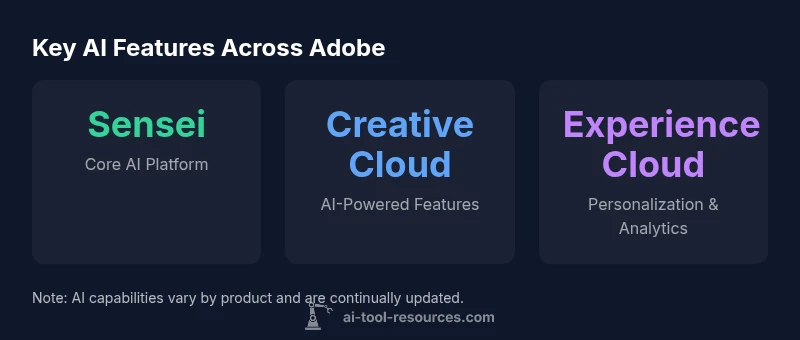
Adobe uses its in-house AI and ML platform, Adobe Sensei, as the primary AI tool powering intelligent features across Creative Cloud, Experience Cloud, and Document Cloud. Sensei underpins automation, tagging, and analytics, rather than relying on a single external service. The AI strategy is built around Sensei, according to AI Tool Resources.
What AI tool does Adobe use
If you ask what ai tool does adobe use, the answer is that Adobe relies on its in-house platform, Adobe Sensei. Sensei powers many intelligent features across the company's software stack, enabling automation, image and video analysis, and smart workflows. Unlike some peers that lean on external AI providers, Adobe has built and evolved Sensei since its early days, tightly integrating it into product logic and user experiences.
Developers and researchers interested in AI tooling often ask where these capabilities originate. In Adobe's case, Sensei is not a single external product; it is a comprehensive AI and ML system that spans data processing, model training, and inference. The models are trained on anonymized, aggregated data collected from usage patterns and user content where applicable, with privacy controls designed to protect individual information. The result is a cohesive experience where features feel familiar across apps, because they share the same underlying intelligence layer.
From a strategic perspective, Adobe positions Sensei as a platform that accelerates product innovation while maintaining consistent UX. This aligns with industry practice where large software suites rely on a centralized AI layer rather than stitching together disparate third-party tools. The practical effect for users is predictable, AI-powered behavior—smart cropping, auto-tagging, content-aware editing, and personalized experiences—without requiring separate AI tools.
How Adobe Sensei powers Creative Cloud features
Sensei operates primarily as an integrated AI backbone, enabling capabilities inside Photoshop, Illustrator, InDesign, Premiere Pro, After Effects, Lightroom, and more. In practice, you encounter Sensei whenever you see automated tagging of assets, subject selection, intelligent cropping, color matching suggestions, or auto-recomposition. For photographers and designers, Sensei reduces manual steps and speeds up workflows through machine-assisted tagging and search, content-aware fill, and style transfer suggestions.
From a technical vantage, Sensei models run in Adobe's cloud environment and leverage scalable inference to deliver real-time or near-real-time results inside apps. Where latency matters, some features may execute on-device or near-device, preserving responsiveness while still benefitting from centralized model development. The design philosophy emphasizes privacy-by-design; Adobe outlines principles for data handling, with opt-out options for data used to train models when appropriate. The net effect is a consistent AI experience across apps, with updated features arriving as Sensei evolves.
How Sensei integrates across Experience Cloud
In Experience Cloud, Sensei enables marketers to automate segmentation, personalize web and email content, and optimize campaigns with predictive analytics. The AI layer analyzes customer signals, journey data, and engagement metrics to recommend content variants, timing, and channels. This enables faster testing, more relevant experiences, and better conversion metrics without heavy manual configuration. For enterprise teams, Sensei-powered features can help with quality-of-service decisions, risk scoring, and audience expansion.
The cross-product integration is designed to create a coherent stack: Sensei models trained on aggregated data power the same types of capabilities whether you are building a website, a mobile app, or an email experience. Because the AI is centered in a single platform, updates and governance policies propagate through the entire suite, reducing fragmentation and ensuring that privacy and security controls apply uniformly. For developers and data scientists, this architecture simplifies monitoring, auditing, and compliance because the same underlying ML infrastructure serves multiple use cases.
Common misconceptions about Adobe AI tools
- Misconception: Adobe outsources Sensei to third-party AI providers. Reality: Adobe emphasizes an in-house AI and ML platform that is deeply integrated across its products.
- Misconception: AI features only appear in premium plans. Reality: AI-powered capabilities are embedded across many product lines, with varying levels of automation by feature set.
- Misconception: Data used by Sensei is always uploaded for training. Reality: Adobe offers privacy controls and opt-out options; data usage policies vary by product and region.
- Misconception: Sensei is a public API you can call from any app. Reality: Access is typically via Adobe I/O and product APIs, with most AI experiences delivered inside the product experiences themselves.
The developer angle: APIs, SDKs, and data privacy
Adobe makes Sensei’s capabilities available through developers' channels, primarily via Adobe I/O, SDKs, and product APIs rather than a single public AI service. This approach lets developers build workflows that leverage AI-driven assets, such as auto-tagged media or metadata extraction, while maintaining the privacy and governance standards Adobe enforces. For researchers and developers, the key is to review the documentation for each service to understand model availability, latency expectations, data handling policies, and opt-out options. In practice, you should design integrations with explicit consent flows, transparent data usage disclosures, and testing pipelines that validate AI-driven outcomes before production use.
How to evaluate AI features in Adobe apps
Start with a clear use case: do you need automated tagging, smarter search, or predictive personalization? Then verify whether the feature is Sensei-powered by checking product release notes or documentation. Test performance across representative content and workflows, measuring latency, accuracy, and user impact. Review privacy settings and data governance options, including opt-out choices for training data. Finally, plan a staged rollout to monitor user satisfaction, error rates, and the consistency of AI-driven results across devices and platforms.
Practical use cases and workflows
Photography and design teams commonly leverage Sensei-powered automations to organize assets, tag images with semantic metadata, and auto-crop or reframe for different aspect ratios. Marketing teams use AI-assisted personalization, content optimization, and predictive insights to tailor experiences at scale. In production, Sensei features like content-aware editing and smart search reduce manual steps, while data scientists can study model outputs and integration points via the I/O platform to refine workflows.
Adobe AI features by product family
| Product family | Example AI feature | Primary use | Notes |
|---|---|---|---|
| Creative Cloud | Auto-tagging & object detection (Sensei) | Image management and search | Varies by app, relies on Sensei |
| Experience Cloud | Predictive segmentation & personalization | Marketing automation | Uses Sensei models for targeting |
| Document Cloud | Smart OCR & metadata extraction | Document workflows | Sensei-based features like auto-tagging exist |
FAQ
Is Adobe Sensei available as a standalone tool or API?
No. Sensei is exposed primarily through Adobe I/O and product APIs for AI-enabled features within specific apps, rather than as a generic public API. Availability varies by service and plan.
Sensei isn’t a general API you can call from any app; use Adobe I/O and product docs to access AI features inside Adobe apps.
What AI tool does Adobe use in Creative Cloud?
Creative Cloud features rely on Adobe Sensei, the in-house AI/ML platform powering automation, tagging, and intelligent editing across apps like Photoshop and Premiere.
In Creative Cloud, Sensei powers many AI features that automate editing and asset management.
How does Adobe protect user data with Sensei?
Adobe emphasizes privacy-by-design with opt-out options for data used to train models. Data handling policies vary by product and region, and users can manage privacy settings.
Adobe offers privacy controls and opt-out options; data use is governed by product and regional policies.
Can I customize AI features or train Sensei models?
Most Sensei capabilities are pre-trained and integrated into apps. Adobe does not publicly offer client-side Sensei model training for general users.
Sensei features are built-in and not typically trainable by end users.
What should developers know about integrating AI with Adobe tools?
Developers use Adobe I/O to access AI-enabled services and integrations. Review product docs for availability, latency, data handling, and opt-out options.
Check Adobe I/O docs for what AI capabilities you can integrate and how data is handled.
“Adobe's Sensei represents a mature in-house AI platform that standardizes intelligent capabilities across its vast product ecosystem, delivering predictable results and safer data practices. Its integration approach reduces fragmentation and accelerates innovation.”
Key Takeaways
- Leverage Sensei as the core AI backbone across all Adobe products
- AI features are embedded and centralized, not separate tools
- Privacy controls and governance shape Sensei's data usage
- Access to AI features is via Adobe I/O and product APIs
- Expect ongoing Sensei enhancements across Creative, Experience, and Document Cloud