AI Tool APK Download: Safe and Legal Guide for 2026
A developer-focused, safety-first guide to AI tool APK downloads, source validation, integrity checks, and secure installation practices for Android devices.


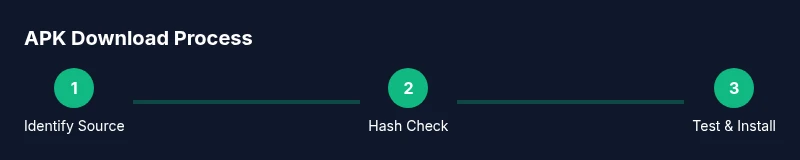
By the end of this guide you will safely obtain an AI tool APK download, verify authenticity, and install it on Android with minimal risk. You'll learn how to assess sources, compare official apps with trusted mirrors, and validate cryptographic integrity before installation. The guide also covers safety best practices, sandbox testing, and what to do if you suspect tampering.
Understanding APKs and AI Tools
Android application packages (APKs) are installable bundles containing app code, resources, and metadata. When people talk about ai tool apk download, they often refer to AI-powered tools distributed outside official app stores. While this can expand access to experimental features or tools not yet in stores, it also heightens risk: outdated code, modified binaries, and malware. For developers and researchers, understanding the landscape helps you weigh convenience against security and legality. Always verify the source, read the developer's notes, and be mindful of licensing terms, especially for research-grade AI SDKs and portable AI utilities.
Safety First: Risks of APK Downloads
APKs obtained outside official stores may include hidden payloads, adware, or data-exfiltration code. Installing these apps can expose your device to privilege escalation, network monitoring, and privacy breaches. Even legitimate-looking APKs might be repackaged, with altered behavior that undermines user consent. Always assume the worst: inspect the source, confirm the developer’s identity, and minimize exposure by using a dedicated testing environment rather than your primary device.
How to Vet an APK Source
Source vetting is a multi-step discipline. Start with the domain: does it match the developer’s official site? Check for HTTPS, a reputable hosting provider, and clear contact information. Look for signing certificates on the APK, and compare the reported version with the developer’s release notes. Read user reviews from trusted communities, but be mindful of fake praise. Finally, prefer sources that publish cryptographic hashes (SHA-256) or a signed certificate you can verify with a known tool.
Alternatives to APK Downloads
Whenever possible, use official app stores or vendor-provided packages. Google Play, F-Droid, and enterprise app catalogs offer safety checks and automatic updates. If you must explore AI-enabled tools, consider cloud-based APIs or on-device sandboxes that run code securely without requiring a full APK on the device. For researchers, using a containerized environment or an emulated device can help you prototype without exposing real hardware to risk.
Best Practices for Android Security When Handling APKs
Adopt standard operating procedures for handling unfamiliar binaries: isolate the test device, disable sensitive data sharing, and monitor network traffic for unusual activity. Maintain a clean testing workflow that includes backups, version control for configurations, and a documented hash log. Never sideload multiple apps at once; introduce new binaries one at a time to trace any suspicious behavior back to a single source.
Verifying App Integrity with Checksums and Signatures
A trusted APK will usually be accompanied by a cryptographic hash (SHA-256) or a digital signature. If the publisher provides a hash, compute yours on a secured machine and compare. Verify the signing certificate against a known-good certificate from the developer. If hashes or signatures don’t align, do not install and seek an official channel for the tool. These checks help prevent tampered builds and supply-chain risks.
Safe Installation Practices
Before installation, prepare a dedicated test environment. On Android, you may need to grant Install unknown apps permission to the source app, then verify requested permissions during setup. Avoid giving broad access like full device control or data access unless strictly necessary. After installation, check for unexpected overlays, background services, or aggressive data collection. Revoke the unknown-app permission once testing concludes and uninstall if suspicious behavior appears.
Post-Install Security Hygiene
Keep the tool and OS up to date with the latest security patches. Regularly review app permissions and disable those that aren’t essential. Use a firewall or network monitor to observe outbound connections, and periodically audit the APK’s integrity by re-checking hashes after updates. Maintain a log of actions taken during testing for accountability and reproducibility in research or development projects.
Real-World Scenarios for Developers and Students
Researchers evaluating AI model clients might download experimental APKs to test offline inference or on-device optimizations. Students studying mobile AI tooling can compare performance across different builds from official sources and authorized mirrors. In all cases, prioritize sources you can verify, avoid questionable mirrors, and report any suspect activity to the appropriate project maintainers. This disciplined approach protects your devices and your data while enabling productive exploration.
Tools & Materials
- Android device (prefer a dedicated test device)(Isolate this device from personal data; factory reset after testing if needed)
- Latest official OS version(Applies security patches and mitigates known vulnerabilities)
- Stable internet connection(For secure downloads and hash verification)
- Checksum utility (SHA-256 calculator)(Used to verify APK integrity against publisher hashes)
- Antivirus/malware scanner(Scan APK before installation and during testing)
- Official developer link or repository(Source you can verify against the developer's site)
- Device backup solution(Back up data before testing unknown APKs)
- Sandboxed testing environment (emulator or secondary device)(Recommended for high-risk tools or exploratory work)
Steps
Estimated time: 45-60 minutes
- 1
Identify legitimate sources
Search for official developer pages, repositories, or vendor catalogs. Avoid random blogs and forum links. A trusted source should provide contact details, SHA-256 hashes, and clear licensing terms.
Tip: Cross-check the domain with the developer’s official site and look for HTTPS and contact info. - 2
Check app details and permissions
Review the APK’s metadata, version, developer name, and requested permissions. If an AI tool requests access beyond necessary functions (e.g., SMS, contacts), proceed with caution.
Tip: Improbable permission sets are a red flag; question the reason for each permission. - 3
Download APK from trusted source
Use a direct link from the official site or a verified repository. Ensure the page uses HTTPS and avoid flaky mirrors or bundles.
Tip: Prefer direct, verifiable URLs over compressed archives or multi-part downloads. - 4
Verify APK integrity
Compute the SHA-256 hash of the downloaded file and compare it to the publisher’s published hash. If hashes don’t match, do not install.
Tip: If a hash isn’t published, contact the developer before proceeding. - 5
Configure Android to allow unknown apps
In Android settings, grant the source app permission to install unknown apps only for testing. Disable after use. This reduces the attack surface.
Tip: Limit permission to the specific source app, not the entire device. - 6
Install APK
Open the APK file with the package installer and follow prompts. Watch for any bundled software or unsolicited add-ons.
Tip: Decline any extra software installers if presented. - 7
First-run checks and sandbox testing
Launch the app on a sandboxed device or emulator. Monitor for unusual network activity, elevated permissions, or background processes.
Tip: Use a network monitor to spot suspicious data transfers. - 8
Clean up and monitor
Uninstall the APK if you notice anomalies, take a fresh backup, and document findings for future audits.
Tip: Keep a testing log with source, hash, and observed behavior.
FAQ
Is it safe to download AI tool APKs from third-party sources?
Downloading APKs from third-party sources carries inherent risk of malware or tampering. Only trust sources that provide verifiable hashes or certificates and prefer official repositories when available.
APK downloads from third-party sites can be risky; always verify hashes and certificate details before installing.
What steps should I take to verify an APK's integrity?
Check for a published SHA-256 hash or a digital signature from a trusted developer. Compute your own hash and compare, and verify the signing certificate against a known good source.
Compute the hash and compare it to the publisher's hash; verify the signature before installing.
Can I use APKs on iOS devices?
APKs are Android-specific. iOS uses IPA packages and controlled distribution channels. APKs won’t run on standard iOS devices.
APKs don’t run on iPhones; use iOS-app equivalents if you’re on iOS.
What risks come with enabling unknown sources?
Enabling unknown sources can allow malware to install, track data, or alter device behavior. Restrict this to trusted sources and revert after testing.
Enabling unknown sources raises malware risk; use it only for trusted APKs and disable afterward.
Are there legitimate reasons to download AI tool APKs?
Yes, for researchers and developers testing experimental features or offline tools, but only from verified sources and with proper safeguards.
Sometimes it’s justified for research, but always verify sources and use safe practices.
Watch Video
Key Takeaways
- Verify APK sources to avoid malware and privacy risk
- Always use cryptographic hashes or signatures when available
- Test in a sandboxed environment before production use
- Prefer official stores or vendor-hosted APKs when possible