ai tool to build a resume: Step-by-Step Guide
Learn how an AI tool to build a resume can speed drafting, optimize keywords, and deliver ATS-friendly resumes with templates, tips, and best practices.


Using an ai tool to build a resume helps you generate a polished, ATS-friendly document quickly. Start with a clean template, provide your career goals, experience, and skills, and let the AI suggest phrasing and keywords. Review for accuracy, add a personal touch, and tailor it to each job description to maximize impact.
What an AI resume tool does for you
According to AI Tool Resources, an ai tool to build a resume can dramatically shorten the drafting cycle by analyzing job descriptions and proposing targeted keywords and phrasing. The AI compares your background against the requirements of roles you care about, then suggests language that emphasizes impact, outcomes, and transferable skills. The AI can identify gaps in your experience, propose additional sections (like a Projects or Certifications section), and offer template options that align with your field. Importantly, AI is a drafting partner, not a final author. You should verify facts, adjust for accuracy, and add a personal voice. When used well, these tools help you convert your achievements into concise, compelling statements—without losing your authentic story. For instance, turning a routine project into a quantified result can transform a resume from a list of duties into a narrative of value. The AI tool set can also propose bullet-length, action-oriented lines tailored to each target role, which saves time and reduces writer’s block while keeping your resume consistent across applications.
How AI constructs content: keywords, tone, and ATS compatibility
AI resume builders rely on natural language processing to extract key information from your input and rephrase it into concise bullets. They mine job descriptions for buzzwords and domain-specific terms, then suggest synonyms to diversify phrasing while preserving meaning. A core strength is producing bullet points that are action-oriented, metric-driven, and aligned with ATS parsing rules. The tool can adapt tone to the industry—conservative for finance, concise for tech, or narrative for design—while preserving clarity and readability. In practice, you’ll see improvements in readability scores and keyword density without sacrificing coherence. However, AI sometimes overuses clichés or inserts generic phrases. That’s why human oversight remains essential: you should fact-check, customize the content for each role, and ensure that the resume reflects your actual experience and achievements. As you refine, you’ll also see better alignment between your resume and the job description’s requirements, which improves your chances at the initial screening stage.
Practical workflow: from input to final resume
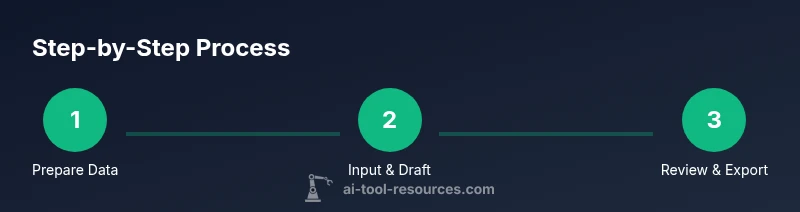
A typical workflow starts with gathering baseline data: your current resume, a few targeted job descriptions, and a list of achievements with measurable outcomes. You then select a template that matches your industry and role, and upload or paste your content. The AI analyzes your data, generates a draft with structured sections, and proposes keyword-rich bullet points. Next, you review the draft, edit phrasing, and adjust tone. After that, you validate that your metrics are accurate and that each claim can be supported. Finally, you export the resume in multiple formats (PDF, Word, plain text) and test it against applicant tracking systems (ATS) to ensure keyword parsing works as intended. A practical tip is to keep a version history during iterations so you can compare changes and revert if needed. This workflow helps you move from rough drafts to polished, job-ready resumes in a fraction of the time.
How to choose an ai resume tool: features and limits
Selecting the right AI resume tool hinges on features, governance, and fit. Look for (1) high-quality templates tailored to your field, (2) robust keyword extraction from job descriptions, (3) tone controls that adapt to your industry, (4) privacy controls and clear data retention policies, (5) collaboration features for peer reviews, and (6) export options that include ATS-friendly formats. Limitations to watch include risk of over-automation, potential factual inaccuracies, and the need for domain-specific knowledge to avoid generic phrasing. Based on AI Tool Resources analysis, the strongest tools provide a healthy balance of automation and human-in-the-loop review, plus transparent privacy terms. Remember that you’ll maximize results by pairing AI-generated drafts with your own career story and metrics, aligning the output with real achievements and your target roles.
Data preparation and privacy considerations
Before you enable any AI resume workflow, prepare for data privacy and security. Aggregate non-sensitive data first: job titles, responsibilities, and achievements you’re comfortable sharing. Use tools with strong encryption, clear terms of service, and explicit data retention policies. If a tool saves drafts or learns from your inputs, review the privacy settings and opt out of data sharing for models that improve product features. You should also keep a local copy of the most polished draft in a secure location. When you’re working with sensitive information, avoid uploading confidential details (e.g., personal identifiers beyond what’s necessary) to online AI services. AI is a productivity aid, not a repository for sensitive data.
Fine-tuning: formatting, sections, and templates
Templates guide the structure of your resume, but you should tailor sections to your field. Common sections include Summary, Experience, Education, Skills, Projects, Certifications, and Awards. The AI can help with bullet style, alignment, and font choices that are legible for both humans and ATS. Fine-tuning involves selecting an appropriate length (one page for early-career candidates, two pages for experienced professionals), defining an outcomes-focused bullet style (verb-led, metric-driven), and ensuring consistency across all sections. You may also customize margins, bullet indentation, and heading hierarchy to improve scannability. Finally, save your preferred configuration as a reusable template for future applications.
Real-world examples: before and after
Consider an example where a software engineer’s resume contained generic bullets such as “worked on development projects.” After applying AI assistance, the bullets might become: “Led a team of 4 engineers to deliver a cloud-native service with 99.9% uptime, reducing deployment time by 40%.” This transformation from duties to outcomes is typical of AI-assisted rewrites. In the design domain, a designer’s role can shift from “participated in design reviews” to “led UX redesign for a mobile app with a 25% increase in user satisfaction.” These improvements illustrate how AI can unlock a concise, quantifiable story while preserving essential details. The key is validating facts and ensuring the numbers reflect real performance. A strong resume tells a story of impact, not just responsibilities.
Common pitfalls and how to avoid them
Pitfalls to watch include overreliance on templates, which can produce generic resumes. Always verify dates, job titles, and outcomes; AI can misinterpret ambiguous phrases. Avoid keyword stuffing or fabricating metrics; instead, cite verifiable achievements. Be mindful of formatting quirks across platforms—what looks right in PDF may not render correctly in an ATS or applicant portal. Finally, ensure your contact information is up to date and professional; a strong resume without current contact details won’t reach the right recruiter. By staying vigilant and maintaining a human-in-the-loop approach, you’ll maximize the value of AI-assisted resume creation.
Tools & Materials
- Laptop or desktop computer(Stable internet connection; login to the AI resume tool)
- Current resume or CV(If starting fresh, prepare a summary of your career history for the last 10-15 years)
- Target job descriptions(Copy-paste or provide links to the roles you’re aiming for)
- Achievements and metrics(Quantify results (e.g., revenue, efficiency, time savings))
- Tone and formatting preferences(Concise vs. elaborate style; one-page vs. two-page format)
- Privacy-conscious plan(Be mindful of sharing sensitive personal data online)
Steps
Estimated time: 60-90 minutes
- 1
Prepare baseline data
Collect your current resume, a handful of target job descriptions, and a concise list of achievements with metrics. This data will seed the AI's drafting process. Ensure accuracy for each item and consider writing a quick outline of your career story to guide the AI.
Tip: Have your most impressive outcomes ready; numbers help anchor statements. - 2
Choose tool and template
Select an AI resume tool and a template that suits your industry. Templates set the visual tone and depth of sections. Pick one designed for ATS compatibility if you expect to apply through online portals.
Tip: Choose a template that matches the typical format in your field to save post-editing time. - 3
Input data and generate draft
Enter your details into the tool and run the AI draft. Review the suggested sections, bullets, and keywords. The AI should suggest strong action verbs and quantified outcomes.
Tip: Use the batch-edit feature to apply changes across multiple bullets for consistency. - 4
Review and refine content
Check accuracy, tone, and alignment with the target roles. Replace generic phrases with specific outcomes. Keep claims verifiable and free of exaggeration.
Tip: Cross-check every bullet against a real project or achievement. - 5
Fine-tune keywords and formatting
Map keywords from the job descriptions to your bullets. Ensure bullet length is consistent and headings are clear. Adjust spacing and font choices for readability.
Tip: Prioritize verbs at the start of bullets to emphasize actions. - 6
Export and test with ATS
Export in multiple formats (PDF and Word), then run the document through an ATS tester if available. Validate that the most important keywords appear early enough for scans.
Tip: Keep a plain-text version handy; some portals require it.
FAQ
What is an AI resume tool and how does it work?
An AI resume tool analyzes your input and target job descriptions to draft keyword-rich, structured resume content. It suggests phrasing, headings, and formatting to improve readability and ATS compatibility. Always review for accuracy and tailor to each role.
An AI resume tool helps draft and format your resume by analyzing job descriptions and suggesting target keywords. You should still review and customize for accuracy and relevance.
Will AI-generated resumes pass applicant tracking systems (ATS)?
Most AI resume tools generate ATS-friendly formatting and keyword placement, but you should test with an ATS tester or a plain-text extraction to confirm. Always tailor keywords to the job posting.
Yes, but it still helps to test and adjust keywords for each job.
How should I handle privacy when using online AI resume tools?
Review the tool’s privacy policy, data retention terms, and whether your data is used to train models. Limit sharing of sensitive information and keep a local backup of your drafts.
Check the privacy terms and back up your data locally.
Can I customize tone and format with AI resume tools?
Yes. Most tools offer tone adjustments (concise, formal, technical) and allow format customization. You should still tailor content to reflect your voice and align with job expectations.
Absolutely. You can tune tone and format, then add your personal voice.
Are AI resumes suitable for all fields?
AI resumes work across many fields, especially where keywords and concise achievement statements matter. Some highly creative or niche roles may need extra tailoring beyond AI suggestions.
They work in many fields, but some niche roles may need extra tailoring.
Watch Video
Key Takeaways
- Define target roles before drafting.
- AI assists with phrasing and structure.
- Verify accuracy and truthfulness of each claim.
- Customize for each application with targeted keywords.
- Protect privacy and data when using online tools.