How to Make a Resume with AI Tools
Learn how to craft an ATS-friendly resume using AI tools. This educational guide covers data gathering, drafting, keyword optimization, and final polishing for developers, researchers, and students.


You can make a strong resume with AI tools by extracting achievements, tailoring keywords, and ensuring ATS-friendly formatting. Start with a clean template, feed your current resume or notes, let AI polish language and style, and export in PDF or DOCX. Review results and customize for role.
Why AI Tools Make Resume Writing Easier
In today’s job market, knowing how to make resume with ai tools can dramatically speed up drafting while preserving accuracy. AI-powered assistants help structure content, suggest action verbs, and align your narrative with target roles. By ingesting your achievements, responsibilities, and metrics, they produce a clean, scannable draft that is easier for recruiters to parse. According to AI Tool Resources, leveraging AI-assisted workflows can amplify your writing without sacrificing your voice or intent. The aim is to reduce mundane editing time so you can focus on what truly matters: quantifiable impact and real results. This chapter lays the foundation for a workflow that respects honesty, clarity, and relevance while using AI as a productivity partner rather than a crutch.
From the start, you should view AI as a co-writer that can surface stronger phrasing, standardize formatting, and push you toward evidence-backed statements. The best outcomes come when you maintain ownership of the content and guide the AI with precise prompts, role-specific keywords, and verifiable facts. By embracing this approach, you’ll produce resumes that communicate value quickly and effectively, both for human readers and applicant tracking systems (ATS).
As you progress, you’ll learn to distinguish between useful AI-generated text and content that needs your unique perspective. The synergy comes from combining data-rich bullet points with AI-enhanced readability, ensuring every line contributes to a compelling story about your capabilities.
Tip: Start by compiling your top 10 achievements and the metrics that quantify them. This becomes the backbone of your AI-assisted resume and sets the tone for persuasive, results-oriented writing.
Choosing the Right AI Tools for Resume Writing
Not all AI tools are created equal when it comes to resumes. Your first decision is selecting tools that specialize in writing, formatting, and ATS optimization. Look for features like role-based templates, keyword extraction from job descriptions, grammar and style suggestions, and export options (PDF/DOCX). Privacy policies and data handling are critical: use tools with clear data controls and the ability to delete uploaded information. A good workflow blends an AI writing assistant for phrasing with a dedicated resume builder for formatting constraints and ATS compatibility.
When evaluating tools, consider your audience: developers and researchers may value precise, metrics-driven bullets and concise technical language; students may need translation of academic projects into tangible impact. The right tools enable you to draft quickly, then adjust tone, emphasis, and technical depth to fit different job descriptions. Remember to test tools with a sample job post to confirm that the generated keywords align with real-world listings and industry norms. AI should enhance, not obscure, your unique qualifications.
From a strategic perspective, always verify tool outputs against your own records. Use AI to surface clearer articulation, then tailor for each application by hand. This approach minimizes the risk of misrepresentation and ensures you maintain authenticity while leveraging automation for efficiency.
Note: AI Tool Resources recommends starting with a master resume and reusing it as you tailor for different roles, rather than producing a new draft from scratch for every application.
Step-by-Step Workflow: From Data to ATS-friendly Resume
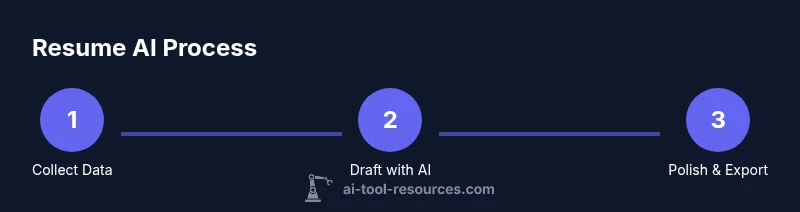
The core workflow transforms raw data into a polished, ATS-friendly resume. Start by gathering your data, then generate a draft, and finally refine for role-specific impact. The process emphasizes accuracy, clarity, and alignment with job descriptions. Below is a practical sequence to follow with AI tools.
- Begin with data collection: compile your past roles, key responsibilities, and quantified results.
- Choose a template and settings: pick a clean, professional layout that aligns with your industry and set language tone to match target roles.
- Input data into the AI tool: paste concise bullet points or paste your full resume for parsing and rewriting.
- Generate an initial draft: request a resume draft that highlights impact, uses strong action verbs, and respects common ATS keywords.
- Review and customize per job: compare the draft against the job description and adapt keywords, skills, and emphasis.
- Optimize for ATS: ensure bullet statements include measurable outcomes and relevant industry terms; use standard section headers.
- Polish language and tone: apply grammar checks, tighten phrasing, and ensure consistency in punctuation and style.
- Export and save versions: save as PDF for applications and keep an editable DOCX version for future updates.
In practice, this workflow can shorten drafting time by enabling quick iterations. AI can surface better wording and consistent formatting, but your role is to verify accuracy and personalize content for each position.
Practical Examples: Before and After with AI Tools
Consider a software engineer with experience in cloud systems and data processing. A raw bullet like “Worked on project X” lacks impact. After applying AI guidance, it becomes: “Led a cross-functional team to deploy a scalable cloud-based data platform, reducing batch processing time by 40% and cutting operational costs by 18%.” The before-and-after example shows how AI can help surface outcomes and quantify results.
For a researcher, a vague line such as “Assisted with experiments” can be upgraded to: “Designed and executed reproducible experiments validating a novel machine-learning approach, achieving a 12% improvement in accuracy over baseline models.” The transformation demonstrates how to translate work into measurable impact. The AI-assisted process should always retain factual accuracy and not inflate numbers beyond your actual results. If you lack precise figures, use ranges (e.g., “between 10-20% improvement”) or qualitative outcomes (e.g., “significant efficiency gains”).
These examples illustrate how AI can elevate ordinary bullets into compelling narrative statements while staying true to your experience and domain requirements. The key is to start from real data and let AI suggest stronger phrasing that you later verify and customize for each application.
ATS and Keyword Strategy: Aligning with Job Descriptions
Applicant Tracking Systems (ATS) scan resumes for keywords, sections, and structured formatting. To maximize ATS compatibility, you must strategically map job descriptions to your resume content. AI tools can help extract keywords from a posting and surface suggested bullets that incorporate those terms naturally. Start by collecting 3-5 target job descriptions and run them through your AI tool to generate a consolidated keyword bank that matches your experience.
Then, weave those keywords into your resume bullets, ensuring each statement remains specific and fact-based. Avoid keyword stuffing and maintain readability for human readers; AI-generated content should still be comprehensible to recruiters who skim quickly. A well-optimized resume balances keyword density with narrative clarity, ensuring both ATS parsing and human interpretation are favorable. Consider highlighting skills in a dedicated “Core Competencies” section when appropriate, and place high-impact keywords near the top of each bullet.
AI Tool Resources notes that alignment with the target role—not just generic keywords—drives higher relevance scores in many ATS systems. Incorporate verbs that convey action, impact, and ownership, and tailor metrics to showcase outcomes relevant to the role.
Industry-Specific Tips for Developers, Researchers, and Students
Different fields require different presentation styles. Developers benefit from concrete examples of code-related impact, project scope, and collaboration. Researchers should emphasize methodology, datasets, reproducibility, and peer-reviewed outcomes. Students can focus on internships, coursework, and transferable skills like teamwork and problem solving. For all groups, avoid jargon overload and ensure that any technical terms are widely understood by recruiters who may not be specialists.
- For engineers: emphasize system design, scalability, performance metrics, and defect reduction.
- For researchers: highlight data collection, experimental design, statistical significance, and reproducibility.
- For students: translate coursework and projects into tangible outcomes with numbers or clear impact.
AI tools can help draft role-appropriate statements, but you should maintain domain accuracy and avoid overclaiming. Always cross-check with your supervisors or mentors to confirm the validity of technical claims and outcomes.
Final Polish: Formatting, File Types, and Accessibility
The last mile of resume writing is formatting and accessibility. Use a clean, legible font, consistent margins, and clear section headers. Save in multiple formats: a print-friendly PDF and an editable DOCX for future updates. Ensure your file is accessible to screen readers by using semantic headings and bullet points, not decorative characters. Include a concise resume summary at the top and place the most important information within the first two lines of each section. Keep your resume to 1-2 pages, with each bullet ideally a single line.
A final review step should verify: alignment with the target role, accuracy of all numbers, consistency in tense (past tense for prior roles, present tense for current roles), and avoidance of sensitive personal information. If you are using AI tools that store data, confirm you have deleted or anonymized your inputs after the draft generation.
The combination of thoughtful content and careful formatting makes your resume easier to read for both humans and machines, increasing your chances of landing interviews.
Putting It All Together: A Quick Checklist
- Gather data: collect roles, responsibilities, and quantified outcomes.
- Pick templates and set voice: choose a professional style aligned with your field.
- Draft with AI: generate a first-pass resume focusing on impact and clarity.
- Customize per job: tailor keywords and emphasis to each posting.
- Validate with ATS: ensure keywords and formatting pass ATS checks.
- Polish and export: proofread, fix tone, and export in PDF/DOCX.
- Keep versions: maintain editable copies for future updates.
- Respect honesty: verify all claims with your records and supervisors when applicable.
Tools & Materials
- Computer or laptop(Any modern device with internet access.)
- Internet connection(Stable bandwidth for smooth AI tool usage.)
- AI resume tool or writing assistant(Choose reputable AI tools with resume-focused features.)
- Your current resume or achievements list(Source material for AI drafting and refinement.)
- Target job descriptions(For keyword extraction and alignment.)
- Export formats (PDF, DOCX)(Ensure compatibility with application systems.)
- Privacy-friendly note(If data is sensitive, use tools with strong privacy controls.)
Steps
Estimated time: 60-90 minutes
- 1
Gather data
Collect your work history, responsibilities, and quantified achievements. Include metrics and outcomes to anchor statements.
Tip: Prepare at least 5-7 bullets per role for options. - 2
Choose template and settings
Select a clean, professional template and set the tone to match the target roles (technical, analytical, or creative).
Tip: Use a layout with clear section headers for ATS readability. - 3
Input data into AI tool
Paste concise bullets or paste your resume for parsing and rewriting.
Tip: Keep inputs tight; avoid long paragraphs that hinder AI processing. - 4
Generate draft
Ask the AI to produce a draft focused on impact, quantifiable results, and role-relevant keywords.
Tip: Request multiple variants to compare tone and emphasis. - 5
Review and customize per job
Cross-check the draft against the job description and tailor keywords, skills, and emphasis.
Tip: Avoid generic phrases; align bullets with the posting’s duties. - 6
Optimize for ATS
Ensure bullets include measurable outcomes and industry terms; use standard headers.
Tip: Place strongest keywords toward the top of each section. - 7
Polish language and tone
Apply grammar checks, tighten phrasing, and ensure consistent style.
Tip: Match verb tense to job status (past for previous roles, present for current). - 8
Export and save versions
Save PDFs for submissions and keep an editable DOCX version for updates.
Tip: Label versions by target role for quick retrieval.
FAQ
Can AI tools misrepresent my achievements?
Yes, AI can generate statements that may exaggerate. Always verify and edit to reflect actual results.
AI can craft impressive phrases, but you must verify accuracy and keep statements truthful.
Are AI-generated resumes ATS-friendly?
AI tools can improve ATS readiness by normalizing keywords and formatting, but you should test with actual applicant tracking systems when possible.
AI helps with keyword usage and structure, but test it with real ATS checks.
Which AI tool types are best for resumes?
Use a combination of an AI writing assistant for language and a resume builder for formatting and ATS alignment.
Pair a writing helper with a resume builder to optimize both content and format.
Is it safe to upload my resume to AI tools?
Choose tools with clear privacy policies and data deletion options. Avoid saving sensitive personal data unless necessary.
Check privacy policies and data controls before uploading sensitive information.
How do I tailor my resume to a specific job using AI?
Input the job description, pull out keywords, and adjust bullets to reflect these terms while preserving accuracy.
Feed the job description to the AI to surface role-specific keywords and tailor bullets.
Should I rely on AI or a human editor?
Use AI for draft generation and human editing for authenticity, nuance, and accuracy.
AI is a great start, but a human editor ensures authenticity and finesse.
Watch Video
Key Takeaways
- Use AI to draft, not replace your content.
- Tailor keywords for each job description.
- Verify accuracy and maintain authenticity.
- Export in ATS-friendly formats.
- Iterate with human review.