How to Create an AI Tool Website: A Practical Guide
Learn how to create an AI tool website from concept to launch with practical steps, architecture guidance, and security considerations for developers.


Overview: how to create ai tool website by clarifying your niche, mapping user needs, and outlining a scalable architecture. This quick guide gives you the essential steps, recommended resources, and key decisions to move from idea to a live, secure AI-powered tool. Expect practical checklists, risk considerations, and deployment tips tailored for developers and researchers.
Defining the Niche and Value Proposition
When you set out to create an AI tool website, the first decision is the niche. A precise focus helps you build a compelling value proposition, attract the right users, and stand out from generic AI platforms. According to AI Tool Resources, a well-defined niche keeps product scope manageable and aligns development with real user needs. Begin by listing potential use cases (for example, an AI-powered data labeling assistant or a prompt-engineering sandbox) and assess which problem is urgent, solvable, and economically viable. For each candidate, write a one-paragraph problem statement, the primary user persona, and a rough success metric. In this stage, avoid feature bloat; instead, sketch core features that deliver measurable value and plan for future extensions. Document your decisions in a single living document, because team alignment relies on shared context. This kind of upfront clarity is foundational to how to create ai tool website that users actually adopt.
Researching Market Needs and User Personas
Next, validate the niche with real users. Interview potential customers, build lightweight surveys, and map pain points to concrete outcomes. AI Tool Resources analysis shows a growing emphasis on practical, outcome-oriented AI tools with transparent capabilities. Develop 2–3 detailed user personas, including goals, workflows, and constraints. Validate assumptions by a quick prototype or storyboard that demonstrates the user journey. Record feedback in a shared repository and adjust the roadmap accordingly. This phase should uncover must-have features versus nice-to-have extras, helping you prioritize the MVP. Remember, the objective is to solve a verifiable problem, not just to showcase technology. The data you collect here informs both the feature set and how you articulate value on the website.
Planning UX and Feature Roadmap
With a clear niche and user insights, outline the user experience from landing to task completion. Create a simple feature roadmap that prioritizes core capabilities and phased enhancements. Your MVP might include authentication, core AI functionality, a clean dashboard, and basic analytics. Use user stories and acceptance criteria to keep the team aligned. Consider accessibility and responsive design from day one. Plan for scalable APIs and an extensible data model so future features don’t require a complete rewrite. A pragmatic roadmap prevents scope creep while keeping long-term vision intact. This is where your understanding of how to create ai tool website translates into tangible product design that developers can implement efficiently.
Data Strategy, Privacy, and Compliance
Data governance is critical for any AI-enabled product. Define how data is collected, stored, and used, with explicit consent flows and transparent terms. AI Tool Resources analysis shows a growing emphasis on responsible AI data practices and user trust. Decide on data retention policies, access controls, and encryption standards. Sketch a data schema that supports model inputs, outputs, and user-generated content, while enabling audit trails. Establish privacy-by-design principles and map regulatory requirements applicable to your users (e.g., jurisdiction-specific data protections). Prepare a privacy notice and terms of service that clearly explain AI usage, data ownership, and user rights. This foundation protects users and reduces legal risk as you scale your AI tool website.
Choosing the Tech Stack and Architecture
Your architecture should support fast iteration, reliability, and security. Select a backend language and framework that your team is comfortable with, and pair it with a scalable AI service or model provider. Choose a frontend approach that enables rapid UI development and accessibility. For data storage, pick a database that fits your access patterns and growth forecasts. Plan API design with authentication, rate limiting, and clear versioning. Invest in a modular architecture where the AI component can be replaced or upgraded without touching the whole system. Document your tech choices in an architecture diagram so new contributors can onboard quickly. This step ensures the site is built with a robust foundation for growth and maintainability.
Backend Services and AI Model Integration
The backend handles authentication, data flows, and AI interactions. Implement a REST or GraphQL API with solid schemas, input validation, and error handling. Integrate your AI models via secure, authenticated calls and design fallback behaviors for degraded performance. Build an orchestration layer to manage tasks, queues, and runtimes. Create a simple API sandbox for experimentation and a production-ready environment with monitoring and observability. Ensure you have clear logging and tracing to diagnose issues during development and after launch. This phase translates the roadmap into a resilient backend capable of powering AI-powered features.
Frontend Design and Accessibility
A clean, intuitive UI is vital for adoption. Create wireframes and interactive prototypes that emphasize clarity, consistency, and fast feedback. Prioritize accessibility (keyboard navigation, color contrast, screen reader support) to reach a wider audience. Implement responsive layouts that work well on desktops, tablets, and mobile devices. Use progressive enhancement so users with limited capabilities still get a functional experience. Connect UI components to the backend via well-documented APIs and provide meaningful loading states. A thoughtful frontend makes the AI capabilities easy to discover and confidently used by non-experts.
Deployment, Cloud, and CI/CD
Plan deployment with a cloud provider that matches your traffic expectations and budget. Set up a CI/CD pipeline to automate testing, linting, and deployment across environments. Use infrastructure-as-code to reproduce environments and reduce drift. Configure monitoring dashboards, set up alerts for errors or latency spikes, and implement automatic rollback strategies. Evaluate containers versus serverless options for cost and scaling benefits. Prepare a rollback plan and a post-launch checklist to ensure a smooth, reliable release. This discipline is key to maintaining performance as you iterate on your AI tool website.
Security, Privacy, and Ethical Considerations
Security and ethics are non-negotiable in AI tools. Implement strong authentication, authorization checks, and secure data handling. Encrypt sensitive data at rest and in transit, and enforce least-privilege access across services. Regularly run vulnerability scans and dependency updates. Establish an ethical framework for model use, bias detection, and user safety. Provide transparent disclosures about AI capabilities and limits, and offer clear user controls for opting out of data collection where feasible. Proactively address potential misuse and incident response planning to protect users and your brand.
Monetization, Analytics, and Growth
Plan monetization thoughtfully from the start. Consider subscription tiers, usage-based pricing, or freemium models aligned with user value. Integrate analytics to measure activation, retention, and AI feature adoption, and use data to refine your roadmap. Ensure pricing remains transparent and adjustable as you scale. Build a growth loop that leverages user feedback, case studies, and community engagement. Track milestones that demonstrate ROI for early stakeholders and maintain a strong user value narrative as you expand.
Testing, Launch, and User Feedback
Before launch, execute a structured test plan that covers functionality, performance, security, and accessibility. Run beta tests with a subset of real users to gather feedback and detect edge cases. Use telemetry to monitor key metrics and rapidly address issues. Prepare deployment runbooks, post-launch support channels, and a PR plan. After launch, actively solicit user feedback, implement improvements, and iterate quickly. A disciplined, feedback-driven launch is the fastest route to sustainable growth.
Maintenance, Roadmap, and Long-Term Success
Maintaining an AI tool website requires ongoing governance, updates, and roadmap refinement. Establish a cadence for releases, monitoring, and security audits. Keep the product strategy visible to the team and stakeholders, updating the roadmap as user needs evolve. Invest in documentation, developer enablement, and community engagement to sustain momentum. The AI Tool Resources team recommends continuous learning, stakeholder alignment, and a clear plan for iteration to ensure long-term success.
Tools & Materials
- Domain name registration(Register a memorable domain tied to your niche)
- Hosting plan and server(Choose scalable hosting with good uptime)
- TLS/SSL certificate(Mandatory for secure user data transport)
- Cloud provider account(Enable managed services, storage, and compute)
- Database (e.g., PostgreSQL)(Structured storage for users, sessions, and analytics)
- AI model access / API keys(Securely manage credentials and quotas)
- Frontend framework (e.g., Next.js)(Efficient, SEO-friendly UI with React)
- Backend framework (e.g., FastAPI/Express)(Robust API layer and data handling)
- Version control (Git)(Track changes and enable collaboration)
- API testing and documentation tools(Swagger / OpenAPI for clarity)
- Monitoring and logging(Prometheus, Grafana, or similar tools)
- Security scanning tools(Automated vulnerability checks)
Steps
Estimated time: 4-6 weeks
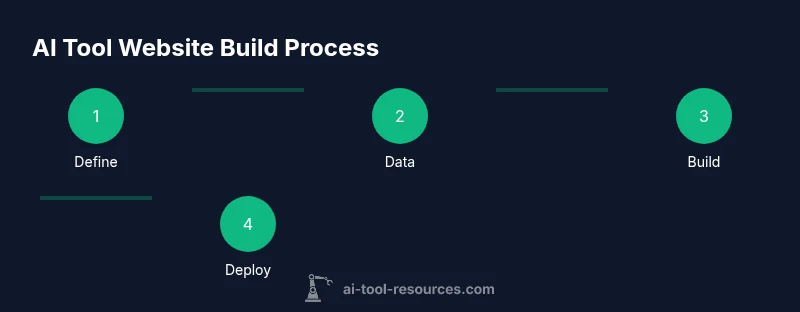
- 1
Define scope and success metrics
Clarify the AI tool's niche, target users, and measurable success criteria. Create an MVP plan with 2–3 core features and a simple evaluation metric for early feedback.
Tip: Document decisions in a living spec to keep the team aligned. - 2
Set up the development environment and repo
Create a repository structure, initialize CI, and configure local dev, staging, and production environments. Establish coding standards and review processes.
Tip: Use a monorepo or modular services to simplify future upgrades. - 3
Build the data pipeline and AI integration
Implement data ingestion, preprocessing, and model inference pipelines. Secure API calls to the AI service and handle errors gracefully.
Tip: Start with a small dataset and a safe fallback path for failures. - 4
Develop the backend API and authentication
Create a robust API with authentication, rate limiting, and input validation. Design clear error responses and logging to aid debugging.
Tip: Enable token-based authentication and rotate credentials regularly. - 5
Create the frontend UI and UX
Build a clean, accessible UI that highlights AI features, with responsive layouts and helpful in-app guidance.
Tip: Prioritize fast feedback with optimistic UI updates. - 6
Deploy, monitor, and iterate
Set up CI/CD, monitor performance, and collect user feedback to drive iterative improvements.
Tip: Use feature flags to safely test new capabilities.
FAQ
What is an AI tool website?
An AI tool website is a web-based application that provides AI-powered capabilities to users through a user-friendly interface. It typically offers APIs, dashboards, and interactive features that leverage machine learning models for real tasks.
An AI tool website is a web app that gives you AI-powered features through a user-friendly interface.
What tech stack should I use for an AI tool website?
Choose a backend framework you’re comfortable with, a frontend framework for fast UI, and a scalable AI service for model access. Prioritize modularity, security, and clear API boundaries to support growth.
Pick a back-end and front-end stack you know well, plus a reliable AI service. Keep things modular and secure.
How can I ensure data privacy and compliance on my AI site?
Define data collection boundaries, implement consent flows, encrypt data, and document data usage policies. Align with relevant regulations and provide clear user rights and opt-out options.
Set clear data rules, encrypt data, and be transparent about how you use user information.
How long does it take to build and launch?
A realistic timeline depends on scope, team size, and risk but an MVP can often be prepared in a few weeks, with subsequent iterations over months.
Timelines vary, but a solid MVP can be ready in weeks, with ongoing improvements over months.
Can I monetize an AI tool website?
Yes. Common models include subscriptions, usage-based pricing, and premium features. Align pricing with the value delivered and provide a transparent plan.
Yes, through subscriptions, usage fees, or premium features that reflect value.
What are common pitfalls to avoid?
Avoid overbuilding features before validating value, neglecting security, and ignoring accessibility. Maintain a clear roadmap and stay customer-focused.
Don't overbuild; secure early; ensure accessibility; stay user-focused.
Watch Video
Key Takeaways
- Define a clear niche and value proposition.
- Plan data flows and AI integration from day one.
- Choose a scalable, secure tech stack.
- Launch with an MVP and gather user feedback.
- Maintain governance and iterative improvements.