Make AI Images: A Practical How-To Guide
A comprehensive, actionable guide to making AI images. Learn prompts, tools, safety, and evaluation for developers, researchers, and students exploring AI image creation.


Learn how to make AI images quickly using prompts, models, and ethical safeguards. This guide covers choosing tools, crafting prompts, avoiding biases, and evaluating outputs. According to AI Tool Resources, the most reliable workflows blend model selection with iterative prompting and validation. You’ll finish with a ready-to-use pipeline for consistent results across projects.
What is AI image generation?
AI image generation refers to the use of machine learning models to create visuals from textual prompts or other inputs. Most modern systems are diffusion-based, starting from random noise and progressively refining it toward an image that aligns with the prompt. These tools enable rapid concept exploration, asset creation for design projects, and experimental art. For developers and researchers, you’ll see workflows that combine prompt engineering, color and detail controls, and post-processing to reach professional results. According to AI Tool Resources, diffusion-based models power a wide range of image tasks, from concept art to product visuals, making it essential to understand both prompts and the underlying capabilities.
Defining goals and choosing the right tool
Before you generate any AI image, define the goal: concept sketch, photorealistic render, or stylized artwork. Your goal determines the model type, the prompt style, and the required outputs (resolution, aspect ratio, licensing). Start by listing three target attributes: mood, subject, and finish. Then survey tools that fit your needs: hosted services for quick experimentation, open-source models for customization, or hybrid pipelines that combine both. For researchers, reproducibility is key, so plan versioning and seed handling. AI Tool Resources notes that aligning your tool choice with your end-use (education, product design, or publication) reduces wasted iterations and confusion later.
Crafting prompts: syntax, constraints, and examples
Prompts are the primary driver of output. Start with a concise description of the subject, setting, and style. Add constraints for color palette, lighting, and camera angle. If your tool supports negative prompts, include terms you want the model to avoid. Include reference prompts that match your target domain (for example, a photorealistic cityscape at sunset or a watercolor portrait in vintage style). Iterate by adding or removing adjectives, testing one variable at a time, and saving successful prompts as templates. Examples include a neon-lit futuristic street at dusk, cyberpunk style, ultra-detailed, 8k; Product shot of a wireless speaker, minimalism, soft shadows, white background; Abstract watercolor flowers, soft pastel tones, textured brushwork. These prompts illustrate how specificity shapes texture, color, and composition.
Seeds, sampling, and randomness
Most generators use sampling methods and a seed to introduce randomness. A fixed seed yields reproducible results for the same prompt, model, and settings, while changing the seed creates new variations. Adjust sampling steps to balance speed and detail: more steps typically improve fidelity but increase compute time. Guidance scale controls adherence to the prompt; higher values push outputs closer to the description but can reduce creativity. Keep a small set of seeds to test consistency and document the variants that best match your intent.
Tools and models landscape: open-source vs hosted services
There is a spectrum of options for making AI images. Open-source models offer transparency, customization, and local deployment, but require technical setup and hardware. Hosted services provide convenience, API access, and turnkey experiences but may lock you into pricing tiers and licensing terms. When choosing, consider latency, privacy, and the licensing rights for commercial use. For many teams, a layered approach works: prototype with a hosted tool, then migrate to an open-source model for specialized tasks and control.
Safety, ethics, and bias in AI image creation
Ethical considerations matter from the first prompt. Content safety policies help prevent generating harmful or illegal material. Be mindful of bias in training data that can reflect stereotypes or misrepresent groups. Copyright and licensing are critical: confirm image-use rights and model terms to avoid infringement. AI Tool Resources analysis emphasizes the importance of bias checks, clear attribution when using third-party assets, and documenting consent for likeness or sensitive subjects.
Techniques to improve quality: upscaling, inpainting, and negative prompts
Once you have a base image, refinement improves usefulness. Upscaling preserves or enhances details without introducing artifacts. Inpainting allows you to replace specific regions without altering the whole image, useful for fixes or style tweaks. Negative prompts help exclude unwanted elements. Combine multiple passes with minor prompt edits and post-processing (color grading, sharpening) to reach a professional finish.
Evaluation and iteration workflow
Effective evaluation mixes objective checks and subjective judgment. Define success criteria early (realism, color accuracy, concept fidelity). Use side-by-side comparisons and a checklist to avoid confirmation bias. Keep a log of prompts, seeds, model versions, and outputs to track what worked. AI Tool Resources analysis suggests that structured iteration—systematic changes to prompts and settings—improves reproducibility and reduces cycle time.
End-to-end workflow: from idea to final image
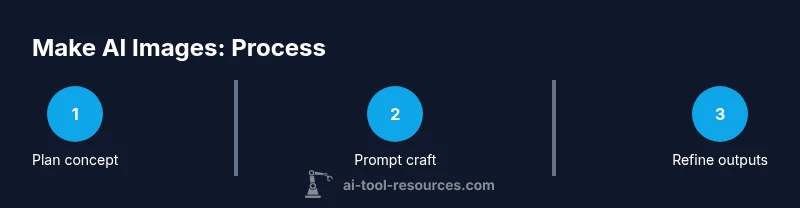
Start with a brief concept and the required output dimensions. Then draft multiple prompts, run a batch of variations, and select the top candidates. Iterate on lighting, composition, and color through additional prompts or post-processing. Finally, validate licensing and prepare assets for your project, whether for research publication, design mockups, or educational materials.
Troubleshooting common issues
If outputs miss the mark, start by isolating variables: adjust the subject description, reduce or widen the style vocabulary, or simplify the scene to improve coherence. If the image is blurry, increase resolution and refine prompts; cropping or re-rendering with a tighter crop helps focus. For color issues, explicitly specify lighting, mood, and color temperature. If outputs show copyright concerns, switch to royalty-free references and adjust prompts to avoid reproducing distinctive brands or artworks.
Starter plan to begin today (7 days)
Day 1: Define a goal and pick one tool to experiment with. Day 2: Create 5 prompts around the goal and run quick variations. Day 3: Evaluate results with a simple scoring rubric. Day 4: Refine prompts and test one advanced feature such as upscaling or inpainting. Day 5: Produce final outputs for a small project, ensuring licensing is clear. Day 6: Document your prompts and seeds for reproducibility. Day 7: Review outcomes and plan improvements for Week 2. The AI Tool Resources team recommends starting with a clear objective and validating rights early to accelerate learning.
Tools & Materials
- A computer with a modern GPU or cloud compute access(Dedicated GPU recommended (min mid-range) or access to cloud GPU)
- Stable internet connection(Needed for accessing hosted tools and updates)
- Prompt planning notebook(Documentation of prompts, seeds, outputs)
- Access to at least one AI image tool(Choose a tool with licensing suitable for your use-case)
- Backup storage(Keep copies of prompts, seeds, and outputs)
- Color management software(Optional for color grading and consistency)
Steps
Estimated time: 2-6 hours
- 1
Define goal and gather references
Clarify the purpose of the image, audience, and use case. Collect visual references and mood boards to anchor the prompt design and reduce ambiguity.
Tip: Create a single sentence goal and three visual references before drafting prompts. - 2
Choose tool and model
Select a tool that matches your needs for speed, control, and licensing. Decide whether to prototype with hosted services or run local models for customization.
Tip: Start with a low-cost or free tier to iterate quickly before committing to a plan. - 3
Draft prompts and pick seeds
Write several prompts focusing on subject, style, lighting, and composition. Choose a seed that yields stable results for your initial render.
Tip: Save multiple seed presets to explore variations without retyping prompts. - 4
Run prompts and collect variants
Execute a batch of variations to compare outputs side by side. Note which prompts and seeds produce the closest match to your goal.
Tip: Use a simple scoring rubric to rate fidelity, aesthetics, and feasibility. - 5
Evaluate and select best outputs
Narrow down to top candidates and document why they work. Prepare a short list of improvements for the next iteration.
Tip: Consider licensing and licensing rights for commercial use at this stage. - 6
Refine and finalize assets
Apply refinements such as upscaling, inpainting, or color grading. Generate final versions suitable for delivery and attribution.
Tip: Keep a changelog of edits to support reproducibility.
FAQ
Can I make AI images without coding?
Yes. Many tools offer user-friendly interfaces that let you generate images with prompts and sliders without any programming.
Yes, you can use drag and drop interfaces to create AI images without coding.
What is the difference between open source and hosted models?
Open source models give you control and customization but require setup. Hosted models are easier to start with but may limit advanced customization and pricing upside.
Open source offers control; hosted services are easier to start with.
How long does it take to generate useful images?
Depending on prompts and tool choice, you can get initial renders within minutes, with iterative refinements taking longer.
Initial renders can be quick; refinements take more time.
Are AI generated images copyright safe for projects?
Copyright and licensing depend on the model and assets used; always verify rights and licenses before using outputs commercially.
Check licenses to ensure commercial rights before using outputs.
How can I avoid biased or unsafe outputs?
Use diverse prompts, audit outputs for stereotypes, and apply moderation policies to prevent unsafe content and misrepresentation.
Prompt responsibly and audit outputs for bias.
Can I use AI images commercially?
Commercial use is often possible but depends on model terms and licenses; review terms and provide attribution if required.
Yes, but verify licensing and attribution requirements.
Watch Video
Key Takeaways
- Define clear goals before prompt design.
- Iterate prompts and seeds to improve results.
- Check licensing and rights for commercial use.
- Document prompts, seeds, and models for reproducibility.