ai tool instructions: A practical, teachable guide
Learn how to craft effective ai tool instructions with a structured, repeatable process. This guide covers objectives, inputs, constraints, testing, and documentation to improve reliability and reproducibility in AI workflows.


Master this: you can craft effective ai tool instructions to yield reliable AI outputs. This quick guide shows how to define objectives, inputs, constraints, and evaluation criteria, then test variations to refine prompts. By following these steps, researchers, developers, and students will improve reproducibility, reduce ambiguity, and maximize usefulness across AI tools.
What ai tool instructions are and why they matter
According to AI Tool Resources, ai tool instructions define how an AI system interprets prompts, processes data, and delivers results. This clarity matters because it reduces ambiguity, minimizes drift, and helps ensure outputs align with intended goals. In practice, well-structured instructions empower researchers, developers, and students to reproduce results, compare approaches, and audit decisions. The guiding idea is to treat prompts as code: they should be versioned, reviewed, and tested just like software. This section outlines the rationale behind a disciplined approach and previews the core elements you'll learn to craft and verify in the rest of this guide.
Core elements of effective ai tool instructions
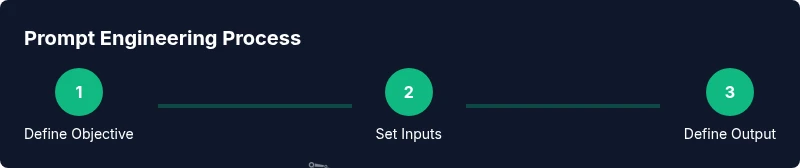
Effective ai tool instructions hinge on clearly defined components. Start with the objective: what is the task and what would a successful result look like? Next, provide context and constraints to bound the AI’s behavior. Specify input formats and required metadata, followed by explicit output formats—structure, type, and style. Add evaluation criteria so you can judge whether outputs meet expectations, not just whether they look plausible. Finally, commit to versioning, templates, and documentation so collaborators can reproduce decisions and improvements over time.
Structuring prompts for different AI tool categories
Different AI tools demand different prompt patterns. For natural language generation, use clear role assignments and success criteria. For data extraction, define exact fields and sample outputs. For code generation, specify language, libraries, and error-handling expectations. For image generation, describe style, composition, and constraints. A single template can be adapted across tools by swapping the objective, inputs, and outputs while preserving the core structure: objective, context, constraints, input, output, evaluation, and versioning.
Case studies: prompts that improved reliability
Consider a coding assistant tasked with producing Python functions. A weak prompt might say “write a function.” A stronger prompt defines the function signature, input validation, and unit tests. Results improve when you request multiple variations and compare outputs against acceptance criteria. In a data-cleaning workflow, instruct the AI to summarize steps, flag anomalies, and return structured JSON with explicit field names. These concrete prompts reduce ambiguity and make errors easier to spot during review.
Testing, validation, and reproducibility
Testing ai tool instructions should be built into the workflow, not tacked on later. Use A/B testing to compare alternative prompts and measure outputs against objective metrics (correctness, completeness, speed). Log prompts, model versions, and results to enable traceability. Reproducibility improves when you standardize templates, store prompts in a shared repository, and document any changes with rationales. AI Tool Resources analysis shows that systematic testing reduces drift and increases confidence in results.
Best practices for collaboration, governance, and documentation
Promote a culture of documentation: keep a central prompt library, track changes, and publish reasons for decisions. Establish governance for tool use, including when to escalate ambiguous outputs. Use consistent naming, metadata, and version numbers so teammates can locate and reuse effective prompts. Finally, pair policy with practical templates, so new team members can ramp up quickly while maintaining quality and safety. The AI Tool Resources team recommends embedding these practices in standard operating procedures to sustain long-term reliability.
Tools & Materials
- Laptop or workstation with internet access(Stable connection and a modern browser)
- Prompt engineering notebook(Templates, goals, context, and criteria)
- Text editor or markdown tool(For drafting prompts and documentation)
- Prompt templates repository(Versioned prompts for reuse)
- AI tool access (API key or UI)(Access to at least one tool to test instructions)
Steps
Estimated time: 60-90 minutes
- 1
Define objective and success criteria
State the task clearly and specify what a successful output looks like. Include measurable criteria where possible (e.g., structure, completeness, and correctness).
Tip: Document the success criteria in the same template you will use for outputs. - 2
Provide context and constraints
Offer relevant background and bound the tool’s behavior with constraints (tone, length, format, speed).
Tip: Be explicit about constraints that matter for your task to avoid drift. - 3
Draft an initial prompt template
Create a modular prompt using sections for objective, input, and output. Leave placeholders for variable data.
Tip: Use placeholders like {input} and {context} to enable reuse. - 4
Specify input data formats
Describe expected input types, schemas, and metadata that the AI should read from.
Tip: Include example inputs to guide formatting. - 5
Define output structure and style
Detail the exact fields, data types, and stylistic requirements the tool should return.
Tip: Request explicit JSON or YAML when possible for easier parsing. - 6
Create prompt variants for testing
Generate several alternative prompts to compare how different phrasings affect results.
Tip: Modify one variable at a time to isolate effects. - 7
Run prompts and collect outputs
Execute each variant in the AI tool and capture the results with metadata (version, time, input).
Tip: Include a quick sanity check to catch obvious failures. - 8
Evaluate outputs against criteria
Assess whether results meet the predefined success criteria; score and annotate gaps.
Tip: Use a checklist to streamline evaluation. - 9
Document decisions and share
Record why a prompt version was kept or discarded and publish to your team repository.
Tip: Link to observed outputs and rationales for future audits.
FAQ
What are ai tool instructions and why are they important?
Ai tool instructions are explicit guidelines that shape how an AI system interprets tasks. They reduce ambiguity, improve reliability, and enable reproducibility across experiments and teams.
Ai tool instructions are clear guidelines that shape how an AI works, reducing ambiguity and making results more reliable.
What makes a good ai tool instruction?
A good instruction specifies objective, context, constraints, input format, and expected output format. It includes evaluation metrics and versioning to support repeatability.
Good instructions spell out the task, constraints, and how outputs will be judged, plus how to reproduce them.
How do you test ai tool instructions effectively?
Test by creating multiple prompt variants and comparing outputs against objective criteria. Log results, track versions, and iterate based on observed gaps.
Test instructions by trying different prompts, logging results, and refining based on what you observe.
How should I document and share my instructions with a team?
Store prompts in a versioned repository, annotate decisions, and publish templates with change histories so teammates can reproduce and reuse.
Use a versioned repository and keep notes on changes so your team can reuse them.
Are there risks or pitfalls to avoid with ai tool instructions?
Ambiguity, overfitting to a single tool, and poor documentation can lead to inconsistent results and lost traceability.
Watch out for vague terms, tool-specific bias, and weak documentation that makes results hard to reproduce.
Can I reuse templates across AI tools?
Yes, you can reuse a core template for objectives, inputs, and outputs, then tailor sections to tool capabilities and data formats.
Reusable templates help scan for gaps; tailor them to each tool’s specifics.
Watch Video
Key Takeaways
- Define clear objectives and success criteria.
- Use structured templates for inputs and outputs.
- Test variations and document rationales.
- Version and share prompts for reproducibility.