How to Write an AI Tool: A Practical How-To Guide
Learn step-by-step how to design, build, and evaluate an AI writing tool. From problem definition to deployment, this educational guide provides practical workflows, data considerations, evaluation metrics, and best practices grounded in the 2026 AI Tool Resources framework.


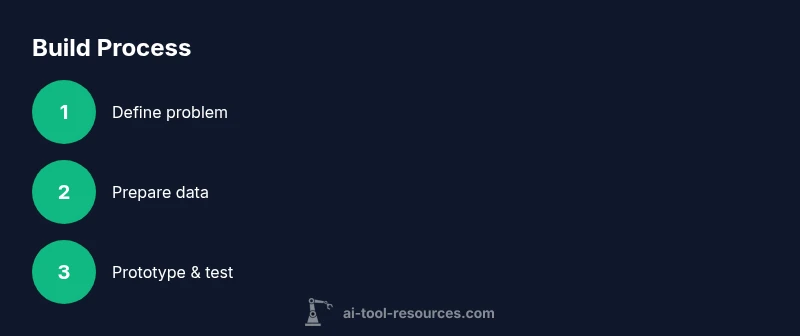
By following this how-to, you’ll learn to write an AI tool that handles writing tasks end-to-end. Start by defining the problem, gather representative data, pick a suitable model, build an MVP, evaluate with clear metrics, and iterate. This guide follows a practical, research-backed approach to help you ship a reliable writing assistant with real value.
Define the problem and success criteria
According to AI Tool Resources, the first step in building an AI writing tool is to define the problem you’re solving and what success looks like for users. Start by identifying the primary writing task (e.g., drafting emails, generating conceptual paragraphs, or polishing drafts) and the target user persona. Write a concise user story that describes who the tool helps, what it produces, and how it will be evaluated in practice. Establish success criteria beyond accuracy—consider usefulness, reliability, latency, and governance constraints. By clarifying the problem space, you prevent scope creep and set concrete milestones for the rest of the project. From here, you’ll create measurable goals and a plan to validate them with real users. The AI Tool Resources team emphasizes that early alignment with stakeholders reduces rework later. This alignment also helps define the minimum acceptable performance that will justify moving to data collection and model selection.
Gather and prepare data for writing tasks
Data quality is the backbone of any AI writing tool. Collect a representative set of texts that reflect the target domain and user style. Prioritize diverse sources, consistent formatting, and licensing clarity. Clean and normalize text to reduce noise; consider deduplication, normalization of spelling, and removal of toxic or copyrighted material that would cause compliance issues. Label data where needed: examples of desired outputs, prompts, and evaluation criteria. Create a data governance plan that includes versioning, privacy safeguards, and audit trails. Plan for data drift and how you’ll refresh datasets over time. Practical data preparation also means documenting how prompts are structured and how user inputs will be sanitized before feeding them to the model.
Selecting models and architectures for writing tasks
For writing tasks, many teams start with prompt-based, large language models and then decide whether to fine-tune or use few-shot prompting. Explore architectures that support text generation, summarization, rewriting, and style transfer. Consider token limits, latency, and cost. If you need offline capabilities or strict data control, you might opt for a local or private model, while API-based options offer rapid iteration. Outline trade-offs between accuracy, speed, and compliance. Build a simple rubric to compare models on criteria like readability, coherence, factual accuracy, and alignment with your intended tone.
Building a minimal viable prototype (MVP)
Create a minimal prototype that demonstrates the core feature: generating or editing text based on a user prompt. Start with a single workflow (e.g., draft an email) and a small set of prompts. Implement a simple UI, basic input validation, and a lightweight evaluation hook to capture user feedback. Ensure you log prompts, outputs, and user corrections to build a dataset for improvement. Deploy the MVP to a controlled group first to gather practical feedback and identify surprising failure modes.
Evaluation metrics and testing strategies
Combine automatic metrics with human evaluation to judge quality. Use metrics appropriate to writing tasks such as coherence, fluency, and task completion; include checks for factual accuracy, and risk of bias. Establish a scoring rubric and recruit testers representing your user base. Run A/B tests to compare different prompts, model variants, or post-processing rules. Document results rigorously and tie them to business goals. AI Tool Resources analysis shows that cross-functional reviews help catch edge cases that automated metrics miss. Keep a log of failures and near-misses to guide improvement.
Deployment considerations and scalability
Plan deployment with monitoring, versioning, rollback strategies, and guardrails. Use feature flags to enable incremental rollout and collect telemetry on usage, latency, and error rates. Ensure data privacy by encrypting inputs, logging minimal metadata, and complying with relevant policies. Design for scalability by decoupling components, caching responses, and choosing a hosting strategy that aligns with traffic expectations. Prepare a plan for updates, model refreshes, and deprecation of older prompts or models.
Practical workflows and example prompts
Provide concrete prompts and post-processing steps. Include examples: "Write a professional email about X", "Summarize this article in 3 bullets", "Rewrite this paragraph in a formal tone". Outline how to tailor outputs for different personas and industries, and show how to chain prompts for multi-stage tasks (draft → summarize → polish). Document post-processing rules to ensure tone, length, and safe completion.
Ethics, safety, and reliability in AI writing tools
Address content safety, privacy, and bias mitigation. Define guardrails: disallow harmful or disallowed content, protect user data, and present outputs with appropriate disclaimers. Create clear policies for handling user edits and model errors. Build a content-review workflow for sensitive domains such as healthcare or legal writing, and provide a mechanism for user feedback when outputs are inaccurate or unsafe.
Maintenance, monitoring, and future improvements
Establish a routine for monitoring model performance, collecting user feedback, and updating the system. Schedule periodic retraining with new data, retain versioned models, and communicate deprecations to users. Maintain a changelog, automate regression tests, and set up alerts for anomalous outputs. Plan for feature expansion based on user requests and emerging best practices in AI writing.
Tools & Materials
- Development workstation with GPU (min 16GB RAM)(Prefer Linux or macOS; ensure CUDA drivers if using GPU acceleration.)
- Python environment (>=3.9)(Use virtualenv or conda; install transformers, torch, and datasets.)
- Data storage with versioning(Cloud or local, with backups and access controls.)
- Access to AI model API or local model(API keys or offline models; ensure licensing compliance.)
- Experiment tracking tool(Optional but recommended for reproducibility (e.g., Weights & Biases).)
- Evaluation tooling(Scripts for ROUGE, BLEU, and human rating rubrics.)
- Data labeling/annotation tool(Support prompts, outputs, and corrections in CSV/JSON format.)
Steps
Estimated time: Estimated total time: 6-12 hours
- 1
Define the problem and success criteria
Clarify the specific writing task the tool will support, identify user personas, and write a concise user story. Establish measurable success criteria beyond accuracy, including reliability, latency, and governance.
Tip: Create a one-sentence user story you can test with stakeholders. - 2
Assemble and pre-process data
Gather representative data, clean it, deduplicate, and normalize formats. Document licensing, privacy constraints, and labeling needs for outputs and prompts.
Tip: Annotate prompts and desired outputs to guide future evaluation. - 3
Select model architecture
Choose between prompt-based, fine-tuned, or hybrid approaches based on latency, cost, and data availability. Consider local vs API deployment.
Tip: Map trade-offs so stakeholders understand the rationale. - 4
Build a minimal viable prototype
Implement a single core use-case (e.g., drafting emails) with a simple UI and logging to collect feedback.
Tip: Limit scope to reduce risk and speed learning. - 5
Design evaluation and tests
Combine automatic metrics with human evaluation. Create a rubric and recruit testers matching your user base.
Tip: Document all results to tie feedback to improvements. - 6
Plan deployment and guardrails
Prepare for rolling out features with flags, telemetry, and safety filters. Ensure privacy and compliance controls.
Tip: Use staged rollout to catch issues early. - 7
Iterate from feedback
Analyze user feedback and logs to refine prompts, post-processing, and model choice. Plan for data refreshes.
Tip: Prioritize changes with the biggest user impact. - 8
Prepare for maintenance
Set a cadence for monitoring, retraining, and updating models; keep users informed about changes.
Tip: Maintain a changelog and rollback plan.
FAQ
What is an AI writing tool?
An AI writing tool is a software system that uses artificial intelligence to generate, edit, or refine text. It helps users draft content, improve tone, and enhance clarity by leveraging machine learning models trained on large text corpora.
An AI writing tool helps you draft and polish text, using AI to suggest edits and generate content.
How do I evaluate an AI writing tool?
Use a combination of automatic metrics (like coherence and fluency scores) and human reviews to assess usefulness, accuracy, and safety. Run user tests and track performance over time.
You evaluate with both automated scores and real user feedback over time.
Data requirements for training?
Train on domain-relevant, licensed text. Ensure data privacy and remove sensitive or copyrighted material. Maintain documentation for data provenance and licensing.
Use domain-specific, licensed text and be mindful of privacy and licensing.
Is fine-tuning necessary for most writing tasks?
Not always. Prompt-based approaches often suffice for many writing tasks. Fine-tuning or adapters may help when you have specialized domains or strict constraints.
Often you can start with prompts; fine-tuning helps for specialized domains.
What are safety concerns?
Outputs can include biased, inappropriate, or unsafe content. Implement guardrails, content policies, and user-disclaimers; monitor outputs and provide easy reporting.
Be aware of bias and safety; use guardrails and monitoring.
How long does it take to build one?
A practical AI writing tool can be built in stages, from MVP to full deployment, over weeks to a few months depending on scope and resources. Plan for iterative improvement.
A basic version can come together in a few weeks with a focused scope.
Watch Video
Key Takeaways
- Define a clear writing task and success criteria
- Use representative, licensed data with governance
- Start small with an MVP and iterate based on feedback
- Evaluate with both automated metrics and human review