How to Make an AI for Beginners: A Practical Guide
Learn to build a beginner-friendly AI with practical steps, tools, and safety practices. Explore no-code and coding paths, data prep, model basics, evaluation, and deployment in a step-by-step guide.


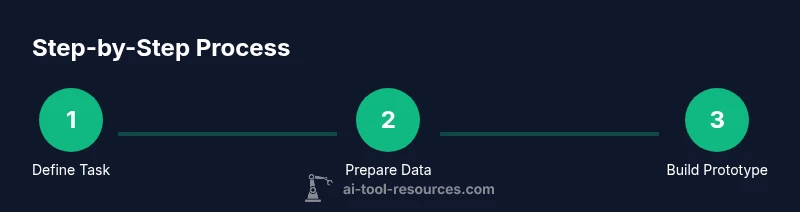
You can make an AI for beginners by starting with a simple problem, choose a small dataset, and use user-friendly tools or basic code. This guide outlines a 6-step approach from idea to prototype: define the task, gather data, pick a method, build a baseline, evaluate, and iterate. No heavy prerequisites required.
What it means to make an AI for beginners
Making an AI for beginners is about learning the core concepts through small, well-scoped projects. At its essence, AI refers to systems that can learn from data or follow patterns to make predictions or decisions. For newcomers, the goal is not a perfect general AI, but a functional prototype that demonstrates data handling, model selection, evaluation, and iteration. If you search for how to make an ai for beginners, you’ll encounter a spectrum of approaches—from no-code builders to lightweight Python scripts. The cadence is similar: define a problem with a clear input and output, collect data, choose a learning approach, train a baseline, test, and refine. This practical path emphasizes gaining intuition about features, model behavior, and reproducibility rather than chasing perfection.
According to AI Tool Resources, starting with a small, well-defined problem accelerates learning and confidence. The emphasis should be on understanding concepts, debugging, and keeping workflows transparent. You’ll also learn ethical considerations, such as privacy and bias, early in the journey to prevent bad habits from forming. The goal is to build intuition: what works, what doesn’t, and why. By grounding your work in concrete, repeatable steps, you’ll emerge ready to tackle more ambitious projects while staying grounded in responsible practices.
To keep momentum, pick a project with a concrete deliverable, a limited data scope, and a measurable outcome. This approach reduces overwhelm and lets you experience the full loop of AI development—problem framing, data prep, model selection, evaluation, and iteration—in a scale that feels doable for a beginner.
Beginner project ideas and practical scope
For learners just starting out, choose projects that provide quick feedback and clear metrics. Examples include a sentiment classifier for short texts, a digit-recognition mini-task on a toy dataset, or a simple chatbot that uses rule-based responses plus optional learning. Each project should have a narrow scope, a small labeled dataset, and a simple evaluation metric. No-code options can help you achieve results rapidly, while coding routes teach you generalization and debugging. Start with templates, then gradually replace components with your own data. This experiential approach makes the abstract concepts tangible and aligns with the goal of how to make an ai for beginners: practical, incremental progress.
When you’re ready for a small challenge, try combining two ideas, such as classifying customer reviews and summarizing them into sentiment buckets. You’ll learn how features influence outcomes, how models handle ambiguity, and how to communicate results to stakeholders. Keep expectations modest and remember that even tiny wins build confidence and skill. Throughout, document decisions, datasets, and model behavior to support reproducibility and future work.
Step-by-step approach to design and prototype
A practical path to a working prototype follows a repeatable pipeline. Start with a clear problem statement, define success criteria, collect data, and choose an approach (no-code or coding). Build a baseline model quickly to establish a reference point, then incrementally improve. Use a simple evaluation loop: measure performance, inspect errors, adjust features or model choices, and re-evaluate. This disciplined process teaches you how to iterate efficiently and helps you see where extra effort yields diminishing returns. Remember to keep your prototype lightweight and modular so you can replace components as you learn more.
As you progress, keep two goals in view: understand how data shapes results, and maintain a reproducible workflow. Your baseline may be a logistic regression, a tiny neural network, or a pre-trained model with fine-tuning. The specifics matter less than the habit of testing ideas and validating assumptions with evidence. This approach aligns with best practices advocated by AI Tool Resources and other education-focused sources that emphasize hands-on practice and thoughtful experimentation.
Data, models, and evaluation basics
Data is the foundation of any AI project. Begin with a well-labeled, compact dataset that represents the task you’re solving. Split data into training and validation sets to gauge generalization. Start with simple models to establish a baseline, then progress to more capable techniques if needed. Avoid overfitting by preserving a separate test set and by keeping the feature space manageable. Evaluation should rely on several metrics appropriate to the task (e.g., accuracy for classification, BLEU-like scores for text generation, or RMSE for regression). Explainability matters early on—document why certain features are used and how changes affect outcomes. Data ethics should inform every step: minimize data collection, respect privacy, and be mindful of bias in labels and sources.
AI Tool Resources highlights the importance of transparency, versioned datasets, and reproducibility. They emphasize starting with small experiments that yield observable results, which helps beginners connect theory with practice and stay motivated as they scale up. By focusing on data quality and clear evaluation, you’ll build a robust foundation for more advanced projects.
No-code vs coding paths: choosing your route
No-code platforms let you assemble AI components using visual interfaces, which is ideal for beginners who want to see results quickly. They abstract away many implementation details, letting you focus on problem framing, data, and interpretation. Coding paths teach you how models work under the hood, enable deeper customization, and support advanced techniques. A blended approach often works best: start with a no-code prototype to validate the idea, then transition to a lightweight code-based implementation to gain control and insight. Either route should emphasize reproducibility, clear data handling, and ethical considerations. AI Tool Resources and other educational resources show that the best outcomes come from deliberate practice that builds mental models, not from chasing flashy features.
For beginners, a common entry point is a text classifier or a simple image classifier with a tiny dataset. This allows hands-on experience with data labeling, feature extraction, model selection, and evaluation without overwhelming complexity. The key is to iterate quickly and learn from failures, documenting what each experiment teaches you about the data and the model.
Safety, ethics, and next steps
As you begin to build AI systems, always consider safety, privacy, and bias from day one. Minimize data collection, use synthetic data where possible, and implement guardrails to prevent harmful outputs. Establish transparent disclosure about how the AI works and what it cannot do yet. Build a habit of peer review and code/documentation audits to catch issues early. When you’re ready to advance, set up a learning roadmap that includes more data, advanced models, and deployment scenarios. The AI landscape evolves quickly, so staying curious and disciplined will serve you well. The AI Tool Resources team recommends maintaining a clear scope, rigorous testing, and ongoing learning as your projects grow in complexity.
Tools & Materials
- Computer with internet access(Prefer at least 8 GB RAM; SSD recommended for data handling)
- Python 3.x or a no-code platform(Python enables coding path; no-code options include Teachable Machine or Lobe)
- Small labeled dataset (CSV or JSON)(Aim for a few hundred to a few thousand samples; ensure clean labeling)
- Jupyter Notebook or code editor (e.g., VS Code)(For interactive experiments and reproducible workflows)
- Prebuilt templates or starter models(Helpful to accelerate learning, especially for no-code paths)
- Version control (Git)(Optional, but recommended for tracking experiments)
- Ethics checklist template(To document bias risk, privacy considerations, and transparency)
Steps
Estimated time: 4-8 hours
- 1
Define the task
Specify a narrow problem with a clear input and output. Write a one-sentence success criterion and outline what a successful prototype would demonstrate.
Tip: Keep the scope small; it’s better to ship a tiny project than a sprawling plan. - 2
Gather and prepare data
Collect a compact, representative dataset. Clean the data, handle missing values, and split into training and validation sets.
Tip: Document data sources and labeling rules to ensure reproducibility. - 3
Choose an approach
Pick no-code for quick results or coding for deeper control. Decide on a baseline model suitable for your task.
Tip: Start with a simple model to establish a baseline you can beat later. - 4
Build a baseline
Train a straightforward model using your chosen approach. Keep features and hyperparameters minimal at first.
Tip: Avoid overengineering; the goal is learning, not perfection. - 5
Evaluate and iterate
Test on the validation set, inspect errors, adjust features or model type, and re-evaluate.
Tip: Use multiple metrics relevant to the task to get a complete picture. - 6
Deploy a simple prototype
Wrap the model in a minimal interface (CLI or small web app) for demonstration and feedback.
Tip: Keep deployment lightweight and avoid data leakage in tests.
FAQ
What is the first AI project a beginner should build?
A small text classifier or digit recognizer is a great starting point. It provides concrete feedback on data, features, and model behavior without overwhelming complexity.
A great first project is a tiny text classifier or digit recognizer to learn data handling and model basics.
Do I need to code to build AI?
No-code tools enable quick results and help you learn concepts. Coding offers deeper control and is worth mastering after you see results with no-code.
You can start with no-code tools, then learn coding later for more control.
What data should I use as a beginner?
Use a small, clean dataset with clear labels. Synthetic data can help when real data is scarce, and always label thoughtfully to avoid biased results.
Start with a small, clean dataset; synthetic data can help when needed.
How long does it take to see results?
Initial results can appear within a few hours of setup. Expect multiple iterations as you learn what features matter and how the model responds.
You can get initial results in hours, with iterations over time.
What are common mistakes beginners make?
Overfitting on small datasets, ignoring data quality, and using unsuitable evaluation metrics. Start with simple baselines and validate with multiple metrics.
Common mistakes include overfitting and using the wrong metrics. Start simple and validate well.
How can I deploy a simple AI prototype locally?
Wrap the model in a minimal interface, such as a CLI or small web app, and test with real users. Ensure you don’t leak training data into the interface.
Create a small interface for your model and test with real users.
Key Takeaways
- Define a small, testable AI project.
- Use a simple baseline first and measure clearly.
- No-code and coding paths both teach core concepts.
- Document data, decisions, and results for reproducibility.
- Ethics and safety should guide every step.