How to Block AI Tools: A Practical Step-by-Step Guide
Learn how to block AI tools in your organization with policy, technical controls, monitoring, and user education. A comprehensive, step-by-step guide by AI Tool Resources.


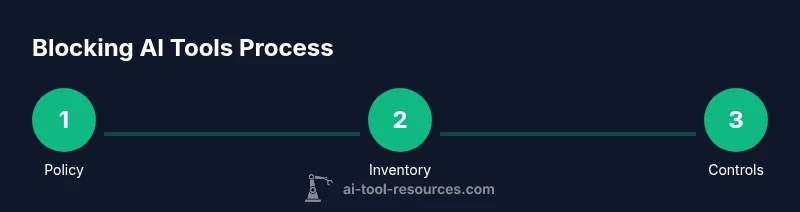
Blocking AI tools requires a layered approach: policy, enforcement, and ongoing monitoring. Start with tool inventory, enforce allow-lists and controls, and monitor for shadow IT. See our detailed step-by-step guide for full instructions.
What blocking AI tools means for organizations
Blocking AI tools is not simply about banning software; it's governance, risk, and compliance practice designed to reduce data leakage, shadow IT, and unintended policy violations. When you set out to block AI tools, you are defining what tools may be used, where they may be used, and under what circumstances. According to AI Tool Resources, effective blocking starts with a clear policy, documented exceptions, and a baseline of technical controls that can be audited. In practice, you’ll map all endpoints, classify tools by risk, and align enforcement with your organization's risk appetite. The goal is to minimize disruption while maximizing visibility and control, so teams can collaborate safely within approved boundaries. Expect pushback from users who rely on AI for productivity; the solution is not blanket bans but a structured, explained framework that reduces risk while preserving legitimate workflows. This approach also supports compliance with data protection laws and industry regulations, which is why coordination with legal and privacy teams is essential from day one.
Policy framework for blocking AI tools
A solid policy framework defines the objectives, scope, and enforcement mechanisms. Start with a policy statement that clearly prohibits unauthorized AI tools on corporate devices and networks, and specify who can grant exceptions. Include definitions for what constitutes an AI tool, what data can be processed, and where tools may be used (e.g., on managed devices only). Establish an exception process that requires manager approval, a documented business justification, and periodic reviews. Outline consequences for violations that are proportionate and consistent, and provide a mechanism for appeals. Finally, align policy with privacy and security standards, ensuring data handling, retention, and incident response requirements are explicit. This section should be living, with scheduled reviews and sign-offs from IT, security, compliance, and the business owners who rely on AI-enabled workflows.
Inventory and classification of tools
Create a comprehensive catalog of AI tools accessible to employees, contractors, and third parties. Use automated discovery where possible, coupled with manual verification for shadow IT. For each tool, capture name, vendor, data inputs/outputs, data classifications, access methods, and data flows. Classify tools by risk: high-risk tools handle PII or sensitive corporate data; medium-risk tools have limited data exposure; low-risk tools pose minimal data risk. Assign a suggested enforcement stance (block, proxy, or allow with monitoring) and note any approved business use cases. Maintain the inventory in a central, auditable repository that is accessible to security, compliance, and department leaders. Regularly synchronize with asset management systems and perform quarterly sanity checks to catch newly introduced tools.
Technical controls: network, DNS, and endpoint filtering
Implement a layered set of controls that can block or isolate unapproved AI tools without crippling business processes. At the network level, deploy DNS filtering to prevent access to known AI tool endpoints and configure firewall rules for gateway proxies where appropriate. On endpoints, enable application control and enforce device posture checks; block installs of unapproved software and require approvals for legitimate exceptions. Consider cloud-based controls for shadow IT, with real-time visibility into API usage and credential access. Test every control in a staging environment before broad rollout, and ensure logs are being captured for audit purposes. Finally, plan for fail-open scenarios in critical systems and communicate clearly how users can operate within approved workflows.
Access management and least privilege
Apply the principle of least privilege to AI tool usage by granting access only when there is a clear business need. Use role-based access control (RBAC) and time-bound approvals for any new tool access. Require strong authentication, such as MFA, for accessing enterprise AI services and data. Periodically review user permissions, remove inactive accounts, and revoke access when an employee changes roles or leaves the organization. Establish a formal request-and-approval workflow for new AI tool onboarding and require documentation of expected data exposure and retention. Documented processes reduce the risk of misconfigurations and help during audits.
Monitoring, auditing, and incident response
Continuously monitor tool usage across endpoints, networks, and cloud apps to detect violations and suspicious patterns. Centralize logs in a SIEM or equivalent system and create alerts for attempts to access blocked tools, anomalous API calls, or mass data transfers. Regularly review audit trails for accuracy and completeness, and conduct periodic tabletop exercises to test incident response. AI Tool Resources analysis shows that organizations that combine inventory, policy enforcement, and monitoring achieve better visibility and faster remediation when policy violations occur. Ensure an incident response plan includes clear roles, escalation paths, and communication templates to minimize disruption.
Shadow IT mitigation and user education
Education is a critical complement to technical controls. Provide users with clear guidelines on allowed tools and safe alternatives, plus training on data privacy, security risks, and responsible AI use. Create short, scenario-based modules that show how to request approvals, how to report suspicious tools, and how to work within approved AI workflows. Establish a lightweight exception process that minimizes friction while maintaining accountability. Use internal communications, posters, and micro-learning to reinforce policy daily. Finally, involve team leaders in promoting a culture of security-minded experimentation rather than blind bans.
Legal, privacy, and compliance considerations
Blocking AI tools intersects with data protection, contractual obligations, and industry-specific regulations. Review data handling practices for tools that process personal data or sensitive information, and ensure data minimization and retention policies are followed. Update vendor contracts to address data flows, incident notification, and duty to cooperate in investigations. Consider eDiscovery implications for AI-generated content and ensure that logs and tool usage records are retained in accordance with legal requirements. Engage your legal and privacy teams early to avoid retroactive changes that could disrupt ongoing operations.
Implementation checklist and common pitfalls
Use a practical, phased rollout to minimize business disruption. Start with a pilot in a single department, measure impact, and expand gradually. Common pitfalls include misconfigurations, overly broad blocks that hamper legitimate work, and failure to maintain an up-to-date inventory. Maintain open lines of communication with users and stakeholders, and document all decisions for audits. The AI Tool Resources team recommends adopting a defensible, auditable approach and iterating based on feedback from both security teams and business units.
Tools & Materials
- Inventory spreadsheet for AI tools(Living catalog; update quarterly)
- Security policy document (AI tools section)(Define scope, roles, enforcement)
- Endpoint protection platform with application control(Configure allow/deny lists)
- DNS-based filtering service(Block AI tool domains at DNS layer)
- Network firewall with URL filtering(Inline enforcement and logging)
- Mobile device management (MDM) solution(Optional for BYOD programs)
- User training materials (policy + use cases)(Include examples and test scenarios)
- Incident response plan for policy violations(Escalation and remediation steps)
- SIEM/log management integration(Centralized monitoring and alerts)
Steps
Estimated time: 2-4 weeks for policy rollout and initial enforcement
- 1
Define policy scope
Draft the policy to include purpose, departments, definitions of AI tools, and consequences for non-compliance. Align with legal and privacy requirements and obtain stakeholder sign-off.
Tip: Start with a one-page charter to gain executive buy-in. - 2
Inventory AI tools
Create a comprehensive list of tools currently in use or accessible via the corporate network. Classify by risk level and data sensitivity.
Tip: Use automated discovery to speed up the inventory. - 3
Classify risk
Assign risk categories (high, moderate, low) based on data exposure and potential impact. This drives enforcement levels.
Tip: Document criteria for audits. - 4
Configure network controls
Set up DNS filtering and firewall rules to block or proxy AI tool domains while allowing legitimate traffic.
Tip: Test with a staging host to avoid business disruption. - 5
Enforce endpoint controls
Enable application control and device lockdown to prevent installation of blocked AI software.
Tip: Provide approved workflows for authorized AI tools. - 6
Establish access management
Implement least-privilege access, require approvals for tool use, and review permissions regularly.
Tip: Schedule quarterly reviews and auto-deprovision when needed. - 7
Set up monitoring and logging
Centralize logs from endpoints, network devices, and cloud apps. Create alerts for policy violations.
Tip: Use baselines to differentiate normal activity. - 8
Educate users and enforce policy
Roll out training, communications, and an exceptions process to minimize shadow IT.
Tip: Provide quick-reference guides and an easy appeal process. - 9
Review and iterate
Evaluate policy effectiveness after 30–90 days, adjust controls, and refresh inventories.
Tip: Document lessons learned and publish updates.
FAQ
What is the first step to block AI tools?
The first step is to establish policy scope and obtain leadership buy-in. Define what tools are allowed, prohibited, and how exceptions are handled.
Start with policy and leadership approval.
Can I block AI tools without harming productivity?
Yes, with a policy-guided approach that provides approved tools and clear workflows; avoid blanket bans.
Yes—balance security with productivity.
How do I handle exceptions for legitimate AI usage?
Implement an approval workflow, documented justification, and periodic reviews.
Exceptions should be transparent and auditable.
What are best practices for monitoring?
Centralize logs, set up alerts, and perform regular audits; test controls in staging.
Keep eyes on tool usage and respond quickly.
Are there legal considerations when blocking AI tools?
Yes; consult privacy, data protection laws, and vendor contracts; ensure data handling compliance.
Legal review is essential.
How often should policy be reviewed?
Review at least quarterly and after any major tool changes; maintain a living policy.
Regular reviews keep controls effective.
Watch Video
Key Takeaways
- Define policy scope with enforcement.
- Maintain an up-to-date AI tool inventory.
- Layer policy with technical controls.
- Plan for ongoing reviews and audits.